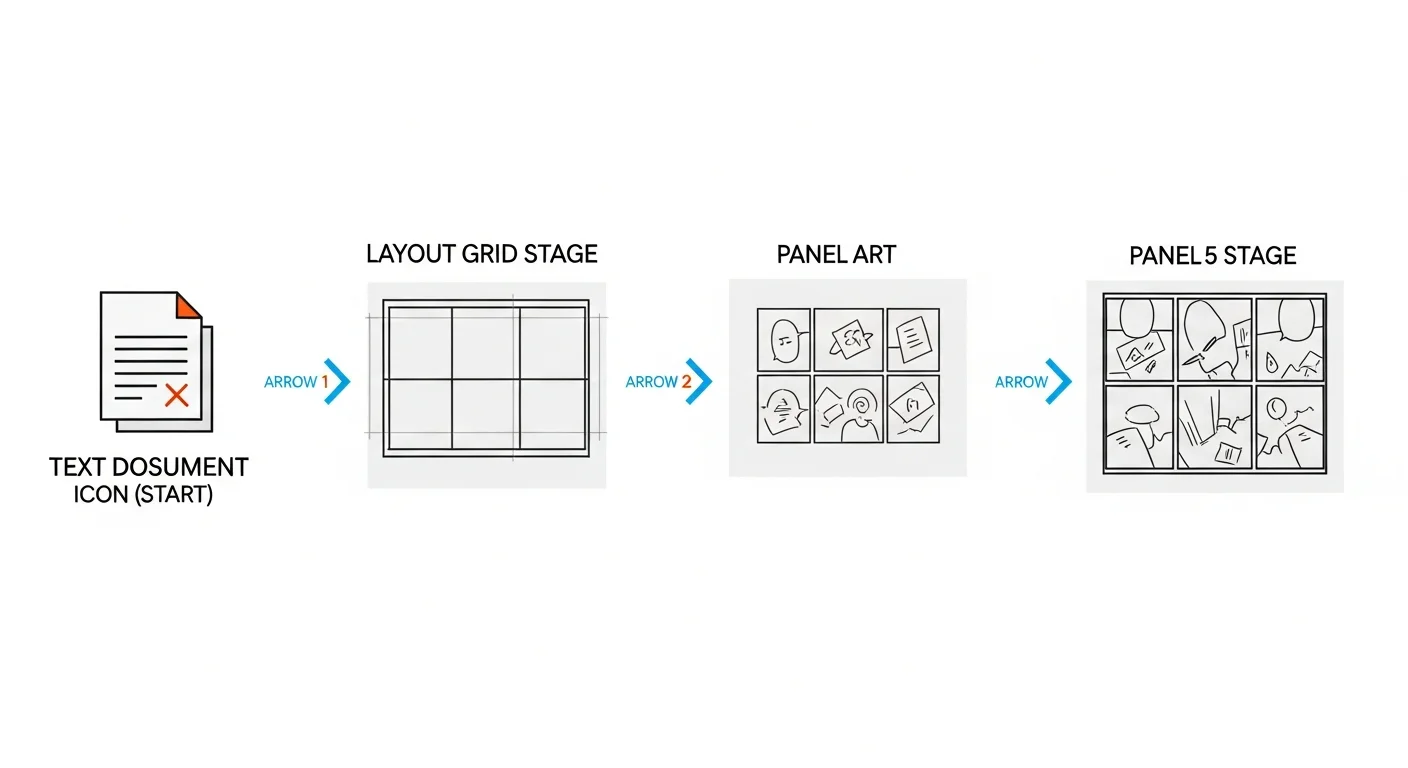
AI tools that create manga or manhwa from text and images chain four stages together: reading your scene description, laying out panels, rendering the art, then placing dialogue. The “images” part of that is a character reference photo, not a full picture converted straight into panels — you upload a photo once to lock a character’s face and outfit, and the pipeline reuses it automatically from then on. Comistitch runs the whole thing as one pipeline — paste a scene (and a character reference if you have one), and the builder handles layout, art, and speech bubbles in one run, holding character details consistent across every panel.
In short: A tool that makes manga or manhwa from text and images turns a plain-text scene — plus, optionally, a character reference photo — into finished panels through a script → layout → art → dialogue pipeline. The quality gap between tools comes down to whether they run that full pipeline (Comistitch, Dashtoon) or only generate isolated single images (most general AI art tools).
What Is an AI Manga Generator?
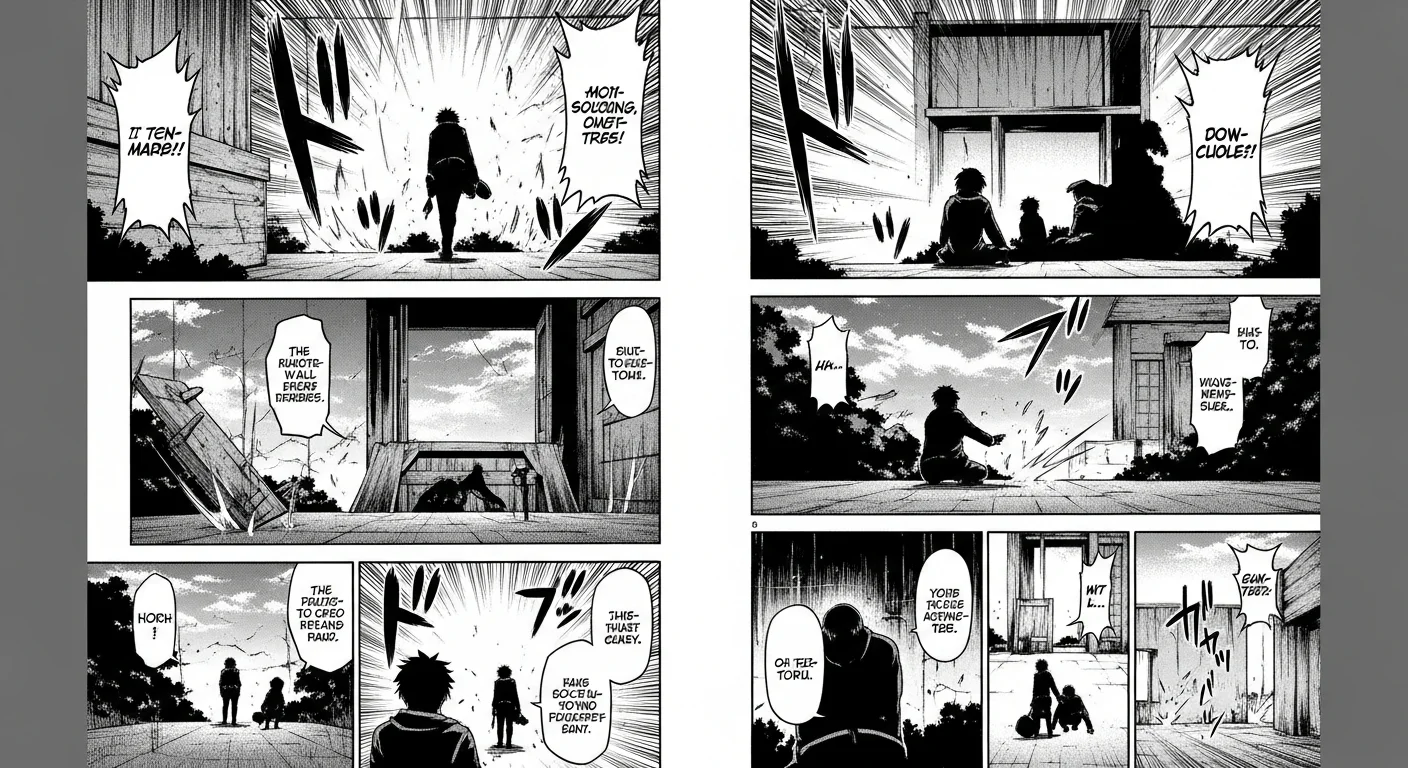
An AI manga generator is software that converts a written scene, script, or story premise into manga-style comic art — inked panels, screentone shading, speech bubbles, and page layout — without requiring the user to draw anything. The category sits between two older tools: general-purpose AI image generators (which make one picture at a time, with no panel logic) and traditional manga-authoring software (which requires manual illustration skill).
The best AI manga generators don’t just produce a single manga-looking image. They understand sequence: a page has multiple panels, the panels tell a continuous story, and a recurring character needs to look the same in panel six as they did in panel one. That sequencing logic — not just image quality — is what separates a genuinely useful generator from a novelty prompt toy.
If you want to see this in action rather than read about it, the AI manga generator style page lets you generate a sample panel directly from a text prompt.
How Does an AI Manga Generator Turn Text Into Panels?
At a high level, every serious AI manga generator runs the same four-stage pipeline, even if the underlying models differ:
- Script parsing — the tool reads your scene description and identifies characters, setting, action, and emotional tone.
- Layout assignment — it maps the beats in your scene onto a panel grid, sizing panels by narrative weight (a big reveal gets a large panel; a quiet reaction gets a small one).
- Art generation — each panel is rendered with manga-specific visual grammar: linework, screentone shading for midtones, speed lines for action, and expressive faces.
- Dialogue and export — speech bubbles and captions are placed, then the finished page is exported in a print- or web-ready format.
Comistitch runs all four stages from a single text input — the builder handles the pipeline automatically, so you never have to manually stitch four separate tools together.
What Happens Inside the Pipeline?
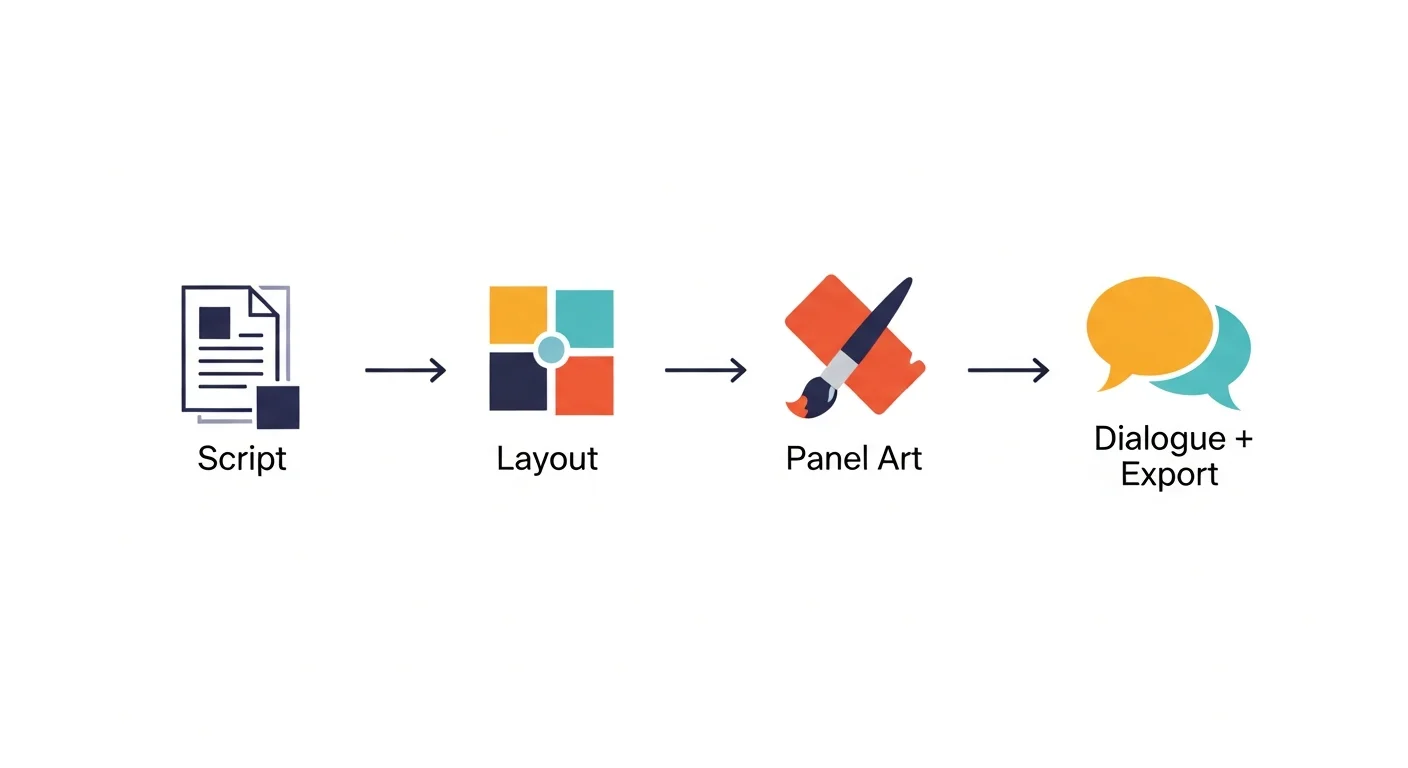
Breaking the four stages down further:
Script parsing uses a language model to extract structured information from your free-text scene — who’s present, what’s happening, and the emotional register. This is why cinematography language (“extreme close-up,” “over-the-shoulder”) and explicit emotion words (“furious,” “nervous”) noticeably improve output quality: the parser is looking for exactly those signals.
Layout assignment applies manga pacing conventions. Tight panel gutters and small frames speed the reader through action; wide gutters and large panels slow things down for dramatic weight. A 6-panel action grid and a full-page splash panel are not interchangeable — they carry different emotional signals, and a good generator picks the right one automatically based on your scene’s intensity.
Art generation is where most of the visible model quality lives. This stage renders inking style, screentone density, panel composition, and — critically — character appearance. If you attached a character reference, this is also where consistency gets enforced across the panel.
Dialogue placement reads your scene for spoken lines and auto-generates speech bubble shapes, tails, and positioning that don’t cover important art. Export then packages the finished page as PNG, WEBP, or multi-page PDF.
Prompt-Only Tools vs Full-Pipeline Generators vs Manual Drawing
Not every “AI manga generator” you’ll find actually runs this full pipeline. Here’s how the three approaches compare:
| Aspect | Prompt-only image tool | Full-pipeline generator (Comistitch) | Manual drawing |
|---|---|---|---|
| Multi-panel sequencing | No — one image per prompt | Yes — full page from one scene | Yes, but manual |
| Character consistency | Poor — drifts every generation | Strong — locked character reference | Perfect (you control it) |
| Speech bubbles / dialogue | Manual, added separately | Automatic placement | Manual |
| Time per page | 30–60 min (manual assembly) | One generation run | Several hours to days |
| Skill required | Prompt-writing | None — plain text scene | Illustration training |
| Comistitch advantage | — | Runs all four stages in one pass, from inside the builder | — |
The practical takeaway: if a tool only produces single images with no layout logic or character memory, you’re doing the panel-stitching and consistency work manually anyway — which erases most of the time savings.
Is AI Manga Generation Actually Free?
Most AI manga generators advertise a free tier, but “free” means something different at every provider — credit caps, watermarks, and commercial-use restrictions all vary. Comistitch’s free tier covers roughly 2 to 3 complete pages with no credit card required, though exports are watermarked until you upgrade. We break down exactly what’s included, what isn’t, and how to stretch free credits further in the AI manga generator free tier guide. For a side-by-side comparison of seven tools’ free offerings, see best free AI manga generator, no signup.
What Art Styles Can an AI Manga Generator Produce?
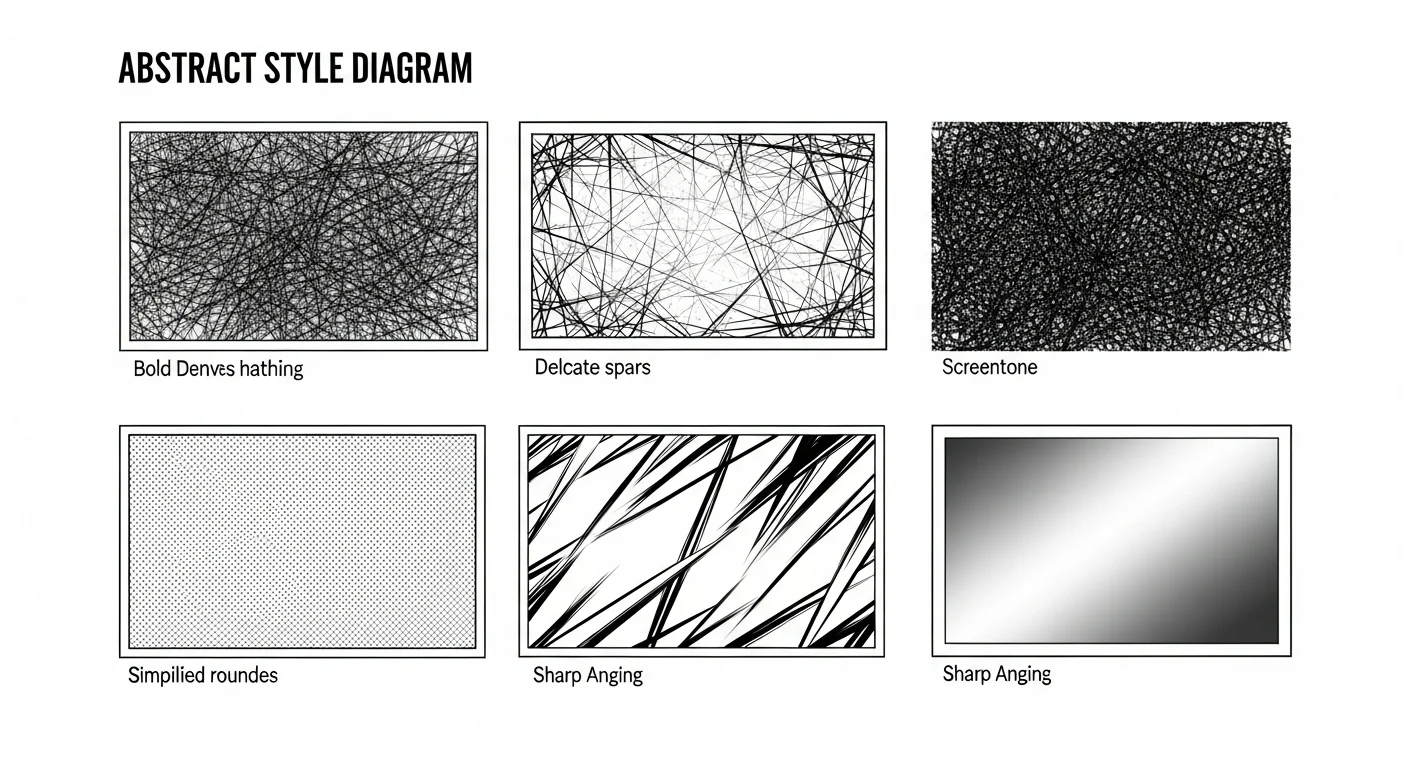
Manga is not one visual style — shonen action, shojo romance, seinen detail work, and chibi comedy all use distinct linework, shading density, and paneling conventions. A capable generator supports this range through prompt-level style control rather than locking you into a single look. We cover exactly how to prompt for each style, with side-by-side examples, in AI manga generator art styles. For genre-specific style pages, see the romance manga style and slice-of-life manga style settings.
How Do I Choose the Right AI Manga Generator?
The honest answer depends on what you’re optimizing for — art quality, price, character consistency, or speed. We built a full six-point checklist covering pipeline depth, consistency, style range, and commercial rights in how to choose an AI manga generator. If you’d rather skip straight to a ranked comparison, best AI manga generators 2026 tested 11 tools head-to-head on exactly those criteria.
Can AI Keep Manga Characters Consistent Across Panels?
Yes, and this is the single biggest quality differentiator between AI manga tools in 2026. Early-generation tools (2023–2024) relied entirely on repeating a text description for every panel, which drifted noticeably after 3 to 5 generations — hair color would shift, face shape would change, outfit details would vanish.
Modern generators, including Comistitch, anchor a character’s design at the embedding level rather than through text alone. You attach a character reference once, and the pipeline reuses that anchor for every subsequent panel and page — the protagonist looks the same in panel 60 as in panel 1, without re-entering a description each time.
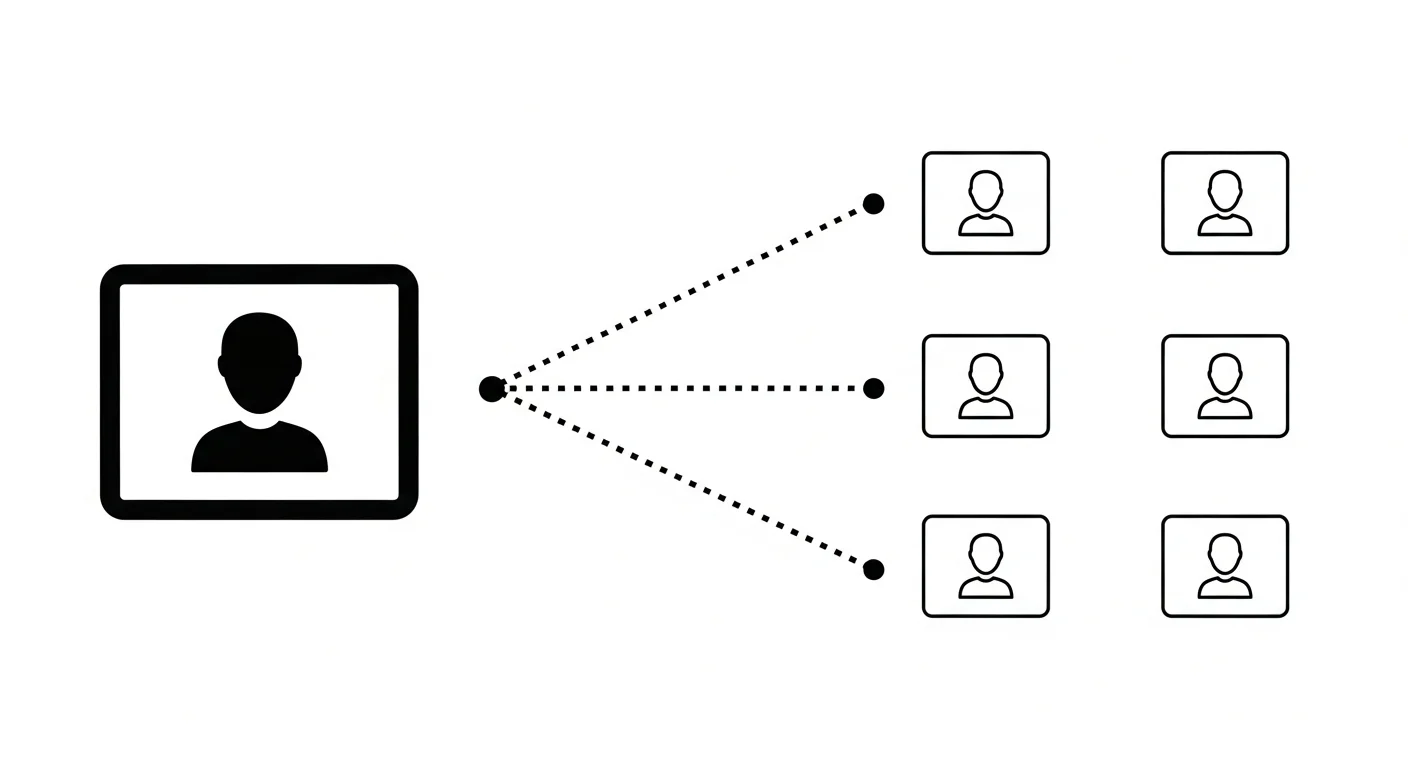
For the deep technical breakdown of how face-anchoring works and how to troubleshoot drift, see the character consistency ultimate guide. For manga-specific character design workflow — building a reference sheet before you generate your first page — see manga character design with AI.
How Does AI-Generated Manga Compare to Hand-Drawn Manga?
AI-generated manga wins decisively on speed: a page an AI pipeline produces in one run can take a trained artist several hours to a full day, depending on panel complexity. Hand-drawn manga still wins on total creative control — an artist can deviate from any convention, invent a visual technique on the spot, or hand-letter dialogue with expressive typography that AI tools currently can’t replicate.
For most creators, the practical answer isn’t “AI or hand-drawn” — it’s using AI to prototype a full chapter fast, then hand-touching the two or three panels that matter most. We compare the tradeoffs in detail, including cost and iteration speed, in AI comic generator vs traditional drawing.
Do Manga, Manhwa, and Webtoon Need Different Generators?
Not different generators — different style settings within the same pipeline. Manga is black-and-white with right-to-left reading; manhwa is full-color with left-to-right reading; webtoon is a vertical-scroll delivery format that most often carries manhwa-style art. Comistitch handles all three from one story input — the builder switches layout, color processing, and canvas orientation based on which style you pick, without changing tools. For the full breakdown of when to use which, see manhwa vs manga vs webtoon.
Try It Now: Comistitch Prompt Example
Paste this into Comistitch Studio’s panel script box:
Open with a wide establishing shot of a rain-slicked Tokyo rooftop at night. Panel 2: medium shot of a lone figure in a school uniform gripping a bo staff, expression tense. Panel 3: close-up on their eyes narrowing as a shadow moves below. Panel 4: impact panel — the figure leaps off the rooftop edge, speed lines trailing. Style: shonen action manga, high contrast black and white, dynamic angles, heavy screentone on the shadows.The builder generates the full 4-panel layout, art, and speed-line effects in under a minute. From there you can attach a character reference to keep that protagonist consistent across the next page, or swap the style keyword to shift the whole scene to shojo or seinen without rewriting the scene description.
What Mistakes Should You Avoid With AI Manga Generators?
- Skipping the character reference on multi-page projects — without it, faces and outfits drift after a few panels. Attach a reference before generating page two of any recurring-character story.
- Writing vague scene descriptions — “a fight scene” produces generic output. “A wide shot of two rivals circling each other in a rain-soaked alley, one gripping a broken blade” gives the parser enough signal to compose a specific panel.
- Ignoring free-tier limits until you hit them mid-chapter — check credit caps before you commit to a serialized story. Our free tier guide covers exact limits.
- Publishing without checking commercial-use terms — most free tiers restrict commercial use even when the output looks publication-ready. Verify your plan’s licensing before uploading to Webtoon, Tapas, or a storefront.
- Assuming every “AI manga generator” runs a real pipeline — many tools marketed this way only generate single isolated images. Confirm multi-panel sequencing and character memory before committing a full project to a new tool.
Where Should You Go Next?
If you’re deciding between tools, start with best AI manga generators 2026 for the ranked comparison, or how to choose an AI manga generator if you’d rather work from a checklist first. If budget is the deciding factor, read the free tier breakdown before you commit to a paid plan. And once you’ve picked a tool, manga paneling 101 is the practical next step for building your first full chapter.
Ready to see the pipeline for yourself? Start free at Comistitch — no credit card, no installs. Paste a scene, and the builder handles layout, art, and dialogue so you can focus on the story.
External references: Global manga market size — Statista · AI in art market growth — Grand View Research