An AI manga generator’s art style range covers shonen (bold action linework), shojo (delicate romantic linework), seinen (dense mature detail), and chibi (rounded comedic proportions) — controlled entirely through prompt keywords, not separate tools. Comistitch supports all four from one text input, and genre settings like horror or sci-fi layer on top independently.
In short: Manga art style and genre are two separate prompt variables. Style (shonen, shojo, seinen, chibi) controls linework and proportion; genre (horror, sci-fi, isekai) controls setting and mood. Combine both in one scene description to get exactly the look you want.
This cluster expands on the style section of how AI manga generators work — read that first for the full generation pipeline, or keep reading for a style-by-style breakdown.
What Art Styles Can an AI Manga Generator Actually Produce?
Manga isn’t a single visual style — it’s a family of related conventions that vary by genre and target audience. A generator that only produces one flavor of “manga-looking” art is genuinely limited. The four style families worth knowing, in more depth:
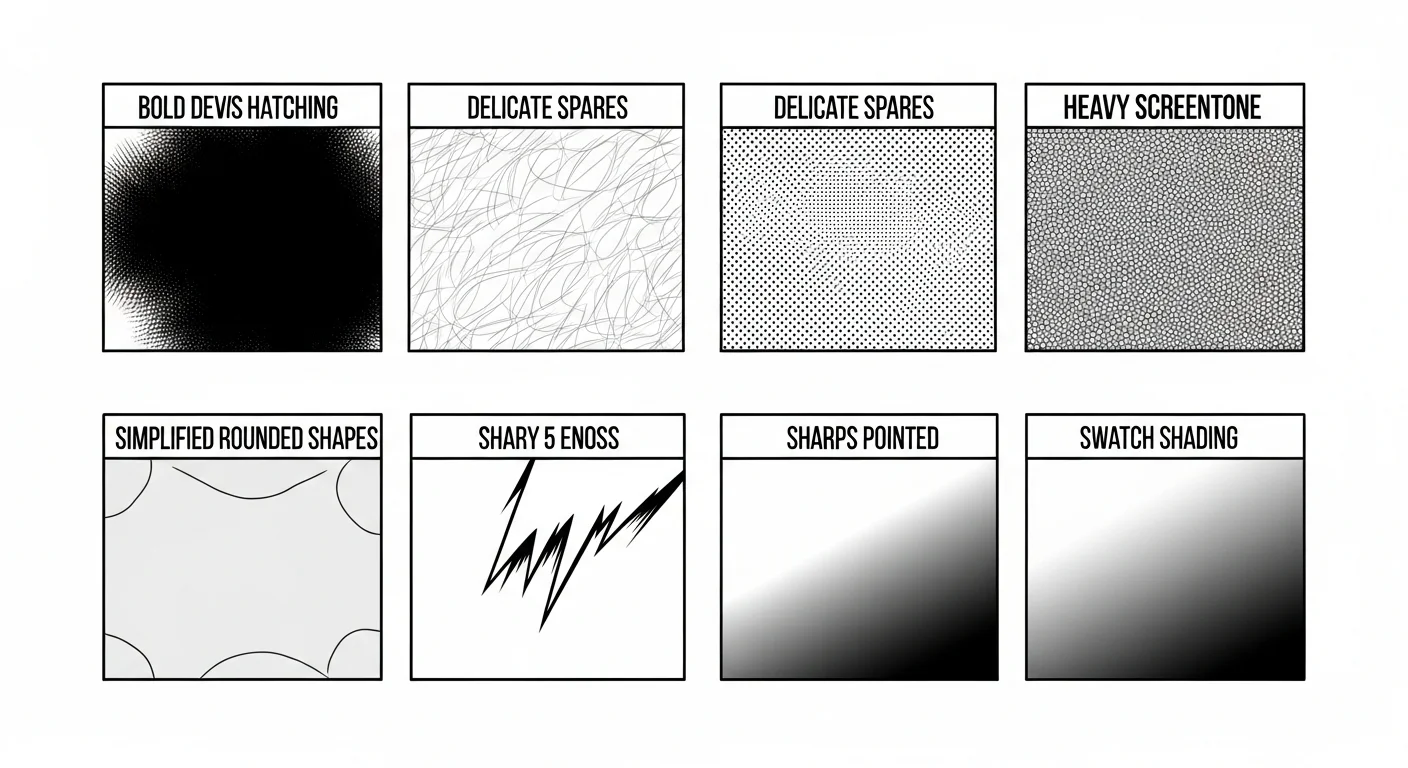
Shonen is the style most readers picture when they hear “manga.” It favors bold, high-contrast linework built for legibility at speed — dynamic low and high camera angles, heavy screentone concentrated on impact panels, and confident, thick outlines that read clearly even in a small panel. It’s the default style for action, sports, and battle-driven stories, and it’s usually the most forgiving style for a first AI-generated project.
Shojo flips almost every one of those choices. Linework is thinner and more delicate, screentone shifts from hard dot-pattern shading to soft gradients, and the visual vocabulary leans into emotional and romantic beats — sparkle-eye reactions, floral background elements, and gentler, slower panel transitions. Shojo output rewards prompts that name specific emotional states rather than just physical action.
Seinen targets a more mature, grounded register. Proportions are closer to realistic, backgrounds carry far more environmental detail, and the exaggerated expression shorthand common in shonen and shojo (sweat drops, vein-pop anger marks) is used sparingly if at all. Seinen is the style of choice for thriller, mature drama, and psychological horror manga.
Chibi simplifies everything: rounded, 2-to-3-head-tall proportions, minimal linework, and almost no screentone. It’s built for comedy — reaction panels, gag strips, and 4-koma (4-panel) layouts where the punchline matters more than scene-setting detail.
Comistitch’s AI manga generator style page supports all four as prompt-level presets, meaning you don’t need a different tool for each style — the style keyword in your scene description is the only thing that changes.
How Do Shonen and Shojo Styles Differ in AI Output?
Shonen output prioritizes visual punch: thick confident linework, dramatic camera angles, speed lines and impact stars layered onto action beats, and heavier black ink coverage overall. It’s the default association most readers have with “manga art,” and it’s usually where new creators start because the style tolerates less-detailed prompts reasonably well.
Shojo output inverts most of those choices: thinner, more delicate linework, softer gradient screentones instead of hard-edged dot patterns, and a visual vocabulary built around emotional expression — sparkle eyes, floral background elements, and gentler panel transitions. The two styles can render the exact same scene description completely differently, which is why naming the style explicitly in your prompt matters more than almost any other variable. A rooftop confrontation scene rendered in shonen style reads as tense and kinetic; the same scene in shojo style reads as wistful and internal, even with identical action beats.
What About Seinen, Chibi, and 4-Koma Styles?
Seinen style targets a more mature register: denser backgrounds, more anatomically grounded proportions, and less reliance on manga’s more exaggerated expression shorthand. It’s the hardest style for AI to hold consistently across a long chapter because there’s simply more fine detail to drift on panel-to-panel — a seinen character’s precise jaw shape or hairstyle texture is a smaller, more delicate target than a chibi character’s rounded silhouette.
Chibi style does the opposite — simplified, rounded proportions with minimal linework and screentone. It pairs naturally with the 4-koma layout (a 4-panel vertical comedy strip format popularized in Japanese newspaper and web comics), since both prioritize a fast comedic punchline over detailed scene-setting. A 4-koma strip typically follows a setup-development-twist-punchline structure across its four panels, and chibi’s simplified proportions keep the reader’s focus on the joke rather than background detail.
Manga Style Comparison
| Style | Linework | Screentone density | Best for | Consistency difficulty |
|---|---|---|---|---|
| Shonen | Bold, thick, angular | Heavy on action panels | Action, sports, battle stories | Moderate |
| Shojo | Delicate, thin, curved | Soft gradient | Romance, emotional drama | Moderate |
| Seinen | Dense, detailed | Heavy, realistic | Thriller, mature drama | Hardest |
| Chibi | Simplified, rounded | Minimal | Comedy, 4-koma, reaction strips | Easiest |
| Comistitch advantage | All four available from a single style keyword, from inside the builder | — | — | Character reference locks consistency regardless of style |
How Do I Specify a Style in My Prompt?
- Name the style directly — “shonen action manga,” “shojo romance style,” “seinen detailed linework,” or “chibi comedy style” as an explicit tag in your scene description.
- Add a contrast directive — “high contrast, bold inking, minimal screentone” pushes toward shonen; “soft shading, delicate lines, gradient tone” pushes toward shojo.
- Reference genre tropes — “shonen battle stance,” “shojo flower background,” “4-koma punchline panel” are understood as genre-and-style shorthand together.
- Keep style consistent across a full page — mixing style keywords panel-to-panel within the same page usually produces a jarring, inconsistent result unless that’s an intentional stylistic choice.
Can I Combine Manga Style With Genre Settings Like Horror or Sci-Fi?
Yes — art style (shonen, shojo, seinen, chibi) and genre setting are independent prompt variables, so you can combine them freely. A shonen-style sci-fi panel and a seinen-style horror panel are both valid, distinct outputs, and this is one of the most underused levers new creators have available. For genre-specific deep dives with worked examples, see cyberpunk comic style with AI and isekai adventure comics with AI. For genre-specific style pages, explore the horror comic style and sci-fi comic style settings.
Does Style Choice Depend on Genre, Like Slice-of-Life or Isekai?
Genre and style overlap in convention, even though they’re technically independent. Slice-of-life stories lean toward shojo or a softened seinen for their gentle pacing and emotional focus — the slice-of-life manga style page defaults to exactly this combination. Isekai (portal-fantasy) stories are more flexible: shonen style suits an action-heavy isekai power fantasy, while a more grounded seinen treatment suits an isekai story built around political intrigue or survival stakes. There’s no wrong pairing — the convention exists because certain style-genre combinations have proven readable and market-tested over decades of print manga, not because the AI enforces any hard rule.
Try It: Comistitch Prompt Example
Paste this into Comistitch Studio to test two contrasting styles from the same scene:
Panel 1 (shonen style): A wide shot of a lone fighter standing atop rubble, wind blowing their torn jacket, dramatic low angle, heavy screentone shadow, bold high-contrast linework, speed lines trailing from their stance.

Panel 2 (shojo style): The same fighter, later, sitting quietly under cherry blossoms, soft gradient screentone, delicate thin linework, sparkle accents in the background, gentle expression.
Running both panels back to back is the fastest way to see how dramatically style keywords change the output — the builder renders both from the same base scene with only the style tag swapped.
What Mistakes Do Creators Make With Manga Art Styles?
- Mixing style keywords mid-scene without intent — switching from “shonen” to “seinen” language within a single panel description confuses the model and produces an inconsistent blend. Pick one style per panel unless the shift is a deliberate storytelling choice (like a dream sequence).
- Assuming style and genre are the same setting — a common early mistake is describing “a horror manga panel” and expecting a specific linework style automatically. Name both the style (seinen, shonen) and the genre (horror) explicitly for predictable results.
- Overloading a chibi prompt with detailed background description — chibi’s whole visual appeal is simplicity. Long, detailed background descriptions fight against the style’s minimal aesthetic and often produce a muddled result.
- Skipping a character reference when switching styles mid-project — if you generate early pages in shonen and later pages in seinen for the same character, attach a fresh reference for the new style rather than reusing the old one, since proportions differ meaningfully between the two.
Which Style Should Beginners Start With?
Chibi or simplified shonen are the most forgiving starting points — fewer fine details mean fewer opportunities for consistency drift, and both styles tolerate imperfect prompts better than seinen’s detail-heavy register. Once you’re comfortable with how style keywords steer output, move on to shojo or seinen for projects that call for a more nuanced visual register. For style-specific shading technique once you’ve picked a style, see manga shading and screentones with AI.
Where to Next?
- How AI manga generators work — the full generation pipeline
- How to choose an AI manga generator — pick a tool that supports the style range you need
- Romance manga style page — generate a shojo-style sample panel
- Slice-of-life manga style page — a gentler everyday-life style example
Try every manga style from one prompt box. Start free at Comistitch — the builder handles linework, shading, and paneling for whichever style you name, no separate tool switching required.
External references: Global manga market size — Statista · AI in art market growth — Grand View Research