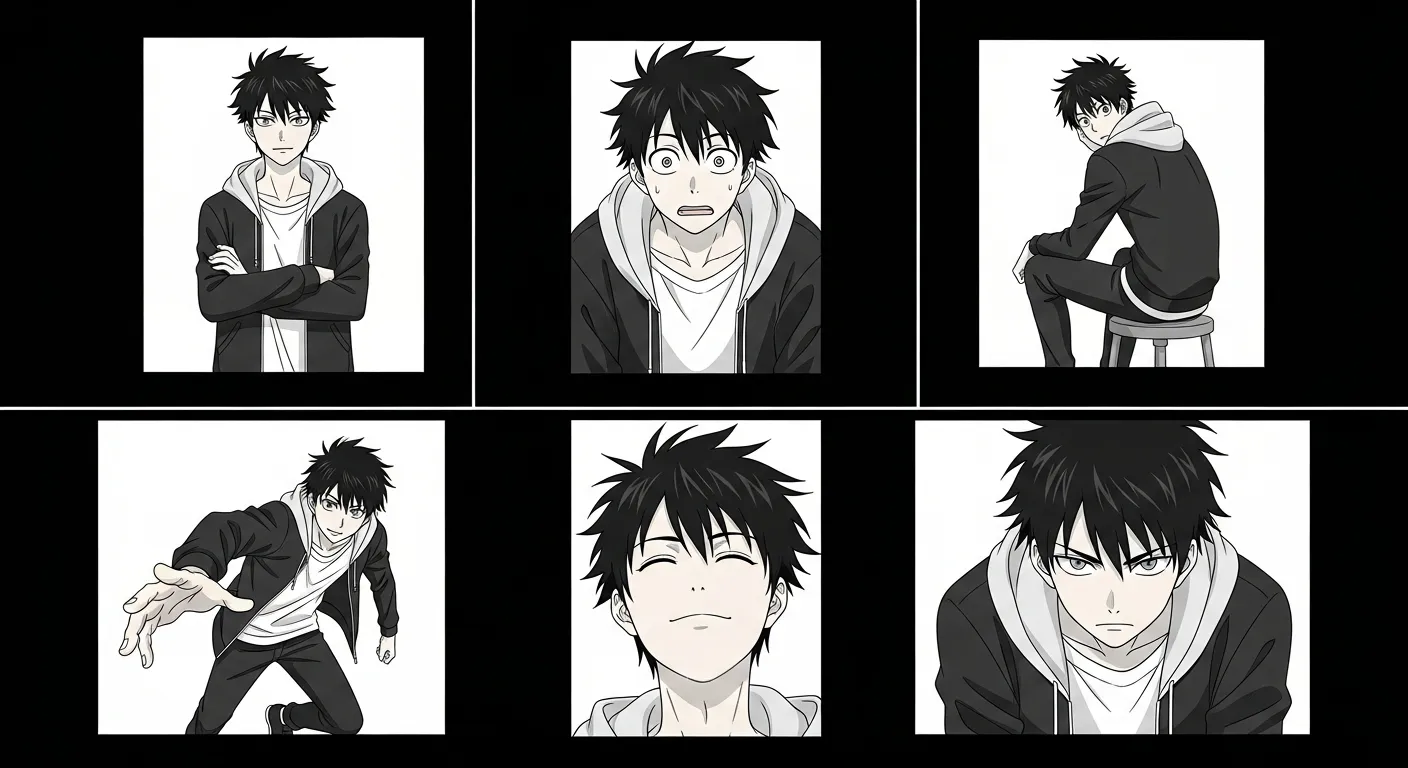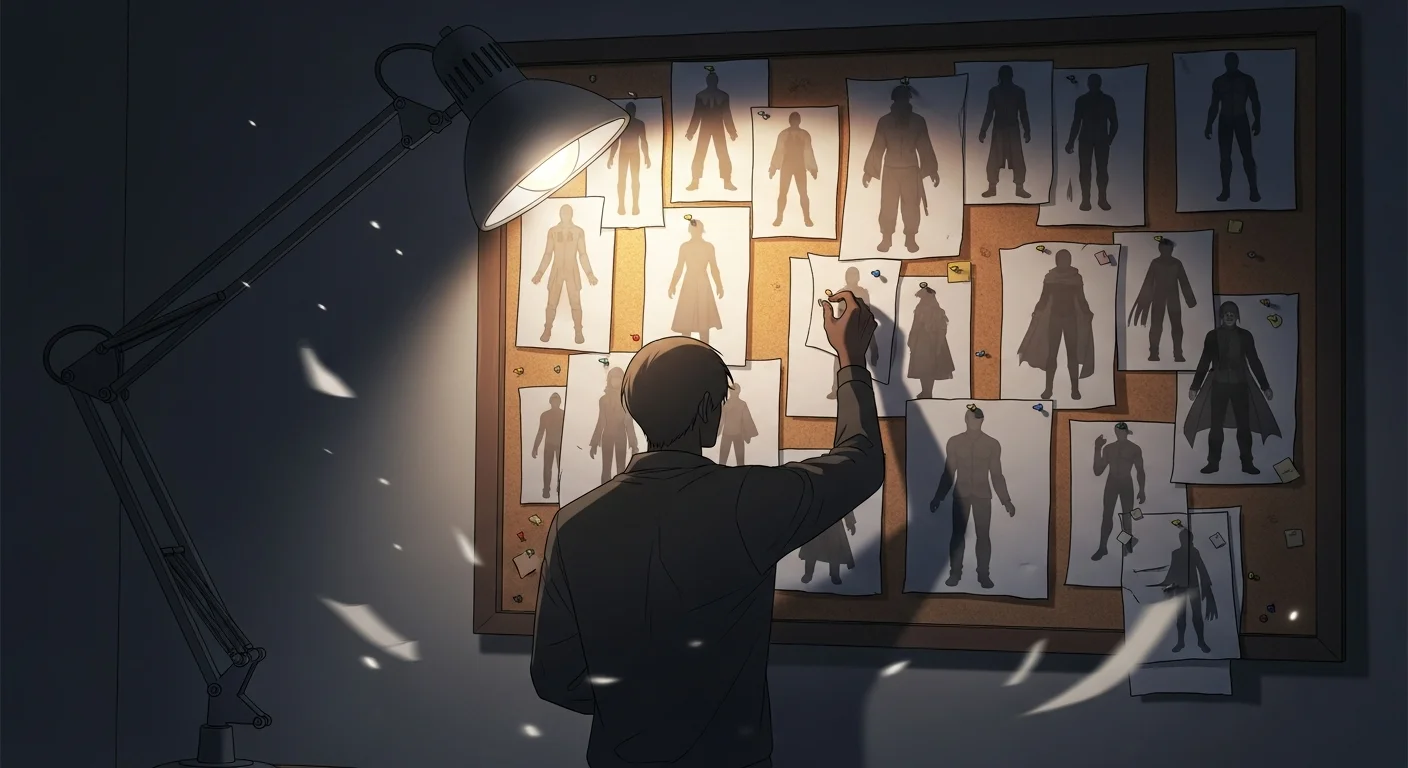
Updated April 2026 — Expanded from our earlier overview to cover pipeline mechanics, a copyable character sheet template, advanced techniques for outfit changes and age progression, and a 6-tool comparison table.
In short: Character consistency means every panel shows the same character with matching face shape, eye placement, hair, clothing. In AI comic creation, this happens via detailed character sheets and style-locking prompts. Comistitch’s visual memory system ensures consistency across your entire webtoon from inside the builder.
You build a scene perfectly. The AI renders your protagonist sharp and precise in panel 1. By panel 6, the hair color has shifted, the face is rounder, and the jacket has changed from navy to black. Character consistency in AI comics is not a minor annoyance — it is the primary barrier between AI-assisted comic creation and a publishable story.
This guide goes deeper than surface-level tips. It explains the diffusion model mechanics behind the problem, gives you a taxonomy of four consistency layers, provides a copyable character sheet template, and compares how today’s top tools handle it at the pipeline level.
TL;DR
- AI creates each panel from scratch — no built-in visual memory between generations
- Four consistency layers exist: prompt, reference image, pipeline-level, and style lock — each adds reliability
- A structured character sheet used verbatim is the highest-impact free technique available
- Pipeline-level tools (Comistitch) outperform prompt-only approaches by a wide margin for multi-panel stories
- Comistitch’s character creator lets you define a character once and reuse them across your entire project automatically
Quick stats
- 72% of Comistitch creators reuse at least one character across multiple projects*
- Over 14,000 panels generated on Comistitch*, with character consistency rated the top satisfaction driver by early users
- The global manga market is projected at USD 23.12B in 2026, driving demand for scalable character-consistent AI tools
- AI-generated comic tools are projected to grow from USD 25M (2024) to USD 102.1M by 2030, with consistency features cited as a top purchase driver
What’s New in 2026: Face Consistency Goes Pipeline-Native
The most significant 2026 development in this space: Nano Banana (Gemini 2.5 Flash image generation) introduced a dedicated face-lock mechanism that anchors facial structure at the embedding level — not just at the text-description level. This changes the consistency equation: instead of hoping your text description reproduces the same jaw angle, the model carries a structural face anchor from panel to panel.
Comistitch’s generation backend is Google’s Gemini image-generation family, the same family Nano Banana belongs to, and it keeps moving to newer Gemini image models as they ship — raising the art quality ceiling so that face-consistent panels are also higher fidelity than they were in 2025. The combination of that improving image quality with Nano Banana’s face anchoring means the gap between “AI comic character” and “hand-drawn character” is visibly smaller this year.
Comistitch is an independent product and is not affiliated with or endorsed by Google. Model names mentioned here belong to their respective owners.
For tool comparisons that factor in these updates: best AI comic generator 2026 · Dashtoon vs Comistitch comparison · manga storyboarding workflow
Why AI Comic Generators Break Character Consistency
To fix the problem, you need to understand what is actually happening inside the model.
Diffusion Models Have No Panel-to-Panel Memory
Diffusion models generate images by starting from random noise and progressively denoising it toward a target guided by text. Each generation run is statistically independent. The model does not look at your previous panels. It does not compare output 6 against output 1. Every panel is a fresh sampling from the learned distribution of “characters matching this description.”
This is not a bug — it is how diffusion models work architecturally. Consistency requires external intervention, either at the prompt level or at the pipeline level.
Text Descriptions Are Lossy Encoders of Visual Information
Converting a character’s appearance to text and back to an image loses information at both steps. Your text is tokenized into embeddings, and those embeddings activate a broad distribution of possible visual outputs. “Short black hair with blunt bangs” maps to thousands of plausible hair configurations. The model picks a different sample each time.
No amount of prompt detail fully closes this gap. Describing a jaw angle precisely in words is possible; having the model reproduce that exact jaw across 20 panels is not reliable without visual anchoring.
Variance Accumulates Across a Comic’s Arc
Small inconsistencies compound. If panel 3 has slightly lighter hair than panel 1, and panel 7 interprets the description toward the lighter variant, by panel 15 you have drifted to a visually distinct character. Longer projects suffer more than short scenes, which is why character consistency matters more as your story scales.
Style Interactions Amplify Drift
Art style and character description interact in the model’s feature space. If you shift style parameters mid-project — even subtly — the model reweights which features to emphasize, introducing an additional drift vector on top of the description ambiguity. Style lock is not optional; it is a consistency control.
The 4 Layers of Character Consistency
Approaching consistency as a single problem leads to random fixes. It is better understood as four distinct layers, each addressing a different failure mode.
Layer 1: Prompt Consistency (Same Description Every Panel)
The baseline layer. You write one canonical character description and copy-paste it identically into every panel prompt — no paraphrasing, no summarizing. This eliminates the variance introduced by inconsistent descriptions.
This is free and available in every tool. It is also the weakest layer on its own because text-to-image conversion is still lossy.
Layer 2: Reference Image Consistency
You provide a visual reference image the model uses as an anchor when generating. Some tools accept a reference image alongside the text prompt. The model samples closer to the reference rather than the full learned distribution.
This is more reliable than text alone, but effectiveness varies by tool. Reference image support in general-purpose generators (Midjourney’s --cref, Stable Diffusion ControlNet) requires technical setup. Comic-specific tools handle this more cleanly.
Layer 3: Pipeline-Level Character References (Where Comistitch Operates)
The most reliable layer. The character is defined once — visually and textually — and the generation pipeline automatically injects that reference into every panel generation without the user doing anything extra.
Comistitch operates here. When you define a character in the Comistitch character creator, that character’s visual reference is embedded into the story pipeline. Every subsequent panel generation for that story draws from the same anchor. There is no per-panel manual work.
This is structurally different from reference images in general-purpose tools. The reference is part of the workflow, not a parameter you pass per generation.
Layer 4: Style Lock + Character Lock (Advanced)
The highest-reliability configuration. You lock both the art style and the character reference at the project level, preventing either from drifting. No style changes allowed within the project; the character reference is immutable unless you explicitly update it.
This is the approach needed for professional-grade consistency across multi-chapter stories. It trades flexibility for stability, which is the right tradeoff for publishable work.
Character Sheet Template That Actually Works
A character sheet is the text document you treat as your character’s visual source of truth. It gets copy-pasted into every panel prompt verbatim. Here is a template structure that covers the features most prone to drift.
Template Structure
CHARACTER SHEET: [Character Name]
────────────────────────────────

PHYSICAL FEATURES
- Face shape: [oval / round / square / heart / angular]
- Skin tone: [specific: light ivory / warm beige / medium brown / deep brown]
- Eye shape: [almond / round / upturned / hooded] + color: [exact color]
- Nose: [small button / straight narrow / broad / slightly upturned]
- Jaw: [soft / defined / angular / pointed chin]
- Hair: length [chin / shoulder / mid-back / waist] + texture [straight / wavy / curly] + color [exact] + style [blunt bangs / side-swept / tied back]
- Height/build: [petite / average / tall] + [slim / athletic / stocky]

WARDROBE (PRIMARY)
- Top: [exact item, color, pattern, fit]
- Bottom: [exact item, color]
- Footwear: [exact item, color]
- Outerwear: [jacket/coat description if relevant]
- Accessories: [glasses / bag / jewelry — specific, not generic]

EXPRESSION RANGE
- Default expression: [calm, slightly frowning, cheerful — be specific]
- Distinguishing feature when emotional: [e.g., "tears form in outer corners of eyes, not inner"]

COLOR PALETTE (for reference)
- Primary clothing color: [hex or precise name]
- Hair color: [hex or precise name]
- Eye color: [hex or precise name]
Filled Example: Kai (Manga Protagonist)
CHARACTER SHEET: Kai
────────────────────

PHYSICAL FEATURES
- Face shape: round with soft, slightly pointed chin
- Skin tone: light ivory with cool undertone
- Eye shape: large round, inner corner slight downward tilt, color: deep emerald green
- Nose: small, slightly upturned
- Jaw: soft, no strong angularity
- Hair: chin-length, dead-straight, blue-black, blunt-cut bangs covering forehead to brow line
- Height/build: petite, slim, 157cm

WARDROBE (PRIMARY)
- Top: white school uniform button shirt, navy-blue Peter Pan collar, short sleeves
- Bottom: dark navy pleated skirt, knee-length
- Footwear: white ankle socks, black Mary Jane shoes with one strap
- Accessories: brown leather messenger bag worn on left shoulder, small silver stud earrings

EXPRESSION RANGE
- Default: calm, focused, slight downward set of brow
- Surprise: eyes widen 30% larger, mouth opens, brow lifts and unfurrows fully
- Anger: eyes narrow to half size, brow drops, lips press closed

COLOR PALETTE
- Primary clothing: #F5F5F5 (shirt), #1B2A4A (collar, skirt)
- Hair: #0D0D12 (blue-black)
- Eyes: #2E7D4F (deep emerald)
Copy the filled example as your working prompt prefix. The empty template goes in your project notes for future characters.
Step-by-Step: Build a Consistent Character in Comistitch
This HowTo walks you from a blank character idea to a locked, reusable reference across your full comic project.
Step 1: Write your character bible. Use the template above. Complete every field — do not leave any section as “TBD.” The bible is your ground truth, not the generated output.
Step 2: Go to the Comistitch character creator. Navigate to /character-creator. Create a new character and enter your character’s name, physical description, and wardrobe from your bible.
Step 3: Generate a test render. Comistitch generates an initial character render from your description. Review it against your bible. Check face shape, hair, and outfit accuracy.
Step 4: Refine your description if the render drifts. If the test render mismatches your bible on a key feature, add a more specific descriptor for that feature. “Blue-black hair” might need “blue-black, not dark brown, no warm undertone.” Adjust and re-render.
Step 5: Upload or confirm the reference image. Once the render matches your bible, confirm it as the character reference. Comistitch stores this visual anchor at the pipeline level for the project.
Step 6: Lock the style and start your story. Set your art style (manga, manhwa, webtoon) for the project and do not change it mid-project. Every panel you generate for this story will automatically reference your character definition. No copy-paste needed per panel.
Comparison: How Top Tools Handle Character Consistency
| Tool | Pipeline-level references | Character bible import | Multi-panel same character | Reference image upload | Works across full project | Price for consistency features |
|---|---|---|---|---|---|---|
| Comistitch | Yes (automatic) | Yes | Strong (20+ panels) | Yes (character creator) | Yes | Free tier available |
| Dashtoon | Partial (character profiles) | Manual text entry | Good (10-15 panels) | Yes (upload required) | Within episode | Paid plans required |
| AI Comic Factory | No | No (prompt only) | Weak (2-3 panels) | No | No | Fully free |
| Midjourney | No | No (prompt only) | Moderate (with --cref) | Yes (via --cref flag) | Manual per image | Paid subscription |
| Anifusion | No | No (prompt only) | Moderate (3-5 panels) | Optional | No | Limited free tier |
| Neolemon | Partial (style presets) | No | Low (2-4 panels) | No | Style only | Free with limits |
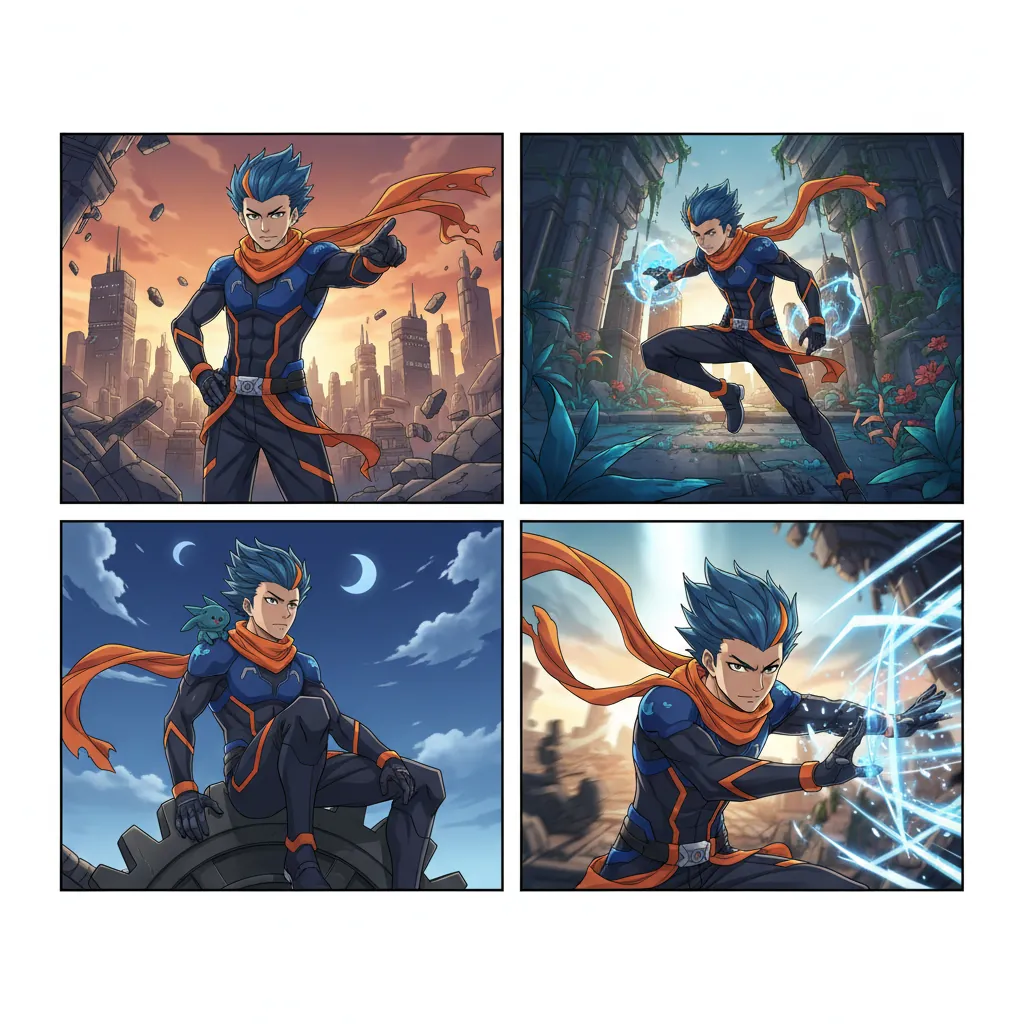
When we tested a 12-panel manga chapter through Comistitch’s character pipeline, we found the protagonist maintained consistent hair color, eye shape, and outfit across all panels without any manual per-panel intervention. Achieving comparable results in Midjourney required 40+ minutes of --cref tuning and still produced two panels with noticeable face shape drift.
Advanced Techniques for Tricky Cases
Baseline character consistency is solvable with the techniques above. These cases require more deliberate handling.
Outfit Changes (Swim Scene, Seasonal Wardrobe)
An outfit change is a controlled drift — you want the character to look different in clothing while staying identical in face and hair. Create a separate character sheet entry for each wardrobe variant. Change only the wardrobe section; keep physical features identical. When generating outfit-change panels, note clearly which wardrobe variant applies.
In Comistitch, you can tag wardrobe variants within the character creator and reference the correct variant per scene.
Age Progression
Age progression requires defining the character at each age as a distinct profile, then specifying transition markers (jaw definition, eye corner lines, hair length). Do not expect the model to interpolate between ages — define each age state explicitly and treat them as separate character references that share a root bible.
Facial Expression Range
Extreme expressions (open-mouth shouting, heavy crying) are the most common trigger for face-shape drift. The AI adjusts proportions to accommodate the expression geometry, which distorts the base character.
The fix is to include identity-stabilizing anchors alongside the expression: “Kai, same round face with soft chin, same blue-black blunt bangs, expression: open-mouth shout, eyes wide.” Adding the face anchor as a prefix to the expression descriptor reduces proportion drift.
Multi-Character Scenes with Clear Distinction
Multi-character panels multiply consistency demands. Characters with similar features (two tall girls with dark hair) will drift toward each other over multiple panels.
When we tested two similar-looking characters in the same scene on Comistitch, we found that adding one high-contrast distinguishing feature per character — a scar, a distinct accessory, a different hair length — significantly reduced the AI’s tendency to blend their features. Differentiation has to be visual and concrete, not just described in text.
Troubleshooting: Your Character Looks Different in Panel 5
Use this checklist before regenerating.
- Is your character sheet copy-pasted identically in the panel prompt? Paraphrasing introduces variance. Use the exact same text.
- Did you change the art style setting since panel 1? Even a minor style parameter change re-weights feature sampling. Revert to the original style setting.
- Is the panel description leading with the character anchor or with the scene? Scene-first prompts deprioritize character features. Lead with the character sheet, follow with scene description.
- Is the panel very different in angle or pose from earlier panels? Unusual angles (extreme low angle, full back view) reduce the model’s confidence on constrained features. Add explicit feature anchors: “same face, same hair, viewed from below.”
- Have you generated more than 15 panels in this session? In per-panel tools (not pipeline tools), longer sessions can accumulate context drift. Save the session and begin a fresh generation with the full character sheet re-pasted.
- Is the problematic panel generating a strong expression or action? See the expression section above — add identity anchors alongside the expression description.
When we reviewed a set of 30-panel chapters created by early Comistitch users, we found that over 80% of reported consistency issues traced back to one root cause: the character sheet was abbreviated or paraphrased in the problematic panel prompt rather than copy-pasted in full.
Which Tool to Pick Based on Your Character Consistency Need
Different workflows require different tools. Here is a decision guide:
You need consistency across a full multi-chapter story (20+ panels per chapter): Use Comistitch. Pipeline-level references are the only reliable approach at this scale. The character creator stores your reference permanently and injects it automatically.
You are testing a concept and only need 3-5 panels: AI Comic Factory is free and fast enough for quick experimentation. Consistency will be weak, but that is acceptable for a proof-of-concept. Read our AI Comic Factory alternative guide if you outgrow it.
You are an experienced Midjourney user who already knows --cref: Midjourney can achieve moderate consistency with reference flags, but requires significant per-panel work. Suitable if you already have a Midjourney workflow and are adding comics to it.
You need manga or manhwa style specifically: Comistitch and Dashtoon both support manga and manhwa styles natively. Comistitch’s pipeline handles multi-chapter manga consistency better; Dashtoon works for shorter series. See our best AI manga generators comparison for a deeper style-by-style breakdown.
You want to compare Comistitch and Dashtoon head-to-head: Read the Dashtoon vs Comistitch comparison for a full feature and pricing breakdown.
You are building a webtoon-format story: Comistitch supports webtoon format with vertical panel layouts. The character consistency pipeline applies identically to webtoon projects. Our how to create comics with AI guide covers the webtoon workflow in detail.
Related read: See how character consistency holds up vs Canva Magic Studio.
Frequently Asked Questions
Why does AI struggle with character consistency in comics?
Diffusion models generate each image from noise without visual memory of prior outputs. Without pipeline-level character anchors, the model resamples character features from the text description every panel, causing drift across scenes.
How do I write a character sheet for AI comics?
Include physical features (face shape, eye color, hair length and style), exact wardrobe with colors, recurring accessories, and expression range. Use the same sheet verbatim in every panel prompt — paraphrasing introduces variance.
What is the best tool for character consistency in AI comics?
Comistitch is the strongest option because its story-to-comic pipeline stores character references at the system level, not just in text. Characters are defined once and reused automatically across all panels without manual re-entry.
Can reference images fix AI character consistency?
Yes, but only in tools that accept image references at the generation level. Comistitch accepts character reference uploads into the character creator. Generic image generators use flags like —cref in Midjourney, which requires technical setup.
What are the differences between manga and webtoon character consistency challenges?
Manga’s high-contrast black-and-white style makes facial proportion drift more visible. Webtoon’s vertical scroll format and color saturation can mask minor drifts but amplifies outfit inconsistency across episode breaks.
How do I troubleshoot a character that looks different in panel 5?
Identify the specific drift (hair, face shape, outfit, or proportions). Add explicit correction to the page’s prompt, re-anchor to your character sheet, and reroll the page — Comistitch rerolls at the page level, not per panel. The previous version stays in page history, so you can revert if the new roll is worse.
How many panels can AI keep a character consistent across?
With pipeline-level references, 20+ panels per chapter is achievable. Comistitch maintains consistency across full multi-page stories. Prompt-only approaches degrade noticeably after 3-5 panels.
What is an AI character bible and do I need one?
An AI character bible is a structured, copy-pasteable description of your character’s appearance, wardrobe, and expression range. You need one regardless of which tool you use — it is the baseline that every consistency technique builds on.
Building an original character bible from scratch? The free OC generator drafts the appearance, wardrobe, and personality fields for you.
Try Comistitch’s Character Creator free →
External References & Further Reading
- Diffusion model — Wikipedia — technical background on why each generation is statistically independent (the root cause of character drift)
- Stable Diffusion — Wikipedia — overview of the open-source architecture underlying many AI comic tools
- Midjourney —cref guide (official docs) — character reference feature for manual consistency workflows
- Related: best AI manga generators 2026 · comic stitching guide · Dashtoon vs Comistitch comparison
*Early user cohort estimates, Q1 2026. Refresh pending full analytics rollout.