To publish manhwa online, export your panels from Comistitch’s AI manhwa generator, choose a platform — Webtoon Canvas for reach, Tapas for early income, or your own site for full control — then resize to spec and upload. You keep your copyright on every platform. Cross-posting to multiple destinations simultaneously is allowed.
In short: You can publish manhwa on Webtoon Canvas, Tapas, Dongman 咚漫, your own site, or all of them at once. Platform terms are license-not-IP-assignment — you keep your copyright. The builder exports publish-ready files; you resize to spec and upload.
What you will learn:
- Which platform is right for your goals (reach vs. control vs. monetization)
- Whether you keep your rights when publishing on Webtoon Canvas or Tapas (you do)
- Exact 2026 technical specs for Webtoon Canvas and Tapas
- Step-by-step: export from Comistitch → format → upload
- How Korean 연재 and Chinese 咚漫 serialization works for bilingual creators
What Are the Main Platforms for Publishing Manhwa Online?
Four paths dominate for creators publishing vertical-scroll comics in 2026: Webtoon Canvas, Tapas, Dongman 咚漫, and self-publishing. Each trades off audience size, monetization, rights flexibility, and operational overhead differently.
| Platform | Built-in audience | Monetization | Rights held by creator | Format spec (2026) |
|---|---|---|---|---|
| Webtoon Canvas | Very large (global) | Ad-share + Daily Pass (after eligibility) | Yes — license only, not IP assignment | 800 px wide, ≤1280 px/slice, ≤20 MB/episode, JPEG/PNG |
| Tapas | Medium (English-first) | Ink micropayments per episode | Yes — license only | 690 px wide recommended, JPEG/PNG |
| Dongman 咚漫 | Very large (mainland China) | Revenue share (apply required) | Yes — license, Chinese rights terms apply | 680–800 px wide, application-gated |
| Self-publish | Zero (you build it) | 100% of revenue you drive | Full — no platform license | Your choice — WebP 800–1200 px recommended |
In short: Every major platform is a license, not an IP assignment — you keep copyright. Self-publishing maximizes control and revenue but requires building your own audience.
For a full platform comparison across all comic formats, see our all-format webcomics publishing guide.
Do You Keep Your Rights When You Publish on Webtoon Canvas?
This is the question creators worry about most, and the answer for 2026 is straightforward: Webtoon Canvas’s creator terms grant Webtoon a license to host and distribute your work — not an assignment of your intellectual property. You retain copyright.
What the license covers (per Webtoon’s official creator terms at webtoons.com/en/creator-terms, verified 2026): Webtoon can display, reproduce, and distribute your episodes on its platform and through promotional channels. That license is non-exclusive for Canvas creators, meaning you can simultaneously publish the same content elsewhere.
Tapas operates on a similarly non-exclusive license for self-submitted series. Dongman 咚漫 has Chinese-language terms that grant broader regional distribution rights — read them carefully with a translator if you are not a native Chinese speaker.
The practical takeaway: self-publish tiers on all three platforms are license-not-IP-assignment and cross-posting is allowed. The lock-in fear is largely unfounded for the standard creator tier. Lock-in risk rises only if you sign an exclusive paid partnership deal — those are negotiated separately and clearly labeled.
In short: You own your manhwa. Platforms license it to host it. Cross-posting is allowed. The only exclusivity risk is a negotiated paid partnership — not the default Canvas or Tapas upload.
What Are the Technical Requirements to Upload to Webtoon Canvas?
Getting the file specs right before uploading saves you time. Here are the 2026 specifications — always verify against Webtoon’s official help center at help.webtoons.com before uploading, as specs can change.
| Spec | Webtoon Canvas (2026) | Tapas (2026) | Self-host recommendation |
|---|---|---|---|
| Image width | 800 px | 690 px recommended | 800–1200 px |
| Max height per slice | 1280 px | No strict limit | No limit |
| Max file size per episode | 20 MB total | 50 MB total | CDN-dependent |
| Accepted formats | JPEG, PNG | JPEG, PNG, GIF | WebP preferred |
| Color mode | RGB | RGB | RGB |
| Slices per episode | No published cap | No published cap | N/A |
Key notes:
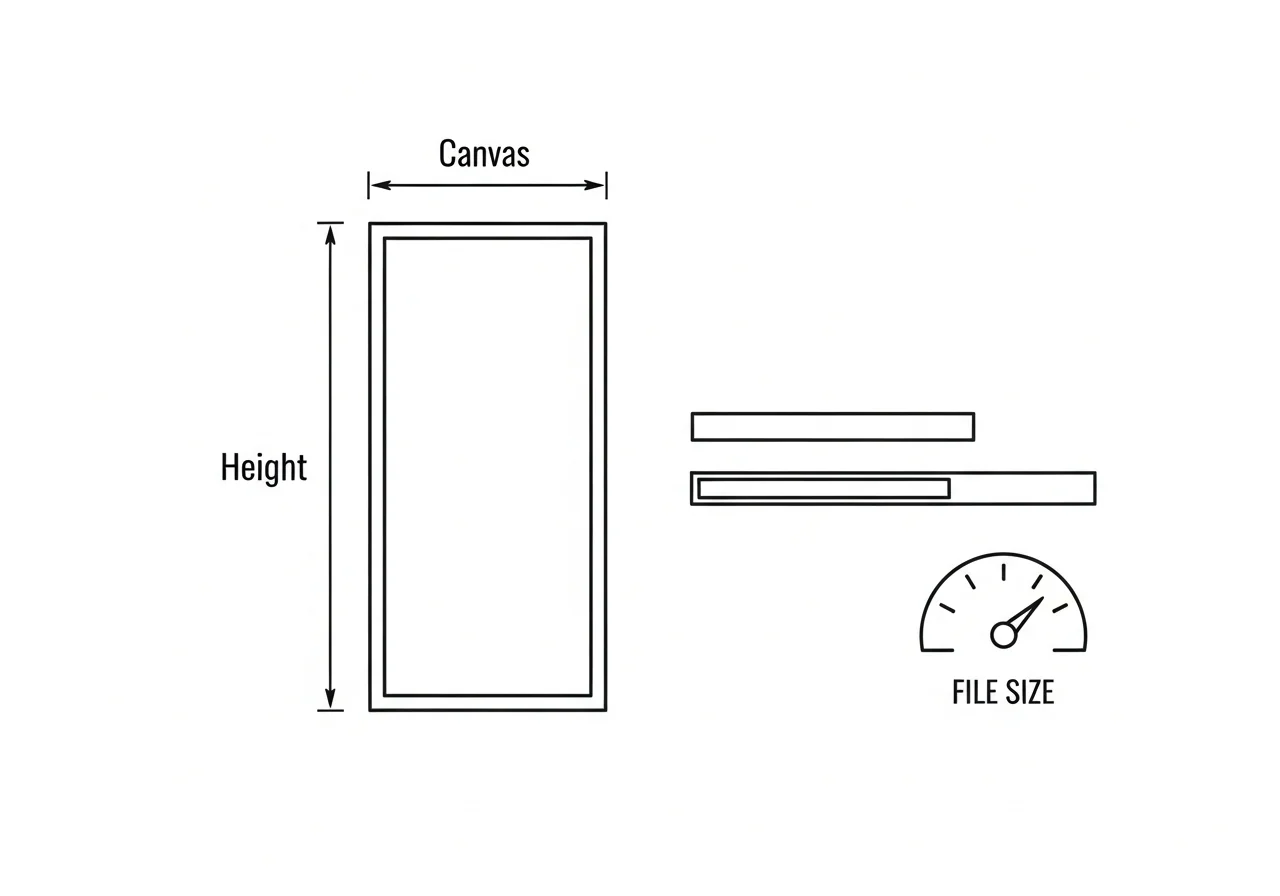
- Webtoon Canvas assembles episodes from image slices stacked vertically. Keep each slice under 1280 px tall to avoid upload errors.
- The 20 MB cap is per episode, not per image. Ten 800×1280 slices at typical JPEG compression (~150 KB each) totals ~1.5 MB — well under the cap.
- Export from Comistitch as individual JPEG panels, then resize in any image editor or batch-resize script. The builder handles vertical stitching automatically if you use the “export as strip” option.
In short: 800 px wide, 1280 px max per slice, under 20 MB per episode, JPEG/PNG for Canvas. Export individual panels from Comistitch; resize to spec before uploading.
How Does the Comistitch Export-to-Upload Workflow Work?
The Comistitch workflow is designed so that publishing is the last step, not a second production. Here is the complete path from panel canvas to live episode:
Step 1 — Export from Comistitch
Open the panel canvas in the builder. Select your episode panels. Use Export → JPEG (individual panels) for maximum control, or Export → Strip PNG if you want a pre-stitched long-form image. The builder handles panel ordering automatically, so your episode comes out in the correct reading sequence without any manual reordering.
Comistitch Studio — export settings for Webtoon Canvas (Episode 01)

Format:       JPEG
Quality:      90%
Width:        800 px  (builder auto-scales from canvas dimensions)
Output mode:  Individual panels  →  24 files named panel-01.jpg … panel-24.jpg
Target size:  ~150 KB per panel  →  ~3.6 MB total  (well under 20 MB episode cap)

After export:
  1. Open each panel in your image editor.
  2. Confirm no single panel exceeds 1280 px tall — crop or split if needed.
  3. Confirm total folder size < 20 MB before uploading to Canvas dashboard.
  4. For Tapas: re-export at 690 px wide from the same source panels.
Step 2 — Format to Platform Spec
If you exported individual panels, slice any tall panels so no single slice exceeds 1280 px. Tools like ImageMagick, GIMP, or any batch-resize script handle this. Confirm total episode size under 20 MB.
Step 3 — Upload to Platform
Log into your Webtoon Canvas creator dashboard. Create or open your series. Add a new episode. Upload your slices in order — the dashboard previews the vertical assembly in real time. Fill in episode title and any author notes, then schedule or publish.
Step 4 — Cross-post
Repeat steps 2–3 for Tapas and any other platform you are running. Tapas recommends 690 px width — re-export or resize the same source panels. Self-hosted sites can use the 800 px WebP version directly.
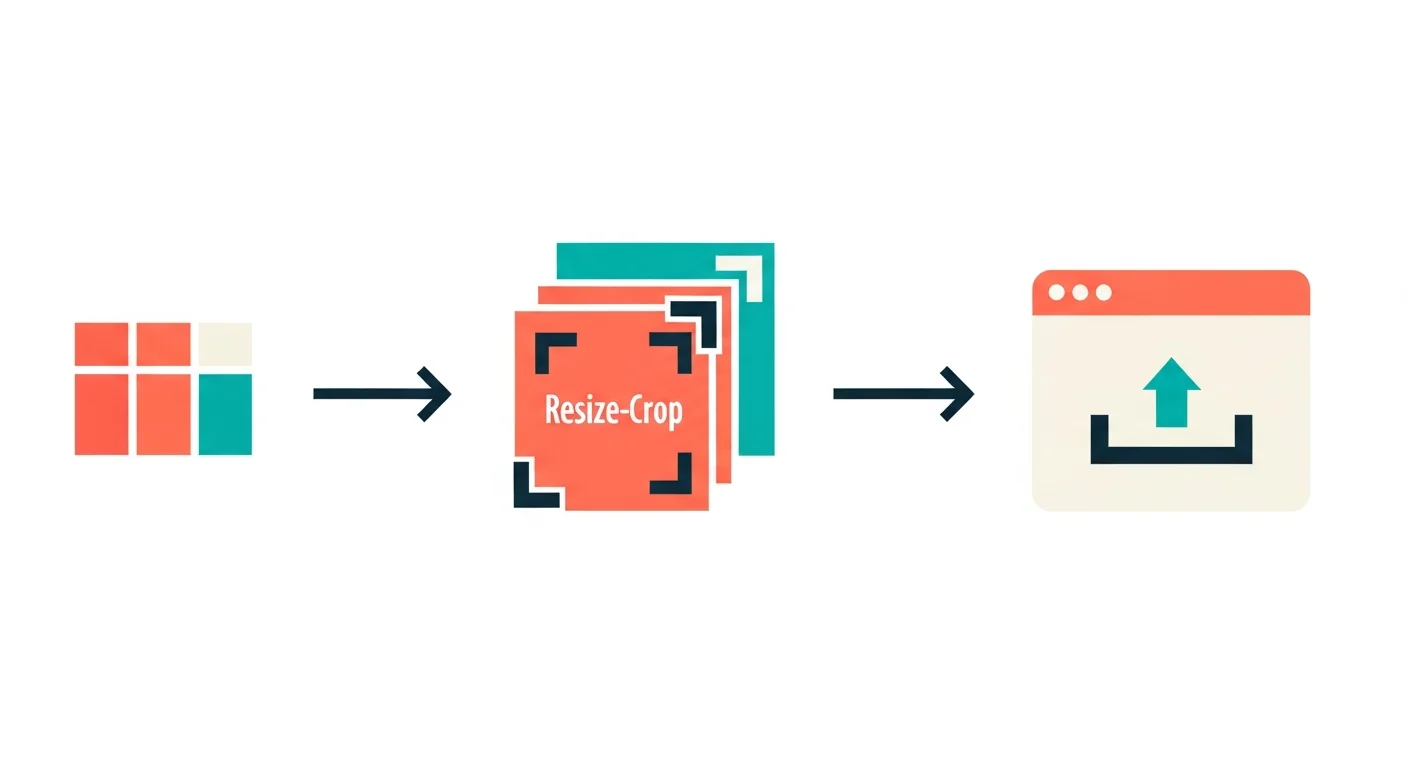
In short: From inside the builder, export takes one click. Resize to spec, upload slice by slice in the creator dashboard, then repeat for any cross-post destination.
How Do You Choose Between Webtoon Canvas, Tapas, and Self-Publishing?
The right platform depends on your goal in the first 90 days.
Choose Webtoon Canvas if: your priority is discovery. Canvas has the largest organic reader pool of any vertical-scroll platform globally. The trade-off is that monetization (Daily Pass revenue) only becomes available after you meet subscriber and episode thresholds — expect 3–6 months of free publishing before meaningful income.
Choose Tapas if: you want to monetize earlier. Tapas’s Ink micropayment system lets readers pay per episode immediately. The audience is smaller than Canvas but more accustomed to paying, so conversion rates can be higher for genre fiction.
Choose self-publishing if: you want to keep 100% of revenue and build an asset you own. A self-hosted comic site on a domain you control cannot be de-listed by a platform policy change. The downside is zero built-in audience — you drive every reader yourself through social, SEO, and cross-promotion.
The optimal strategy for most new creators: publish on Webtoon Canvas for organic reach, simultaneously on Tapas for early monetization, and build your own site in parallel as a long-term owned channel. All three are compatible with each other. For more detail on the production side that feeds all three channels, the Comistitch manhwa generator page shows the full generation workflow before you reach this publishing step.
In short: Canvas = reach, Tapas = early income, self-host = long-term asset. Run all three simultaneously — they are not mutually exclusive.
What Is the Role of AI in the Manhwa Publishing Workflow?
AI does not publish manhwa — it generates the pages that you then publish. The publishing workflow above is platform-agnostic; what changes with AI-assisted creation is production speed and consistency.
With a tool like Comistitch, a single creator can maintain a weekly episode cadence that would otherwise require a small team. The builder handles panel generation, style consistency across episodes, and vertical layout. You handle story, pacing, and upload.
One important note: AI-generated manhwa is eligible for publication on Webtoon Canvas and Tapas. Neither platform bans AI-assisted content as of 2026 (always check current community guidelines at the platform level). The key requirement is that you created and own the work — which you do when you generate it through Comistitch on a plan that includes commercial rights (Elite, or Starter/Pro billed yearly).
If you are still in the creation phase, the guide to making a manhwa with AI characters covers character design, style locking, and panel generation — everything that feeds into the publishing workflow here.
For the specific mechanics of turning AI-generated pages into a webtoon-ready episode package, see the turn an AI comic into a webtoon guide.
In short: AI accelerates production; you own the output and publish it like any other creator. Neither Canvas nor Tapas bans AI-assisted content as of 2026.
How Do You Grow Readership After Publishing?
Publishing is the beginning, not the end. Three actions drive early subscriber growth on Webtoon Canvas:
- Consistent release schedule. Readers subscribe when they trust you will post. A weekly episode every Tuesday outperforms ten episodes followed by silence. The builder’s rapid generation workflow makes weekly cadence realistic for a solo creator.
- Series description and thumbnail optimization. On Canvas, the series thumbnail is the primary discovery signal. Test two or three thumbnail variants in your first month. Keep the series description keyword-rich and specific to genre.
- Cross-platform promotion. Post panel previews on social platforms the day before each episode drops. Each preview links back to the episode. Short-form video (15-second panel scrolls) performs well on TikTok and Reels for manga/manhwa content.
After you have your first 20 episodes and a stable readership base, the next priority is monetization strategy — covered in depth in the upcoming Part 4 of this series: how to make money with manhwa.
In short: Consistency, thumbnail testing, and social previews drive the first 1000 subscribers. Build the habit before optimizing the funnel.
How Does Korean Platform Serialization (연재) Work for Manhwa?
For creators targeting Korean-language readers or aiming to participate in Korea’s native manhwa ecosystem, Naver Webtoon and Kakao Webtoon operate differently from global Canvas.
Naver 웹툰 (Webtoon Canvas KO) and 투고 (Tugou — public submission): Korean readers access Webtoon through the Korean-language interface at comic.naver.com. The Canvas equivalent for Korean submissions is the 투고 (Tugou) system — an open submission channel where creators upload episodes in Korean. Competition is higher but so is the prestige and reader density.
Kakao Webtoon (카카오 웹툰): Kakao’s platform focuses on serialized fiction with strong genre communities for romance, fantasy, and action manhwa. A formal application process applies. Accepted series benefit from Kakao’s recommendation algorithm and potential webtoon adaptation deals.
Technical format for Korean platforms: Both platforms follow a similar vertical-scroll format to global Canvas — 700–800 px wide images stacked in long-form episodes. Detailed submission guidelines are on each platform’s official creator portal in Korean.
Cross-posting to Korean platforms: If you already publish on global Canvas, you can apply to Naver 투고 separately. The platforms have different user bases and the same episode can be published on both — check the current terms for the latest cross-posting guidance.
How Does Publishing on Dongman 咚漫 Work for Chinese-Language Manhwa?
Dongman 咚漫 (dongman.qq.com) is Tencent’s vertical-scroll comic platform and the dominant destination for manhwa in mainland China. For creators building a Chinese-language readership, it is the highest-reach option available.
Creator application process: Dongman requires a creator application before you can publish. The application asks for samples of your series, a synopsis, and a planned release schedule. Processing time is typically 2–4 weeks. Applications are submitted through the Dongman creator center at dongman.qq.com.
Revenue model: Accepted series earn through a revenue-share model tied to reads, subscriptions, and premium chapter unlocks. The exact revenue split is negotiated during the application stage. Dongman also runs creator support programs for high-performing new series.
Format and technical requirements: Dongman follows vertical-scroll conventions: 680–800 px wide, JPEG or PNG, uploaded as episodic stacks. The platform’s editor handles assembly and preview. Chinese-language episode titles and descriptions are required.
Rights and terms: Dongman’s terms grant Tencent a broad license to display and promote your work within their ecosystem. As with all platforms, the license is for hosting and distribution — review the current terms (in Chinese) at the official creator portal for the exact scope before signing.
Is Dongman worth it for non-Chinese creators? If you are creating manhwa in Chinese or are willing to localize, Dongman’s audience size makes it worth the application process. For creators who do not speak Chinese, the barrier is high enough that Webtoon Canvas or Tapas will be more productive starting points.
Frequently Asked Questions
Where can I publish my manhwa online? The three main options are Webtoon Canvas (largest global audience), Tapas (strong micropayment monetization), and your own self-hosted site. You can publish on all three simultaneously — none require exclusivity at the standard creator tier.
Do I keep the rights to my manhwa if I publish on Webtoon Canvas? Yes. Webtoon Canvas grants Webtoon a non-exclusive license to host your work, not an IP assignment. You retain copyright and can publish the same content elsewhere. Verify the current terms at webtoons.com/en/creator-terms before uploading.
Can I cross-post my manhwa to multiple platforms? Yes. Webtoon Canvas, Tapas, and most self-hosting setups explicitly permit simultaneous publishing. Disclose the original publication source as each platform requests. No major platform requires exclusivity for the unpaid creator tier.
What are the technical requirements to upload to Webtoon Canvas? As of 2026: 800 px wide, maximum 1280 px tall per image slice, JPEG or PNG, total episode under 20 MB. Always verify at Webtoon’s official help center before uploading, as specs can change.
How do I publish a manhwa I made with AI? Export your panels from Comistitch as JPEG or PNG. Resize and stack into vertical-scroll slices matching your target platform’s spec (800×1280 for Canvas). Upload episode by episode. Comistitch output is MoR-safe and AI-original; commercial rights are included on Elite, and on Starter and Pro when billed yearly.
Is Dongman 咚漫 worth using for manhwa outside mainland China? Only if you are creating in Chinese or willing to localize. Dongman’s Chinese-language requirement and application process add friction for non-Chinese creators. Start with Canvas or Tapas, then localize to Dongman once you have an established series.
Start Publishing: Your Next Steps
You have the platform comparison, the technical specs, and the workflow. The path forward is linear:
- Create your manhwa — if you are still in production, start with the guide to making a manhwa with AI characters (Part 1 of this series).
- Make it in Comistitch — the manhwa generator handles generation; export takes one click from the builder.
- Choose your platform(s) — Canvas for reach, Tapas for early income, self-host for long-term ownership.
- Format and upload — resize to 800 px × ≤1280 px per slice for Canvas; under 20 MB per episode.
- Build your release cadence — weekly is the minimum for algorithm visibility on Canvas.
For the complete picture of converting AI panels into a full episode package, the turn an AI comic into a webtoon guide covers the packaging steps between creation and upload in detail.
Part 3 of the Manhwa Creator Playbook — growing your readership — is coming next.