Publishing a webtoon on platforms in 2026 means exporting from Comistitch in the right format (800px tall PNG for Webtoons Canvas, chunked PNGs for Tapas, JPG for Lezhin), uploading via creator dashboards, adding AI disclosure where required, and scheduling weekly releases. Comistitch’s multi-platform export bundles all three formats in one click, so a finished chapter goes from your editor to live on three sites in roughly 30 minutes.
In short: Export multi-format from Comistitch → upload to Webtoons + Tapas + Comistitch profile → ship weekly. Most platforms accept AI; some require disclosure. Total upload time: 30 minutes per chapter.

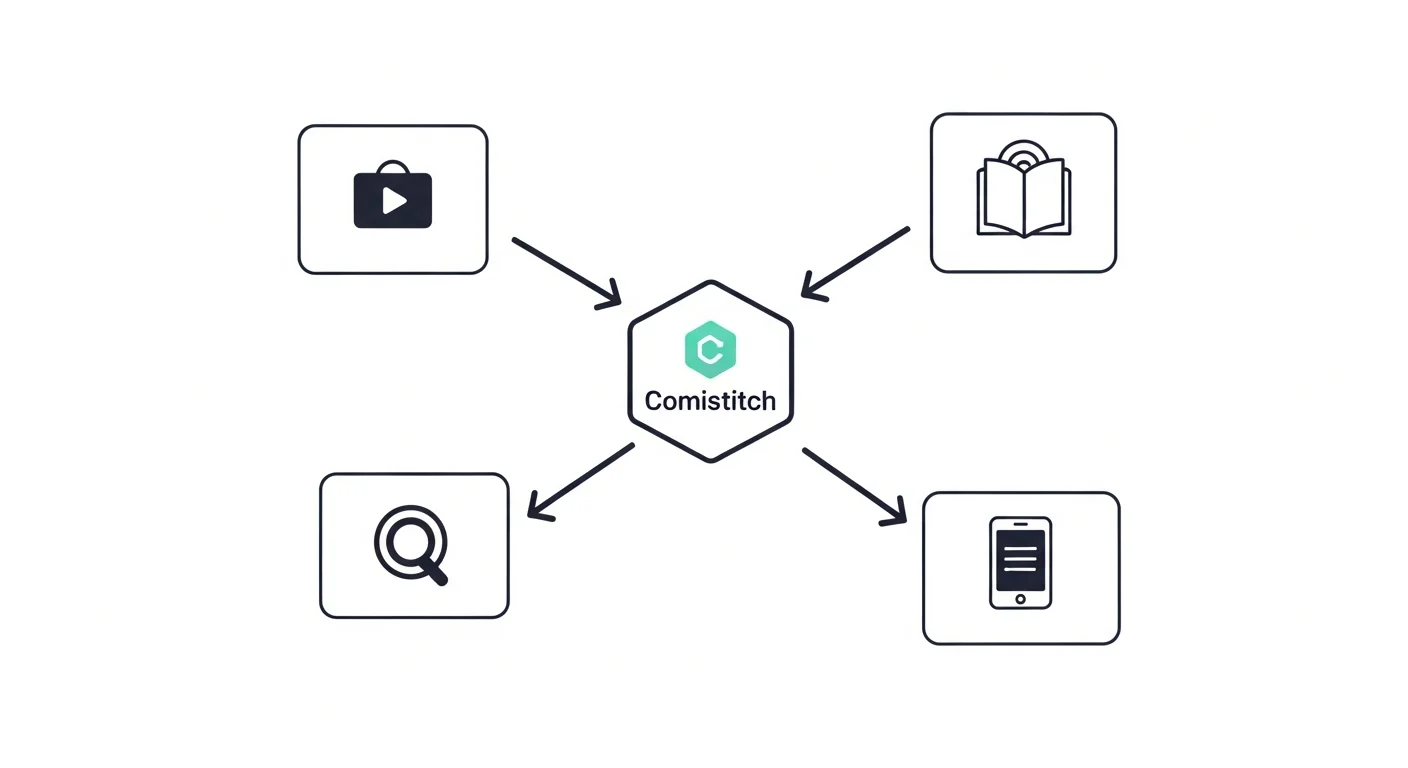
Which platforms accept AI webtoons in 2026?
Five platforms make up the bulk of self-publishing volume for AI-assisted creators: Webtoons Canvas (the largest by raw audience), Tapas (strongest US discovery), Lezhin Comics (premium-tier monetization), Globalcomix (creator-friendly revenue share), and the Comistitch creator profile (built-in audience routing for Comistitch users). Each has its own AI policy, but every one of them currently allows AI-assisted submissions in some form.
The differences are in disclosure requirements, payout models, and exclusivity clauses. Webtoons Canvas is open-door; Tapas asks for an AI disclosure in your author bio; Lezhin requires it in the submission form. None of them ban AI outright — that consensus shifted firmly in 2025 and stuck. The Comistitch creator profile is the simplest route because there’s no separate dashboard; publishing happens inside the builder you already used to create the chapter.
Globalcomix sits in an interesting middle slot: smaller audience than Webtoons but a higher revenue share (creator-favorable splits) and zero pushback on AI submissions. Webtoons Canvas, despite the open-door policy, still operates a content-quality moderation pass — chapters with broken paneling or unreadable text get rejected, AI or not. Tapas leans toward US English-speaking audiences and discovery via tags; Lezhin trends mature-themed and monetizes per-chapter unlocks rather than ads.
The takeaway: pick two or three platforms and triple-post. Don’t sign anything exclusive until you have audience data telling you which platform deserves it. Most successful AI-webtoon creators we see start with Webtoons Canvas plus Tapas plus the Comistitch profile, then add Lezhin once chapter 8-10 ships and they have a feel for which audience is converting.
What format does each platform require?
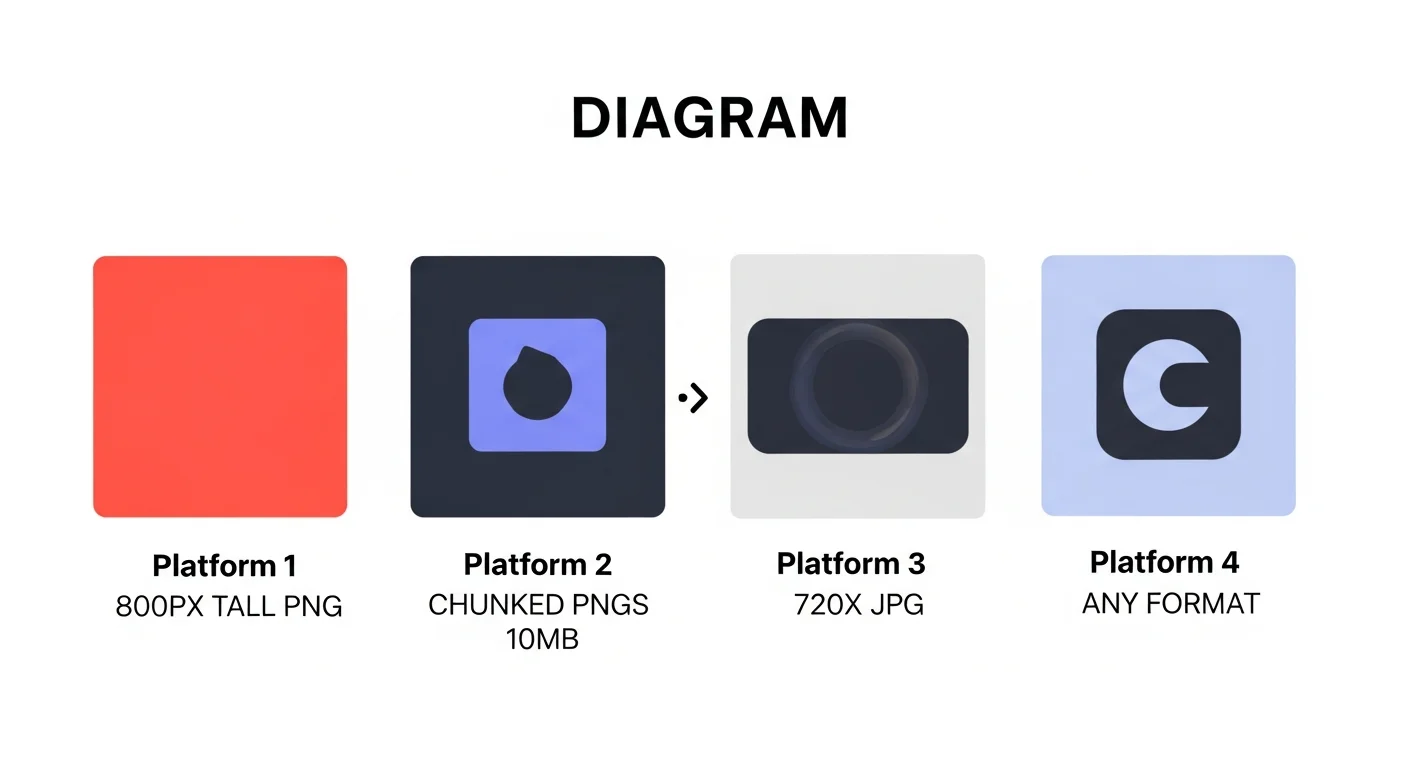
Format requirements are where most first-time uploaders get burned. Webtoons Canvas wants a single tall PNG at 800px width with each upload capped near 800KB, which forces aggressive compression. Tapas accepts chunked PNGs at 740-800px width with a generous 10MB limit per file, so creators slice longer chapters into 5-10 stacked images. Lezhin prefers 720px JPG — yes, JPG, not PNG — to keep file sizes lean for their reader.
Manual reformatting for each platform is where weekly cadence dies. A 50-panel chapter exported once at 800px PNG isn’t ready for Tapas (needs chunking) or Lezhin (needs JPG conversion + width resize). Doing this by hand in Photoshop adds 30-45 minutes per chapter per platform. For deeper format theory, see our vertical-scroll paneling guide and Dashtoon vs Comistitch comparison.
The Comistitch builder handles all three format variants from one source file — that’s the multi-platform export advantage we’ll show next.
A quick note on width: Webtoons Canvas readers expect strict 800px because that’s what their reader natively renders without scaling. Tapas is forgiving up to 940px, but you lose readers who pinch-zoom on mobile if your text was sized for the larger canvas. Lezhin’s 720px is narrowest because their mobile-first reader optimizes for one-handed scrolling. Lock your typography sizing to the narrowest target you plan to publish, then upscale — never the reverse.
How does Comistitch’s multi-platform export work?
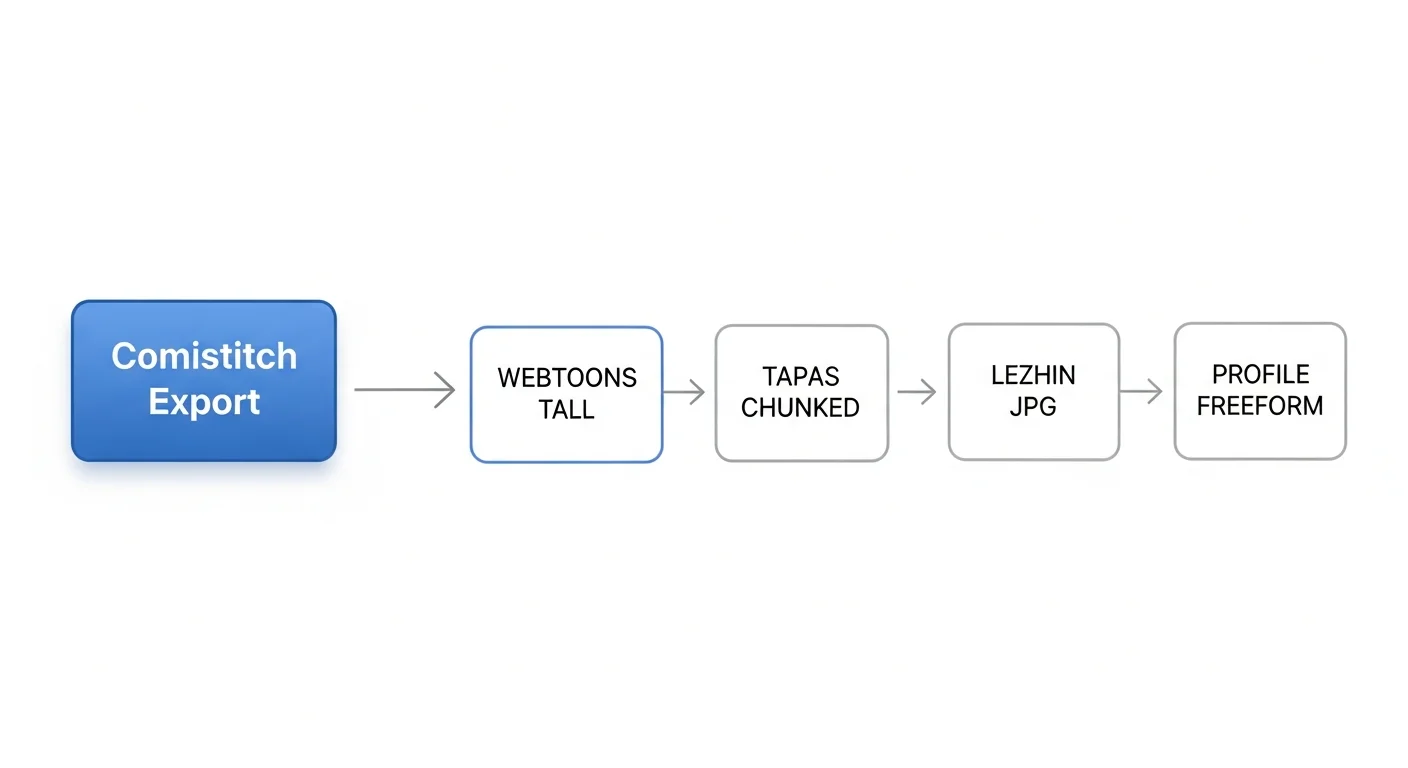
The Comistitch Studio export engine treats your finished chapter as a single source of truth, then renders platform-specific outputs in parallel. Hit Export, choose “Multi-platform bundle” on Pro (or pick one platform on free), and the engine generates: a Webtoons-spec tall PNG (800px wide, compressed under 800KB), a Tapas chunk set (PNGs sliced at clean panel boundaries), a Lezhin-spec JPG (720px wide), and your raw Comistitch profile copy.
Total export time for a 50-panel chapter: about 60 seconds. Compare that to manual reformatting in Photoshop — typically 30-45 minutes per format if you’re careful with compression and slicing. The math compounds across a 12-chapter season: roughly 6 hours of reformatting saved per platform, per season.
The pipeline also embeds AI-disclosure metadata into the output files where each platform expects it (Tapas reads it from EXIF; Lezhin reads it from the submission form; Webtoons doesn’t read it at all). One source, four targets, zero manual intervention. (Note: format specs and AI policies update quarterly — verify current platform terms before your first submission.)
How do I disclose AI use on webtoon platforms?
Disclosure rules vary, and the safest move is to over-disclose rather than under-disclose. Webtoons Canvas has no AI-disclosure requirement as of early 2026, but adding “Created with AI assistance via Comistitch” to your episode description costs nothing and pre-empts any future policy change. Tapas requires it in your author bio — one line in the bio editor and you’re compliant for every chapter you ever publish. Lezhin asks during submission via a checkbox plus optional text field; check the box and add a single sentence.
Why over-disclose? Two reasons. First, undisclosed AI tends to get flagged by readers eventually — comment sections are merciless and screenshots travel fast. Second, the audience for AI-assisted webtoons is growing distinct from the anti-AI cohort, and clear disclosure helps the right readers find you while letting the wrong ones self-filter. Transparency converts better than concealment over a 12-week run.
The disclosure copy itself matters less than its presence. “Made with AI assistance” is fine. “AI-assisted using Comistitch” is fine. “100% AI-generated” is honest if accurate. What backfires is vague hedging like “uses some tools” — readers read that as evasive. Clear, short, in the bio. That’s the entire playbook.
What does the submission timeline look like?
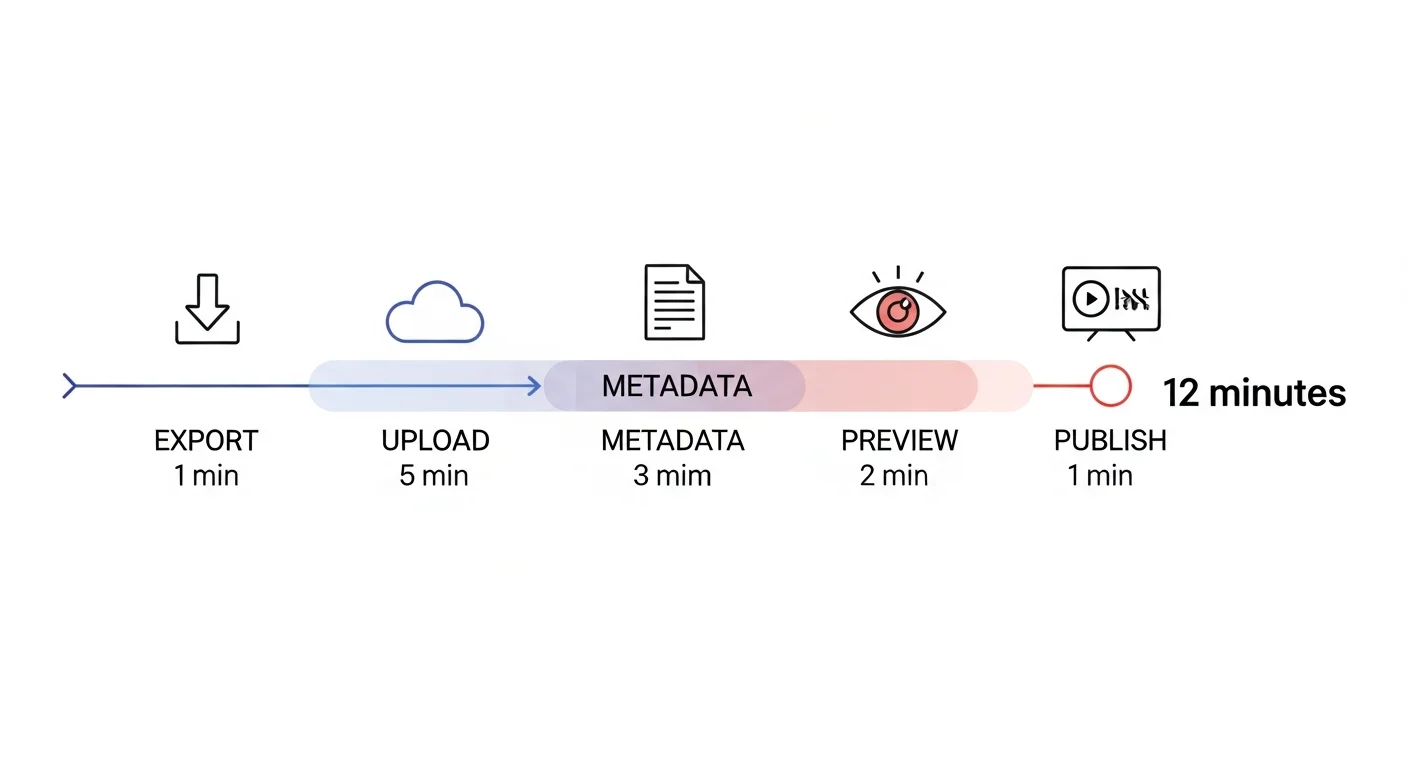
A clean per-chapter submission breaks down to roughly 12 minutes of active work, expanding to about 30 if you’re cross-posting across three platforms with metadata polish. Export takes about 1 minute. Upload to Webtoons Canvas runs 5 minutes (drag-drop the tall PNG, fill the form). Adding metadata — episode title, description, tags, content warnings — burns 3 minutes. Preview-and-proof eats 2 more. Final publish click is 1 minute.
Cross-posting to Tapas adds another 8 minutes (chunked upload is slightly slower than single-file). The Comistitch creator profile cross-post runs about 30 seconds because the builder already has all the metadata. Lezhin, if you’re submitting there, adds 5-7 minutes. Total round-trip across four platforms: 30 minutes, give or take 5.
The bottleneck for most creators isn’t the upload — it’s the metadata. Writing fresh episode descriptions for each platform doubles your time. Best practice is one canonical description that you tweak slightly for tone per platform.
Tags also burn time if you treat them as creative work. They’re not — they’re discoverability infrastructure. Pick 5-7 evergreen tags for your series (genre, style, theme, audience) and reuse them on every chapter. Add 1-2 chapter-specific tags only when something genuinely new appears in that chapter. Resist the urge to rewrite tags for each upload; consistency helps platform algorithms cluster your work.
Schedule your upload window the same way you schedule writing. Most successful creators batch all platform uploads into a single 30-minute slot rather than spreading them across the day. Context-switching between dashboards costs more than the uploads themselves.
Comparison: traditional vs AI-assisted webtoon publishing speed
| Metric | Traditional webtoon | AI-assisted (Comistitch) | Comistitch advantage |
|---|---|---|---|
| Time per 50-panel chapter | 30-50 hours | 4-5 hours | 7-10x faster end-to-end |
| Weekly cadence feasibility | Team of 3-4 only | Solo creator viable | Solo weekly is realistic |
| Annual cost (52 chapters) | $15K-30K (assistants) | $200-400 (Pro tier) | 50-100x cheaper |
| Multi-platform export | Manual, 30-45 min each | One-click, 60 sec total | 30x faster cross-post |
The economics are why solo AI webtoon creators are starting to outpace small studios on raw chapter count. Quality gap is closing too — character consistency, paneling rhythm, and color grading have all jumped in fidelity since 2025.
Try it now: ship your first chapter
1. Open Comistitch Studio → finished chapter view
2. Click Export → "Multi-platform bundle" (Pro) or pick one
3. Wait ~60 seconds for all formats to render
4. Download zip → contains webtoons.png, tapas/*.png, lezhin.jpg
5. Open Webtoons Canvas dashboard → New Episode → upload tall PNG
6. Open Tapas dashboard → Add Episode → upload chunk set in order
7. Inside Comistitch → click "Publish to Profile" (one click, instant)
8. Add AI disclosure to Tapas author bio (one-time setup)
9. Schedule next chapter for 7 days out
10. Cross-post chapter 1 cover to Twitter + r/webtoons + Discord
Total elapsed time: 25-30 minutes the first time, 12-15 minutes once your dashboards are configured. For format-decision context across webtoon and manga targets, see our AI comic to webtoon publishing guide.
What’s next? Scale your webtoon creator workflow
Publishing the first chapter is the smallest lift. Sustaining a weekly schedule for 12+ weeks is what builds an audience. The repeatable loop: write (1h), storyboard (30min), generate (1h), pace (30min), export and publish (30min). Per chapter, per week, on a solo schedule.
For deeper coverage of the upstream craft, return to the pillar: vertical-scroll webtoon paneling guide. For the parallel manga workflow, see publishing AI manga from script to page. To go hands-on now, open Comistitch Studio, or check pricing if you need the Pro multi-export tier for simultaneous platform delivery. Haven’t named your series yet? The free webtoon title generator helps you land on something platform-searchable before chapter 1 goes live.
Ship chapter one this week. The hardest chapter to publish is the one that never leaves your hard drive.