AI Manga Character Generator — One Reference, Every Panel

Describe a character or add a reference photo for face and outfit, and Comistitch builds one manga-style hero reference image that gets reused automatically across every panel of your comic.

Build Your Manga Character Free
AI Manga Character Generator — Comic-Ready | Comistitch

One Hero Reference Image

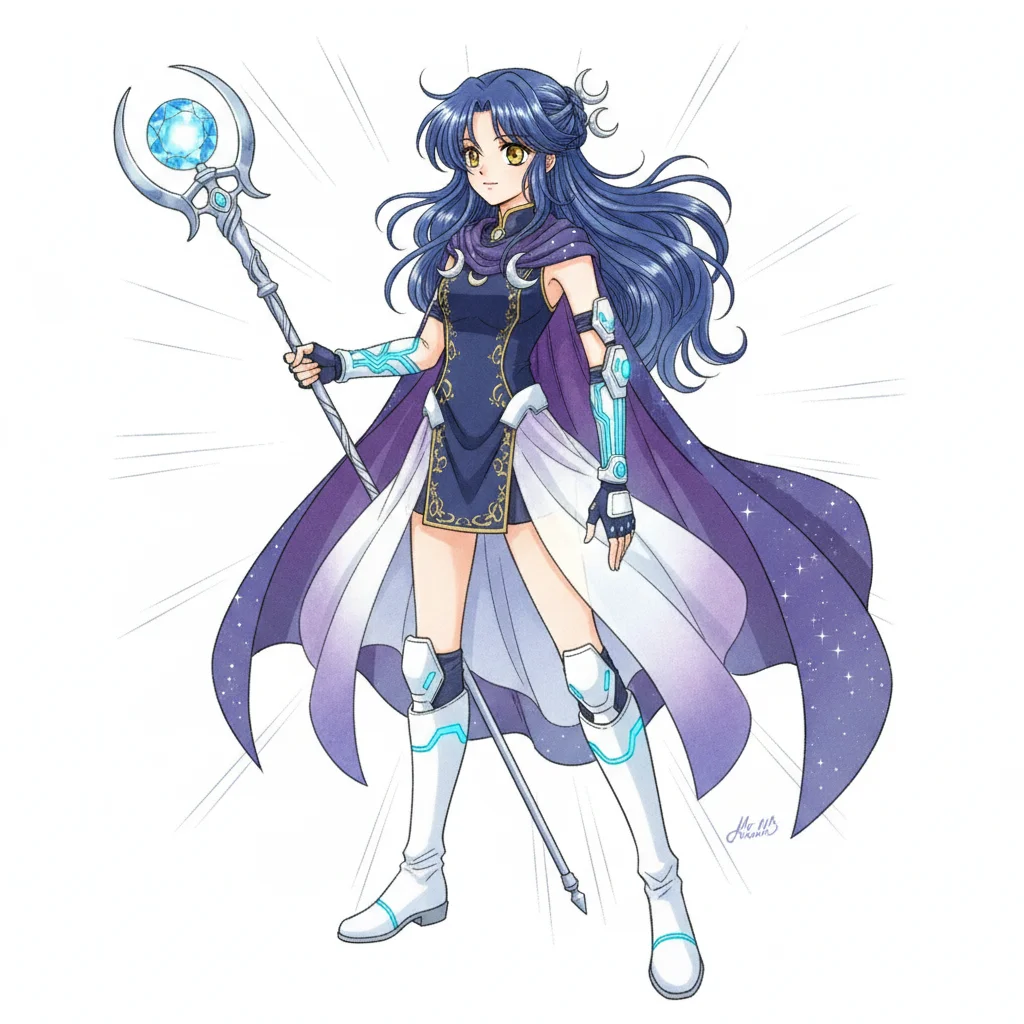
You get a single 3:2 portrait per character — not a six-pose turnaround sheet. That one image is the anchor for every panel your character appears in.

Reused Automatically in Every Panel

Once a character is built, Comistitch pulls their reference into every scene automatically. You don't re-upload or re-describe them for the next panel.

Build From a Reference Photo

Upload a photo and Comistitch copies the face and outfit into a new manga-style character design — it doesn't paste a real face into your comic.

Made for Comic Panels, Not Standalone Art

The reference exists to feed your comic's panel generation. It's a production input, not a polished portrait meant to stand alone.

AI Manga Character Generator — Comic-Ready | Comistitch Comic Samples

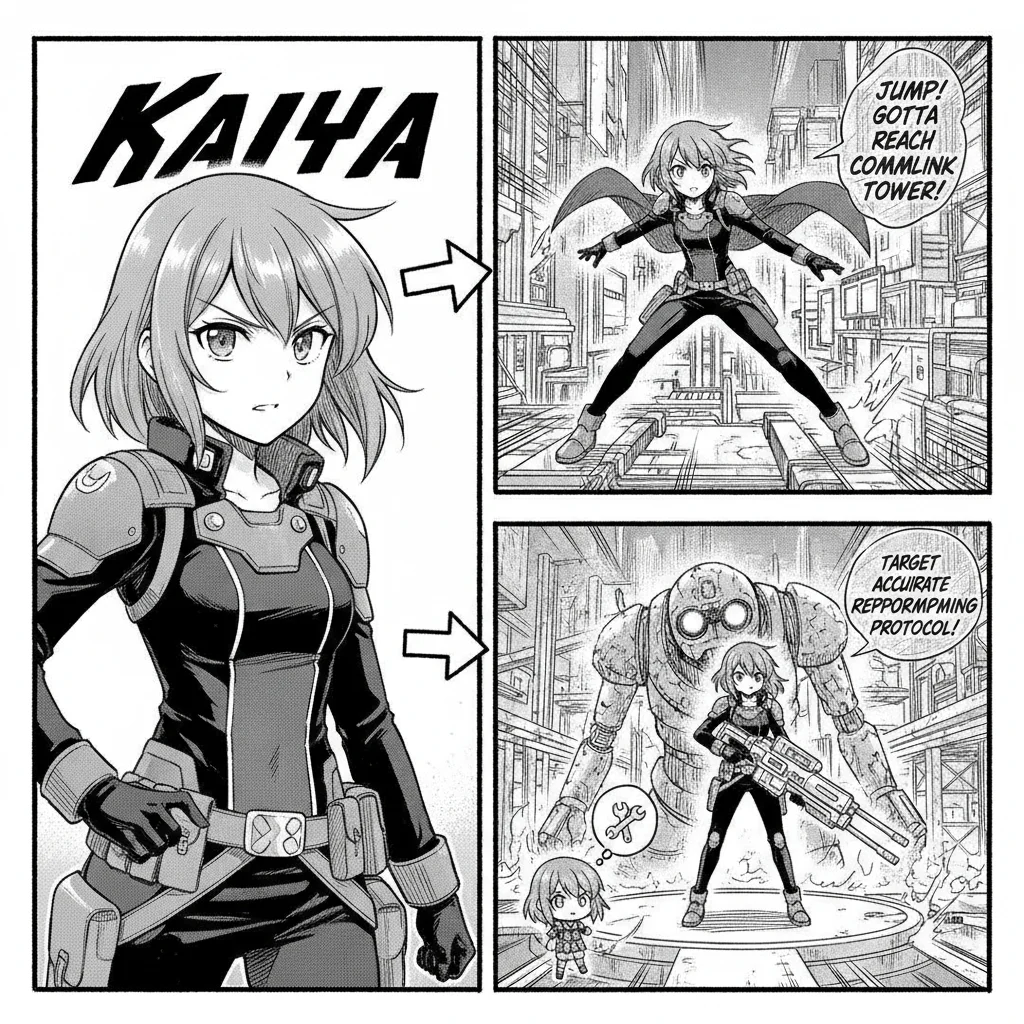
A manga-style character hero reference image on the left with arrows pointing to two comic panels reusing the same character on the right
One hero reference image, reused in two different comic panels
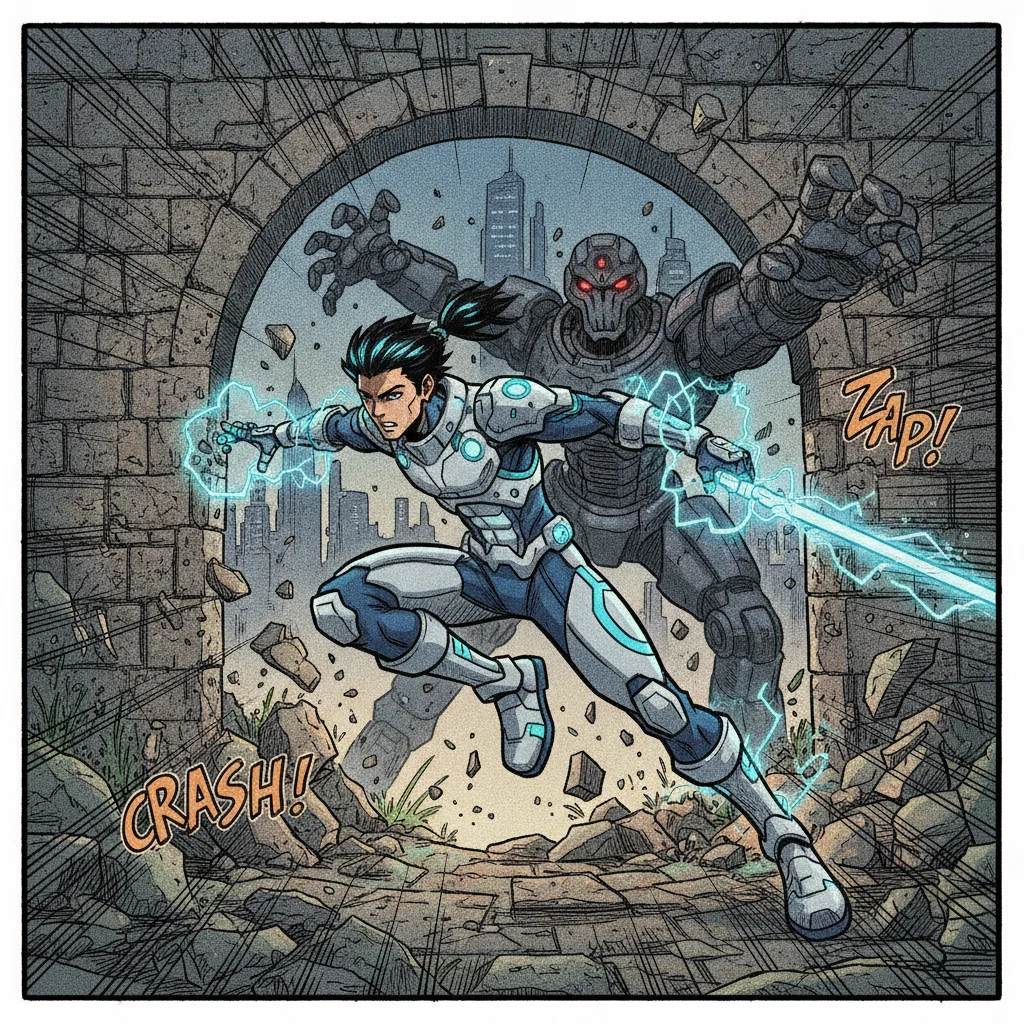
Manga comic action panel showing a character from the hero reference portrait in a dynamic pose with motion lines
The same character in an action panel, consistent hairstyle and outfit
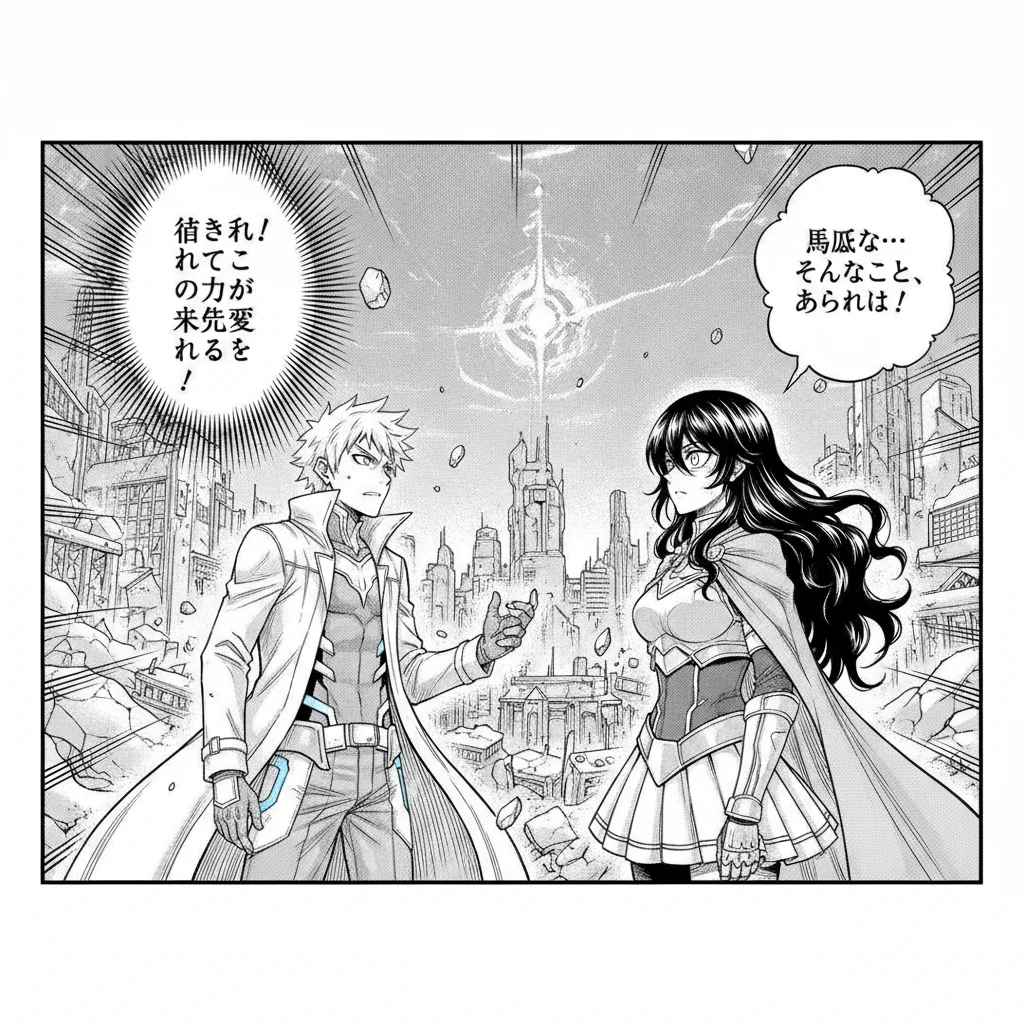
Manga comic dialogue panel with the same recurring character talking to another character
The same character carried into a dialogue scene
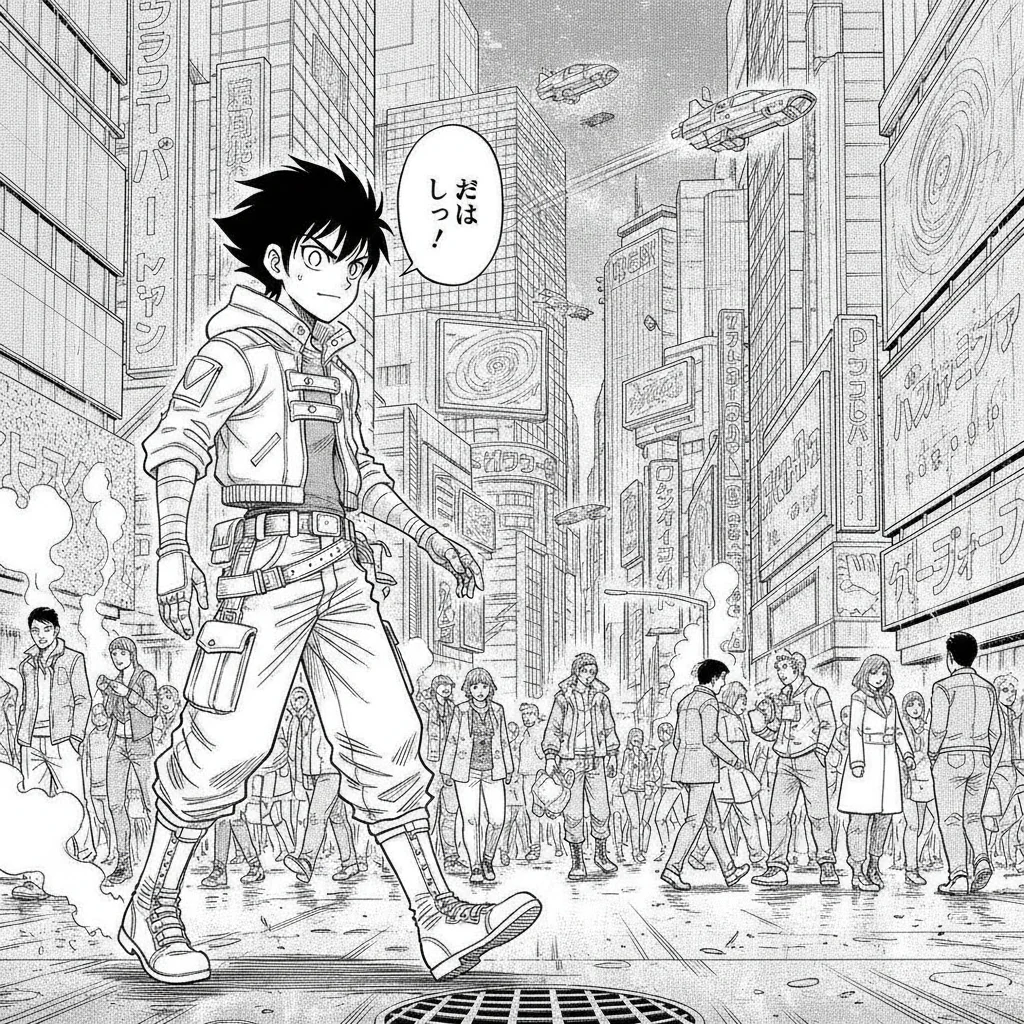
Wide manga panel showing one consistent character walking through a city street background
A medium-wide shot — the generator is built for panel use, not just close-up portraits

Comistitch’s AI manga character generator builds one hero reference image per character — face, hair, and outfit locked into manga art — and reuses it automatically across every panel of your comic. It is deliberately not two things the name might suggest: it doesn’t produce a multi-view turnaround sheet, and it isn’t a dress-up avatar editor. Signup is required, no credit card, to try it.

What “Manga Character Generator” Means Here

Searches for a manga character generator turn up a mix of tools: some are dress-up avatar makers (click together premade hair, eyes, and outfits from a fixed library, in the style of Picrew or Charat), and some are single-image art generators that produce one portrait and stop. Comistitch is neither of those. It’s a character-building step inside a full comic pipeline — the output exists to make later panels consistent, not to be a standalone collectible avatar.

The output is one hero reference image. New character generations are single 3:2 portraits, not multi-pose turnaround sheets. You get one anchor image per character, framed to show hairstyle, outfit, and facial design clearly — not a grid of front/side/back views.

That reference gets reused, not re-described. Once a character exists, generating comic panels later pulls that same reference into the scene automatically. You’re not typing “same character as before, brown hair, red jacket” into every panel prompt — the system handles that continuity for you.

It’s a production input, not a finished portrait. The reference image is built to feed panel generation cleanly, which is a different design goal than a polished single-image character portrait meant to be saved and shared on its own.

Why It’s Not a Turnaround Sheet

A traditional character turnaround sheet shows the same character from several fixed angles — front, three-quarter, side, back — so an artist has a full reference before drawing new poses. That’s a real, useful artifact for professional character design, and it’s not what this generator produces.

Comistitch’s manga character generator gives you one angle: a single hero reference portrait. If your project needs the character drawn from an angle the reference doesn’t show, the comic panel generation step handles that at generation time — using the one reference as its visual anchor for identity, not as a literal pose to copy. This is a real trade-off worth naming plainly: if you specifically need a multi-view sheet for hand-drawing or a separate production pipeline, this tool won’t give you one.

Why It’s Not a Dress-Up or Avatar Editor

Dress-up tools like Picrew and Charat work from a closed set of premade parts — a fixed catalogue of hairstyles, eye shapes, and outfits that a real artist drew in advance. You click through options and combine them; nothing new is generated.

Comistitch works the opposite way. You describe the character in your own words, or hand it a reference photo, and the AI generates an original manga-style image from that input — nothing is selected from a preset library. The result is also meant to be used differently: a Picrew avatar is typically the finished product, saved and shared as-is. Comistitch’s hero reference is a mid-pipeline artifact whose job is to keep the same character recognizable once it starts appearing inside comic panels.

Building From a Reference Photo

If you have a photo — of yourself, a friend, or a face you want to base a character on — upload it during character creation. Comistitch copies the face and outfit from that photo into a new manga-style character design. The output is original AI art restyled into manga conventions, not the source photo pasted into your comic; this is what makes the resulting character usable inside a stylized comic project without looking like a photo collage.

Getting Started

Step 1: Describe your character, or upload a reference photo. A few sentences on hairstyle, outfit, and personality-driving details (a scar, signature color, posture) gives the generator enough to work with. A reference photo gets the face and outfit copied into the new design instead.

Step 2: Review the hero reference. This is the image every later panel will be built around — check that the hairstyle, outfit, and overall design match what you had in mind before moving on.

Step 3: Bring the character into your comic. Add them to a project and generate panels — Comistitch pulls the hero reference into each scene automatically, so the same face and outfit carry through the story.

For the broader manga art style — paneling conventions, screentone, genre presets — see the AI manga generator page. And if you don’t have a character concept yet, the free OC generator writes a text profile you can turn straight into a description here, or start from scratch in the character creator.

Frequently Asked Questions

What does an AI manga character generator actually output? +
Comistitch's manga character generator outputs one 3:2 hero reference portrait per character — a single image capturing face, hair, and outfit in manga style. It is not a multi-pose turnaround sheet with front, side, and back views.
Is this a multi-view character turnaround sheet? +
No. New character generations are single hero reference portraits, not six-pose turnaround sheets. If you need multiple explicit angles of the same character, you would need to generate separate reference images and describe the angle you want each time — the tool doesn't produce a pose sheet in one pass.
Is this a dress-up or avatar maker like Picrew or Charat? +
No. Dress-up and avatar tools work from a fixed library of preset parts you click together. Comistitch generates an original AI image from your text description or a reference photo, and that image is meant to be reused inside a real comic's panels — it isn't a standalone avatar to save and share on its own.
How does the character stay consistent once it's generated? +
The hero reference image becomes the character's anchor. When you generate comic panels later, Comistitch pulls that same reference into the scene automatically, so hairstyle, outfit, and face shape carry over without you re-describing the character every time.
Can I build a manga character from a photo of myself or someone else? +
Yes. Upload a reference photo and Comistitch's character generation copies the face and outfit into a new manga-style character — it restyles the likeness into original art rather than placing a real photo into your comic.
Can I use the generated character outside of a comic, like a profile picture? +
Nothing stops you from saving the image, but the feature is built to feed comic panel generation, not to be a polished standalone portrait or social avatar. If you only want a single shareable character image, a general AI image generator will get you there faster.
How is this different from Comistitch's general character creator? +
The manga character generator page describes the manga-style workflow specifically — one hero reference, manga art conventions, reused across manga or manga-adjacent panels. The broader character creation tool works the same way but isn't locked to manga's visual style.
Does this work for OCs (original characters) I already have a concept for? +
Yes — describe your OC's appearance and it becomes the hero reference. If you don't have a concept written down yet, the free OC generator tool drafts a full text profile — appearance, backstory, personality — that you can turn straight into a character description here.

AI Manga Character Generator — One Reference, Every Panel

Describe a character or add a reference photo for face and outfit, and Comistitch builds one manga-style hero reference image that gets reused automatically across every panel of your comic.

Build Your Manga Character Free