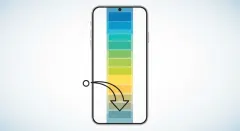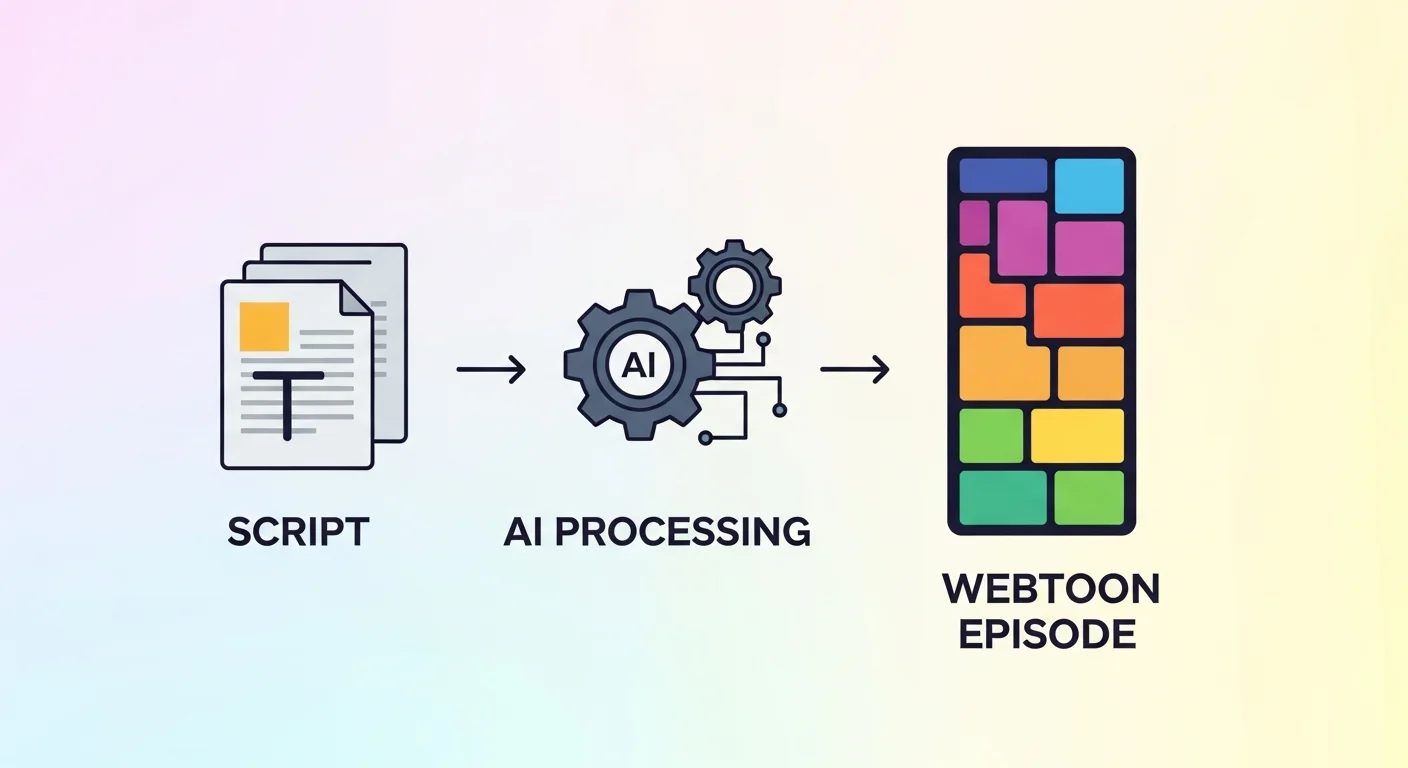
AI webtoon tools generate full-color, vertical-scroll comics from a text script — no drawing required. You describe your characters and scenes; the tool renders panels, locks character consistency across the episode, and outputs a mobile-ready strip. Comistitch does this in under 30 minutes for a full episode, from blank project to export.
In short: “AI webtoon” and “webtoon ai” both describe tools that turn scripts into vertical-scroll comics automatically. Comistitch’s version locks character design once and reuses it across every panel — start free, no credit card, and ship a full episode the same day.
This hub covers everything you need to evaluate and use an AI webtoon tool:
- What is an AI webtoon tool?
- How do AI webtoon tools actually work?
- How do I create my first AI webtoon?
- AI webtoon tools vs traditional production
- What should I look for in an AI webtoon maker?
- FAQ
What Is an AI Webtoon Tool?
An AI webtoon tool is software that generates vertical-scroll comic art and layout from a text description, instead of requiring you to draw each panel by hand. The category sits at the intersection of two trends: the explosive growth of the webtoon format as the dominant way people read digital comics on mobile, and generative AI image models becoming good enough to produce publishable, style-consistent artwork from prompts.
Searchers use “ai webtoon” and “webtoon ai” almost interchangeably — both describe the same tool category. What differentiates one platform from another isn’t the base capability (most can generate a colorful panel from a prompt) but production-grade features: character consistency across dozens of panels, episode-length output, and export formats that match what LINE Webtoon, Tapas, and Lezhin actually require.
For a deeper look at the mobile-scroll format itself — history, reading direction, and why it looks the way it does — see what a vertical scroll comic is. The AI Webtoon Creator style page covers the specific style settings Comistitch applies automatically when you pick webtoon as your output format.
How Do AI Webtoon Tools Actually Work?
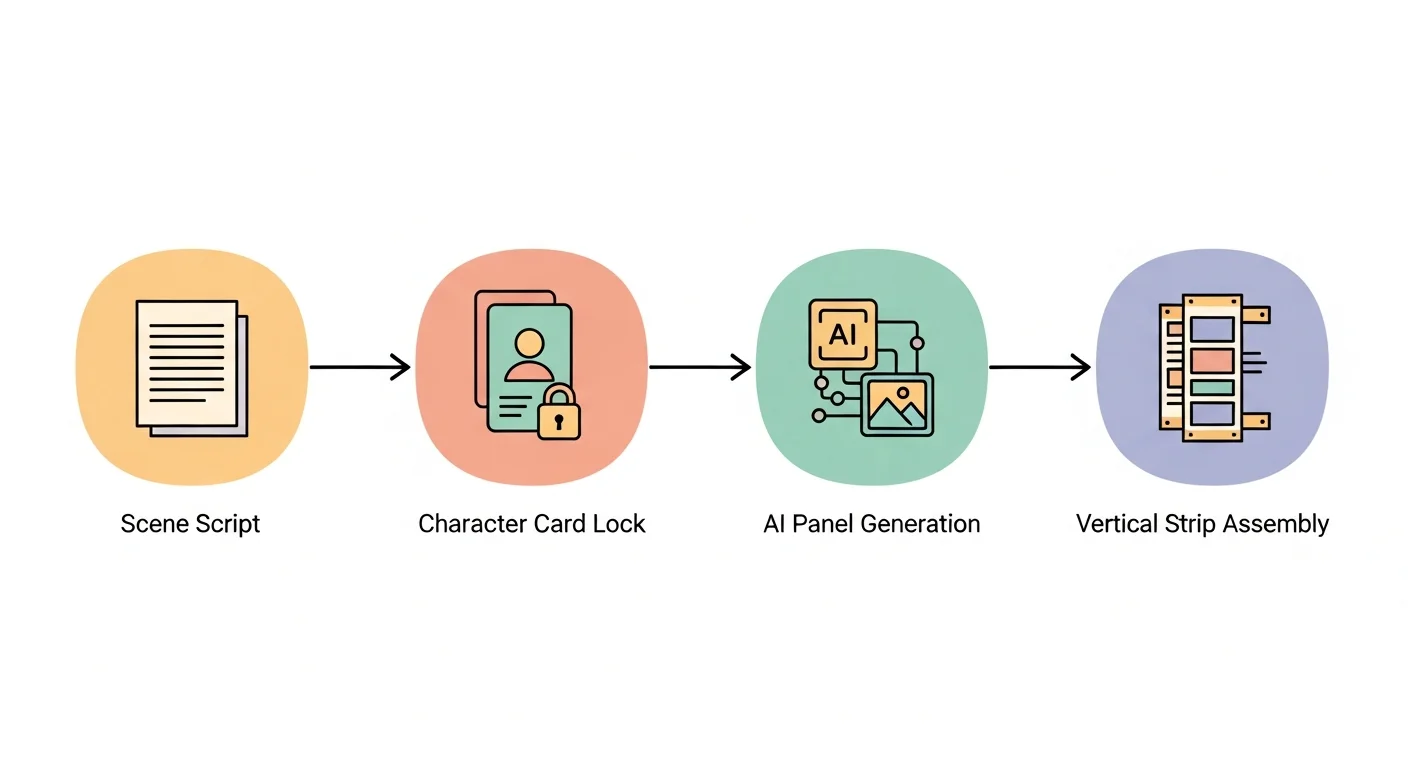
Most AI webtoon tools follow the same underlying pipeline, even if the interface differs.
Script interpretation. You provide a scene-by-scene description in plain text. The tool parses who’s present, the setting, the mood, and any dialogue, then decides where panel breaks should fall — a wide establishing shot, a mid-shot exchange, a close reaction panel.
Character reference locking. The strongest tools let you define a character once (visual description, costume, distinguishing features) and reuse that exact design across every future panel and episode. Weaker tools regenerate characters fresh each time, causing visible drift in hair color, face shape, or outfit between panels.
Panel rendering. The AI image model generates each panel at vertical-strip dimensions (typically 800px wide, arbitrary height) rather than a page-grid layout. Full color is standard — webtoons have been digital-native since the format’s origin, so there’s no black-and-white cost constraint like traditional print manga.
Assembly and export. Individual panels are stitched into one continuous vertical strip, ready for platform upload. From inside the builder, this last step is usually automatic; you review the strip, reroll any weak pages, and export. Some platforms stop at single-panel generation and leave assembly to you; that gap is the single biggest time sink people hit when they try to build a full episode with a general-purpose AI image tool instead of a purpose-built webtoon pipeline.
How Do I Create My First AI Webtoon?
Getting from zero to a published episode takes five steps on Comistitch:
- Pick the webtoon style — start a project and select webtoon as the output format, which sets vertical canvas dimensions and full-color rendering automatically.
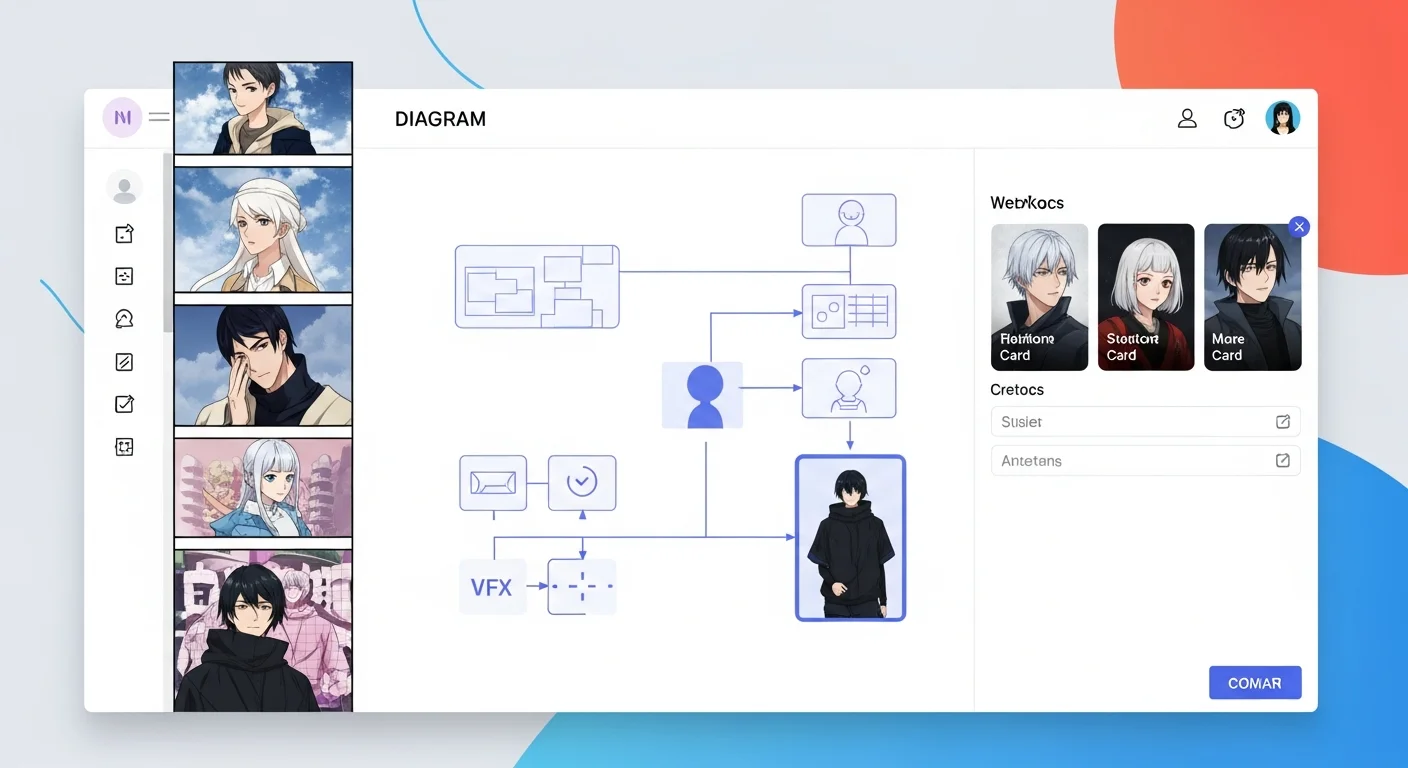
- Define your characters once — create a character card with a short visual description; Comistitch reuses the exact design in every panel.
- Write your episode scene by scene — describe who’s present, the setting, mood, and dialogue in plain text. If you’re starting from nothing, the free webtoon script generator drafts a scene outline you can paste in directly.
- Generate and review the strip — Comistitch renders the full vertical episode; reroll any page that misses the mark.
- Export and publish — download a mobile-ready strip sized for your target platform.
For the full technique deep-dive on panel sizing, scene transitions, and scroll rhythm specifically, see webtoon vertical-scroll paneling — the companion pillar that goes step-by-step through composition.
AI Webtoon Tools vs Traditional Webtoon Production
| Aspect | Traditional (hand-drawn) | Generic AI image tool | Comistitch (AI webtoon) |
|---|---|---|---|
| Time per episode | Days to weeks | Hours, but manual assembly | ~30 minutes, script to export |
| Character consistency | High (manual skill) | Low — drifts between prompts | High — locked reference reused automatically |
| Vertical-strip formatting | Manual layout work | Manual assembly required | Automatic |
| Art skill required | Yes, significant | Prompt-writing skill | None — plain-text scene descriptions |
| Episode-length output | Manual, panel by panel | Not built for it | Built for 40–80 panel episodes |
The middle column matters because it’s the most common alternative people try before finding a purpose-built tool: generating individual panels one at a time in a general image model, then manually copying, resizing, and stitching them into a strip. It works, but the character-drift problem alone makes multi-panel episodes exhausting to keep consistent. The builder handles that consistency problem automatically, which is the core reason purpose-built webtoon tools exist at all.
What Should I Look for in an AI Webtoon Maker?
Not every AI image generator is a webtoon tool. Before committing to a platform, check for:
- Character locking — can you define a character once and get the same face, hair, and outfit in panel 40 as panel 1?
- Native vertical-strip output — does it generate width-first, scroll-optimized panels, or do you have to manually resize and stack square images?
- Episode-scale generation — can it produce a full 40–80 panel episode from a script, or only single images?
- Export dimensions — does it output at the pixel widths LINE Webtoon and Tapas actually accept?
- Commercial licensing — does the pricing tier you’re on actually grant commercial publishing rights?
- Series memory — does the tool remember your cast and setting across sessions, or do you have to re-describe everything for every new episode?
Which Genres Work Best for AI-Generated Webtoons?
Not every genre reads equally well in vertical-scroll format, and picking a genre that suits the medium makes AI output land better on the first try.
Romance and slice-of-life dominate webtoon readership charts, and for good reason — long dialogue exchanges and quiet emotional beats translate naturally into the scroll rhythm. Comistitch’s romance and slice-of-life presets lean into warmer palettes and softer linework that match reader expectations for the genre.
Fantasy and isekai benefit from the format’s tall canvas, which gives establishing panels room to render elaborate world-building without breaking the reading flow. A single vertical panel can carry the scale a horizontal page-grid panel would need two or three panels to convey.
Action and martial arts work well too, since a taller-than-wide panel gives characters room to move vertically on screen — kicks, falls, and impact frames read with more energy stacked top-to-bottom than side-by-side.
Genres that struggle more in vertical scroll are dense ensemble-cast political dramas or anything requiring wide simultaneous multi-character blocking — page-grid formats like manga handle those compositions more naturally. If your story leans that direction, the manga paneling pillar may be a better creative fit than webtoon format.
Try It Now: Comistitch Prompt Example
Paste this into Comistitch Studio’s episode script box:
Scene 1: Wide establishing shot of a rooftop garden at golden hour, city skyline behind. Two friends sit on a bench, mid-conversation, relaxed body language.
Scene 2: Medium shot, one friend leans forward excitedly, holding up a phone screen.
Scene 3: Close reaction panel — the other friend's expression shifts to surprise.
Scene 4: Wide panel, both friends laughing, warm lighting, end-of-episode cliffhanger caption "Next: the reply comes in."
Style: webtoon, full color, soft warm palette, slice-of-life pacing.
The builder generates the vertical strip with panel breaks, color mood, and character poses in about 30 seconds. Iterate by editing the script text — no need to re-describe your characters each time once the reference card is saved.
How Long Does Making a Webtoon Episode Take With AI?
A hand-drawn webtoon episode (40–60 panels) typically takes an experienced solo creator 15–30 hours across scripting, sketching, inking, coloring, and lettering. Using a general-purpose AI image tool without episode support cuts art time but adds manual assembly overhead — expect 4–8 hours once you factor in prompt iteration and stitching panels together.
Comistitch compresses this to roughly 30–45 minutes for a full episode: writing the scene script takes the bulk of that time, since generation and assembly are automatic. The time savings compound across a series — character cards persist, so episode two starts from a script, not a blank slate.
What Are the Most Common Webtoon-Making Mistakes to Avoid?
- Skipping character cards. Generating each panel from a fresh description is the single biggest cause of visible character drift. Lock your character reference before you generate a single panel.
- Ignoring scroll pacing. A wall of identically sized panels reads flat on mobile. Vary panel height and use blank separators to signal scene shifts — see the vertical-scroll paneling guide for the full technique.
- Wrong export dimensions. Every platform has specific width requirements. Exporting at the wrong size gets your upload rejected or badly cropped — check target-platform specs before your final export.
- Overcrowded dialogue. Webtoon speech bubbles have limited mobile real estate. Long paragraphs of dialogue overwhelm the panel; keep lines short and let the art carry emotional weight.
Can I Publish My AI Webtoon on LINE Webtoon or Tapas?
Yes, with some caveats. Comistitch exports in the pixel dimensions and file formats these platforms require. However, content and AI-disclosure policies vary by platform and change over time, so always check the current submission guidelines before publishing. For the full step-by-step submission workflow across both platforms, see how to publish a webtoon on Webtoons and Tapas.
What’s Next After Your First Episode?
Once you’ve shipped episode one, the highest-leverage next steps are: locking a consistent color palette and mood across your series (see webtoon color palette and mood design), and mastering cliffhanger pacing to build a returning audience (see webtoon pacing and cliffhanger techniques). If you’re still comparing platforms before committing, the best AI webtoon maker comparison benchmarks the top tools side by side. And if you have seen the phrase “toon scroll” used for this format and were not sure whether it meant something different, it does not — here is the distinction.
Ready to make your first AI webtoon? Start free at Comistitch — no credit card, no installs. The builder handles character consistency and vertical-strip formatting automatically, so you can focus on the story.
External references: Webtoon — Wikipedia overview · Webtoons market topic — Statista · LINE Webtoon creator program