Published May 2026 — fair comparison of single-image AI art vs comic pipeline tools, with a concrete hybrid workflow.
If you already use Midjourney and your art looks great, the natural next question is: do I really need a separate comic builder? Or can I just keep prompting Midjourney panel by panel?
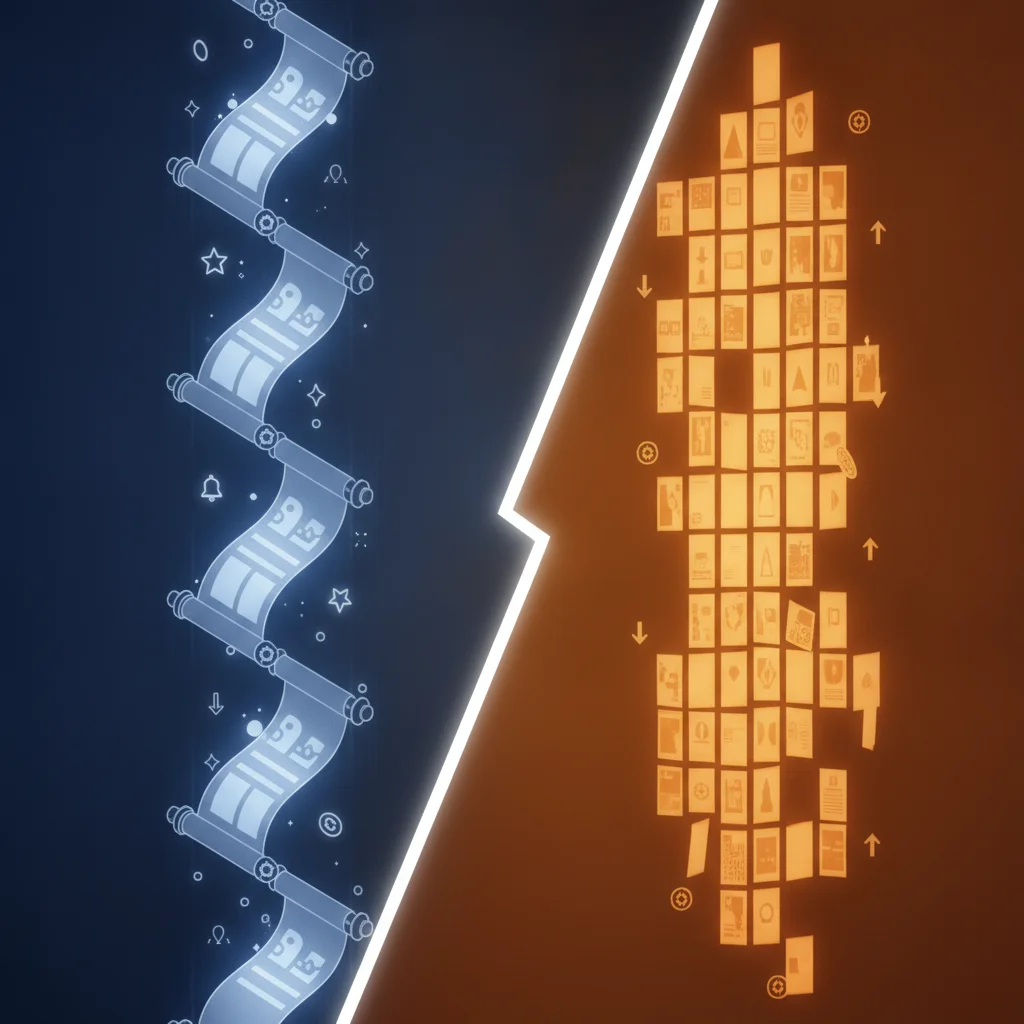
The honest answer: Midjourney is one of the best single-image generators on the planet. It is also not designed to produce sequential comics. Those are different jobs, and treating them as the same job is what burns weekends.
TL;DR
- Midjourney is a brilliant single-image painter; comic builders are pipeline tools — different categories
- Midjourney V7 wins on art ceiling for one image; comic builders win on consistency, layout, and shipping speed
- Character consistency across 20+ panels is where Midjourney workflows break down
- The smart 2026 move: Midjourney for covers and key art, a comic builder for the actual chapters
- Verdict: it is not Midjourney vs a comic builder — it is Midjourney AND a comic builder, used for different jobs
Quick stats
- Global comics and graphic novels market projected at USD 19.39B in 2026 (Grand View Research)
- Multi-panel projects on Comistitch generate 6–24 panels per episode*
- 72% of Comistitch creators reuse at least one character across projects*
Mini ToC
- What Midjourney is best at
- What Midjourney is not designed for
- What a comic builder is best at
- Comparison table — six dimensions
- The tradeoff: art ceiling vs pipeline efficiency
- When to reach for Midjourney
- When to reach for a comic builder
- The hybrid workflow that actually works
- Pricing comparison
- Learning curve comparison
- 2026 outlook
- FAQ
What’s New in 2026: Why This Comparison Has Changed
The key 2026 update: Midjourney V7 closed the stylistic gap with comic-specific tools on raw art quality — but the pipeline gap has widened in the other direction. Comic builders like Comistitch now run on Google’s newer Gemini image-generation models, delivering near-Midjourney art quality inside a sequential storytelling pipeline. In 2024, creators chose between art quality (Midjourney) and workflow automation (builders). In 2026, the top pipeline tools offer both.
The second shift: Nano Banana face-consistency technology means character drift across 20+ panels is now manageable without manual re-entry. If your main argument for Midjourney was “at least my character looks the same when I use —cref,” that advantage has narrowed considerably. For a full technical breakdown, see our character consistency ultimate guide.
Related reads: best AI comic generator 2026 ranked list · comic stitching pipeline · how to make AI comics in 2026
What Midjourney Is Best At
Midjourney V7 is, for many use cases, the strongest text-to-image model available to indie creators. Where it shines:
- Single-image art ceiling. A well-prompted Midjourney render has painterly depth, dramatic lighting, and a sense of art direction that smaller models struggle to match.
- Style range. From oil-painted fantasy to cel-shaded anime to gritty noir to vaporwave to baroque oil portraits — the model has absorbed a vast stylistic vocabulary.
- Cover art and splash pages. When the goal is one image that has to carry visual weight — a chapter cover, a promotional poster, a key visual — Midjourney is hard to beat.
- Style references. With
--srefand image-prompted moodboards, you can dial in a specific look quickly and reuse it. - Mood and atmosphere. Lighting, fog, color grading, “cinematic” texture — the model leans into atmosphere by default.
If your job is “make me one striking image,” Midjourney is often the right tool. Acknowledging that openly is the start of a fair comparison.
What Midjourney Is Not Designed For
Midjourney is a single-image generator. The product is built around one prompt → one (or four) images. The things a comic needs that fall outside that frame:
- Character consistency across many panels.
--crefand seed locking help, but holding a recognizable face, outfit, and silhouette across 24 panels with varying angles, expressions, and lighting is still labor-intensive. Every shot is a fresh negotiation. - Panel layout and composition. Comics are not just a sequence of images — they are a grid with a reading order, gutter spacing, panel size hierarchy, and pacing. Midjourney does not lay out pages.
- Dialogue placement. Speech bubbles, captions, sound effects, and reading-order-aware text placement are outside the model’s job description.
- Sequential storytelling. Story breakdown — turning a scene into the right number of panels with the right beats — is editorial work, not image work.
- Format export. Webtoon vertical strips, web-resolution PDFs, panel-image exports — none of this is native to Midjourney.
- Multi-character coordination. “Two specific characters in the same frame, both recognizable, in conversation” is one of the hardest things to do in single-image models, and you will fight it.
This is not a flaw. It is a category mismatch. Comparing Midjourney to a comic builder on these axes is like comparing a brilliant oil-paint master to a printing press. Different tools, different jobs.
What a Comic Builder Is Best At
A comic builder is a pipeline tool — and “builder” is the right hedge here, because the work is genuinely closer to assembling than to painting. Where it earns its keep:
- Multi-panel pipeline. You input a story or script; the system produces a sequence of panels that follow a coherent visual and narrative arc.
- Character lock-in. References for each named character carry through every panel automatically. You do not re-prompt the protagonist’s face on page 17.
- Page composition. Panel grids, aspect ratios, and reading order are handled at layout time — not improvised in Photoshop later.
- Webtoon vertical export. Pick a vertical-scroll style, get a webtoon-ready strip. No manual stacking.
- End-to-end shipping. Story input → finished, exportable comic. Fewer manual handoffs between tools.
- Consistent style across the whole episode. The pipeline applies one style coherently, not “panel 3 looks slightly different from panel 4 because the model rolled differently.”
For an end-to-end view of how a story turns into a finished comic in this pipeline model, see how to create comics with AI. For a deep dive on character consistency techniques specifically, the character consistency ultimate guide covers what actually works in 2026.
At a Glance: AI Comic Generator vs Midjourney
| Dimension | Midjourney V7 | AI Comic Builder |
|---|---|---|
| Primary unit of work | One image | One page / one episode |
| Single-image art ceiling | Very high — painterly, cinematic | High — pipeline-tuned, consistent |
| Character consistency across 20+ panels | Manual (cref, seeds, prompt discipline) | Automatic (pipeline-level lock-in) |
| Panel layout and grids | Not handled — you assemble externally | Built-in — page grids, gutters, vertical strips |
| Dialogue and speech bubbles | Not handled | Built-in placement (varies by tool) |
| Webtoon vertical export | Manual stacking | One-click on style select |
| Multi-character scenes | Hard to control reliably | Coordinated by the pipeline |
| Style range | Extremely broad | 40+ styles tuned for comics |
| Iteration unit | Reroll the whole image | Reroll a whole page |
| Cost per finished page | Variable — many rerolls add up | Predictable — flat credit cost per page |
| Best fit | Single-image creative work | Recurring chapter production |
This is a comparison between the same kind of brushes from a different angle: one is the painter’s brush, one is the printer’s plate. Both legitimate. Different jobs.
The Tradeoff: Art Ceiling vs Pipeline Efficiency
Here is the honest tension.
Midjourney has a higher art ceiling for one image. If you spend two hours crafting a single Midjourney prompt — references, parameters, weighting, version flags, careful aspect ratio — the resulting image will often beat anything a pipeline tool can produce in one shot.
A comic builder has a higher pipeline efficiency for many images. If you need 24 panels in the same style with the same characters in two hours total, the pipeline tool will produce a usable, consistent set. Midjourney will produce 24 individually beautiful images that look like 24 different comics.
So the choice is not “which is better.” The choice is “what are you optimizing for in this specific creative session?” Cover art? Optimize for ceiling. Chapter 7? Optimize for pipeline.
Creators who insist on using only Midjourney for a serialized comic typically discover this somewhere between page 3 and page 8, when the time-per-page stops decreasing and consistency starts visibly drifting. That is not a failure of Midjourney — it is using the wrong tool for chapter production.
When to Use Midjourney
Midjourney is the right reach when:
- Cover art for a chapter or series. One image, maximum impact, no pipeline pressure.
- Splash pages and key visuals. Establishing shots, big reveal frames, posters inside the story.
- Style references and moodboards. Generate 10 candidate looks; pick one to emulate in your comic builder.
- Marketing assets. Promo art, social media headers, banner images, merch concepts.
- Standalone illustrations. Single-panel webcomics, single-frame jokes, fanart, concept pieces.
- Pre-production exploration. Character design rounds, environment moodboards, costume studies before you lock a series.
In each of these, the work is one image, and the ceiling matters more than the pipeline.
When to Use a Comic Builder
A comic builder is the right reach when:
- You are producing chapters on a schedule. Weekly or biweekly episodes need pipeline speed, not painterly perfection per panel.
- You have recurring characters. Anything more than two appearances of the same character per project benefits from automatic lock-in.
- You are publishing to a webtoon platform. Vertical layout is part of the format, not a post-production step.
- You think in story, not in shots. If you are a writer first, the pipeline maps naturally to scenes and beats.
- You need a specific comic style at scale. Manga, manhwa, webtoon, noir — pipeline tools tune for these. Try AI manga generator or AI comic noir to see style-specific output.
- You want one tool that ships. Story in, exportable comic out, minimal handoffs.
For a roundup of comic-specific generators side by side, the best AI manga generators 2026 list compares the current category leaders. For a head-to-head with another pipeline tool, see the Dashtoon vs Comistitch comparison.
The Hybrid Workflow That Actually Works
Most experienced AI comic creators in 2026 do not pick. They use both, on purpose, for different parts of the project. A concrete workflow:
- Pre-production in Midjourney. Generate 8–16 character design candidates. Generate 4–8 environment moodboards. Settle on a visual direction.
- Lock the style in your comic builder. Pick the closest matching pipeline style — manga, manhwa, webtoon, noir, fantasy, sci-fi. Reference your Midjourney concepts as moodboard inspiration, not as the final art.
- Build the chapters in the comic builder. Story → script → panels → page layout → export. This is the bulk of the work and where pipeline efficiency pays off most. Try AI manhwa generator or AI webtoon creator for vertical-format projects.
- Cover art in Midjourney. Each chapter cover is one image where art ceiling matters. Render in Midjourney V7, upscale, color-correct, add typography in your image editor.
- Marketing in Midjourney. Promo posters, social headers, banner images — single-image work, ceiling matters.
- Republish loop. When the chapter is done, the cover is done, and the marketing is done, ship. Move to the next chapter. The split tool model keeps each tool working in its strength zone.
This is not a workaround. It is the natural division of labor between a single-image generator and a sequential pipeline. Most professional comic studios that have integrated AI in 2026 use a similar split, just with bigger budgets.
Pricing Comparison
Both products have moved toward subscription models with usage tiers.
Midjourney offers a Basic, Standard, Pro, and Mega plan structure. Standard and above include unlimited relaxed-mode generations, which matters for heavy iteration. Commercial usage rights are bundled into the paid plans (review their current terms before publishing). The hidden cost is iteration time — when one panel of your comic needs eight rerolls to land, those rerolls eat GPU time.
Comic builders typically use credit-based pricing. Comistitch paid plans (Starter, Pro, Elite) include credits that reset to the plan’s monthly allowance each cycle — unused credits from a quiet week don’t carry over. Cost-per-finished-page is usually more predictable because one flat-priced page reroll covers the whole panel layout, rather than paying per single-image generation to build up each shot. See the pricing page for current details.
For a creator running both: many find that one Midjourney Standard plan plus a mid-tier comic builder subscription is roughly the cost of two creative tools and produces output worth far more than the sum.
Learning Curve Comparison
Midjourney has a real learning curve. You will spend time learning:
- Prompt structure and weight syntax
--ar,--stylize,--chaos,--weird,--sref,--crefand friends- Version flag differences (V6 vs V7 vs Niji)
- Reference image strategies for character consistency
- When to reroll, when to vary, when to upscale, when to start over
For a serious user, this is weeks of practice before output is reliably what you wanted. The payoff is high — a fluent Midjourney user produces remarkable single images.
Comic builders have a much shorter on-ramp. You write a story, pick a style, and ship a draft. The skill ceiling exists — story craft, panel pacing, dialogue refinement — but it is the same skill ceiling that comic creators have always had. You are not learning a new image-generation language from scratch.
For a beginner who wants a finished comic this month, the comic builder is dramatically faster to productive output.
2026 Outlook
Both categories are moving fast.
Midjourney V7 has narrowed the gap on character consistency with --cref upgrades and improved seed behavior, but the structural fact that it is a single-image product has not changed. We expect that to remain true.
Comic builders have closed the gap on per-panel art quality significantly. The 2024 critique that “pipeline tools look generic” is much less true in 2026 — pipeline-tuned models on platforms like Comistitch produce panels that are competitive in style and detail with hand-prompted single-image output, and they do it consistently across an entire episode.
The 2026 outlook is not “one wins, one dies.” It is “the categories crystallize.” Midjourney owns single-image creative work. Comic builders own sequential storytelling. Creators who use both intentionally will out-ship creators who try to force one tool to do both jobs.
Verdict: Different Jobs, Both Worth Owning
The framing “AI comic generator vs Midjourney” is a category error. Midjourney is the wrong choice for chapter production. A comic builder is the wrong choice for a high-ceiling cover painting. Asking which is better is asking which is better between a sketchbook and a printing press — the answer depends entirely on what you are trying to make.
If you only do covers, posters, and standalone illustrations, you only need Midjourney. If you only ship serialized chapters, you only need a comic builder. If you do both — like most working comic creators in 2026 — the smart move is to own both tools and use each for what it is built for.
For most indie creators publishing chapters, the comic builder is the daily driver. Midjourney is the special tool you reach for when one image has to carry the weight.
Start free, ship a real chapter: Sign up for Comistitch →
Related read: Building a DIY pipeline with ChatGPT + DALL-E?.
Frequently Asked Questions
Can Midjourney make a full comic?
Midjourney can generate individual comic-style panels with strong art quality, but it has no built-in pipeline for character consistency across pages, panel layout, dialogue placement, or multi-page export. You can assemble a comic from Midjourney outputs, but it requires substantial manual work in another tool.
Is Midjourney better than a comic builder for art quality?
For a single splash image, Midjourney V7 typically produces a higher art ceiling — richer painterly detail, more dramatic lighting, broader stylistic range. Comic builders prioritize consistency and pipeline speed across many panels rather than maximum single-image quality.
Should I use Midjourney for character consistency?
Midjourney has character reference features (cref / sref) that help, but maintaining a recognizable protagonist across 20+ panels with different angles, expressions, and outfits is still labor-intensive compared to a comic builder where character lock-in is automated by the pipeline.
What is the best hybrid workflow?
Use Midjourney for cover art, splash pages, key visuals, and marketing assets where art ceiling matters most. Use a comic builder for the actual chapters where pipeline efficiency, consistent characters, and panel layout matter most. The two tools complement each other rather than replace each other.
How does pricing compare?
Midjourney charges a monthly subscription with GPU-time tiers; heavy users on the Standard or Pro plan run unlimited relaxed generations. Comistitch uses credit-based pricing that resets to the plan’s monthly allowance each billing cycle (unused credits don’t roll over). Cost-per-finished-page tends to favor the comic builder because one flat-priced page reroll covers the whole panel layout, versus paying per single-image generation in Midjourney to build up each shot.
Which is easier to learn?
Comic builders are typically easier for beginners — you write a story, pick a style, and the pipeline ships a draft comic. Midjourney requires learning prompt craft, parameter syntax (—ar, —sref, —cref, stylize), and iteration discipline before output is reliably what you want.
Can I use Midjourney art commercially?
Midjourney’s Standard and Pro plans currently grant commercial usage rights to subscribers, with some restrictions (review their terms — they update). Comistitch includes commercial licensing on Elite, and on Starter and Pro when billed yearly. Always verify current terms before publishing commercially.
Do I need both tools?
No, but many serious creators end up using both. Midjourney for marketing imagery, covers, and standalone art. A comic builder for the recurring work of producing chapters. If you only do one of those things, you only need one tool.
*Early user cohort estimates, Q1 2026. Refresh pending full analytics rollout.