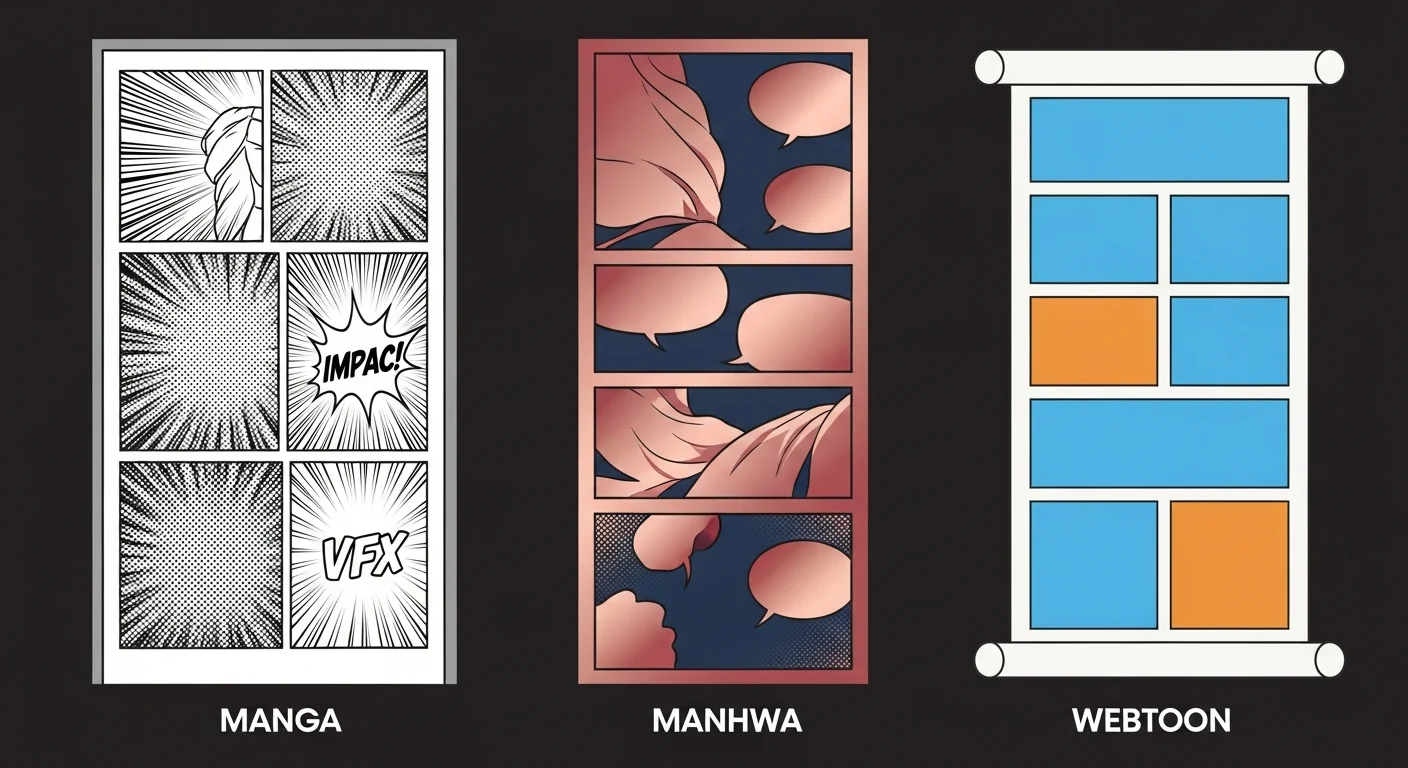
Reproducing authentic manga style with AI requires three distinct ingredient stacks: a screentone-and-ink recipe for manga, a soft-cel-rendering recipe for manhwa, and a clean-lineart-vertical recipe for webtoon. Paste the recipe into Comistitch Studio and the builder generates panels that match each style’s visual signature in under two minutes — no manual artwork required. Prefer a one-click preset over typing the recipe by hand? Comistitch’s AI manhwa generator style page already has the soft-cel Manhwa recipe dialed in.
In short: Manga = B&W screentone + ink hatching + right-to-left page grid. Manhwa = full-color soft cel + semi-realistic faces + vertical column panels. Webtoon = full-color clean lineart + infinite vertical scroll + episodic thumbnail hook. Each recipe below is copy-paste ready for Comistitch Studio.
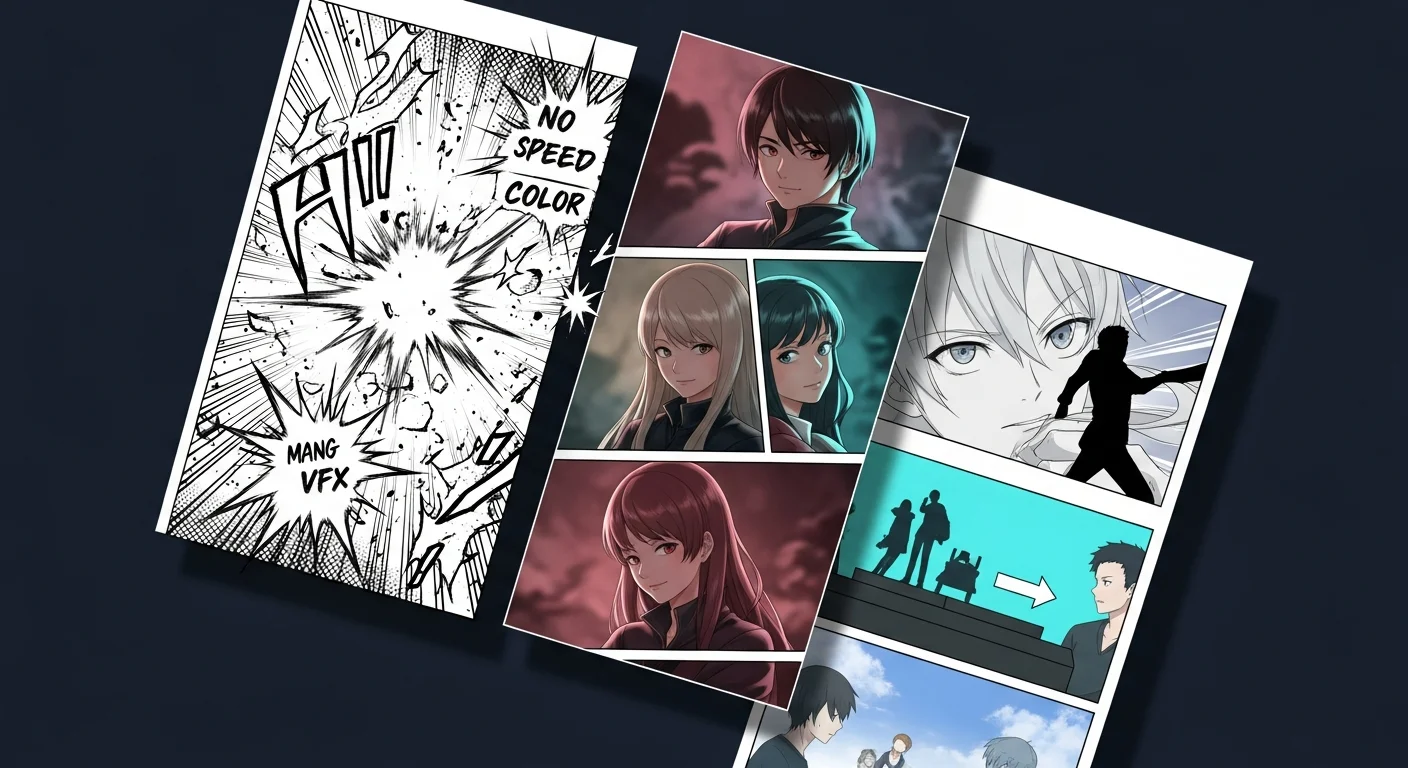
Not sure which style fits your story? The manga vs manhwa vs webtoon comparison guide covers origin, reading direction, and format history in full — that post is about understanding the styles; this one is about reproducing them with exact prompts.
Jump to a recipe:
- Recipe 1 — Manga: Black-and-White Screentone Ink
- Recipe 2 — Manhwa: Full-Color Soft Cel Rendering
- Recipe 3 — Webtoon: Clean Lineart Vertical Scroll
- Style comparison table
- Which style should I choose?
- Using recipes in Comistitch Studio
- Blending two styles
- FAQ
What Is Authentic Manga Art Style — and How Do I Reproduce It?
Authentic manga style is built on a specific set of visual decisions that Japanese comics codified over 70 years: black-and-white ink on white paper, halftone screentone dots for gray value, tapered brush lines for organic weight, right-to-left panel reading order, and motion lines — speed lines, impact stars, afterimage streaks — as the primary vocabulary for action.
What makes manga look “authentic” is not any single element but the combination. A page with screentones but no ink weight variation looks like clipart. A page with bold ink but no speed lines reads like western comics. A page without deliberate negative space feels cluttered rather than dramatic. The recipe below wires all elements together in the correct proportions.
Manga Style Descriptors
- Linework: Variable ink weight (0.5–2pt), brush-tapered on organic surfaces (hair, clothing folds), ruler-straight on mechanical objects (weapons, architecture)
- Value: Grayscale only — dot screentone for mid-tones (15%, 40%, 60% density), crosshatch for deep shadows, solid black for silhouette fills
- Panel grid: Right-to-left reading order, 4–6 panels per page, mixed sizes — one large impact panel (bottom or center), four medium panels, one narrow reaction sliver
- Motion vocabulary: Radial speed lines from impact point, horizontal motion streaks for lateral movement, jagged impact stars and crack effects for collisions
- Typography: Sound effects as integrated graphic elements — bold outlined letters in the panel space, not in speech bubbles; thin-tailed speech bubbles pointing to speaker
- Negative space: Heavy use of empty panel space for dramatic pause; no filler details in empty panel regions
Manga Prompt Recipe (Copy-Paste into Comistitch Studio)
Style: Japanese manga, black and white
Art quality: professional manga artwork, clean ink linework, deliberate screentone shading
(dot pattern 40% density for mid-tone, crosshatch for deep shadow, solid black for silhouette)
Panel composition: 6-panel right-to-left page grid — 1 large impact panel bottom-center,
4 medium action panels, 1 narrow reaction close-up top-right
Line weight: bold 2pt panel borders, variable 0.5–2pt character lines, tapered brush
strokes on hair and clothing folds, ruler-straight lines on mechanical objects
Motion: radial speed lines from impact panel center, horizontal motion streaks,
impact star and crack vfx integrated into panel
Atmosphere: high-contrast, moody, tense — suitable for shonen action or seinen thriller
Negative space: leave 30% of panel area empty for dramatic pacing
Sound effects: integrated bold outlined text inside panel, no separate caption box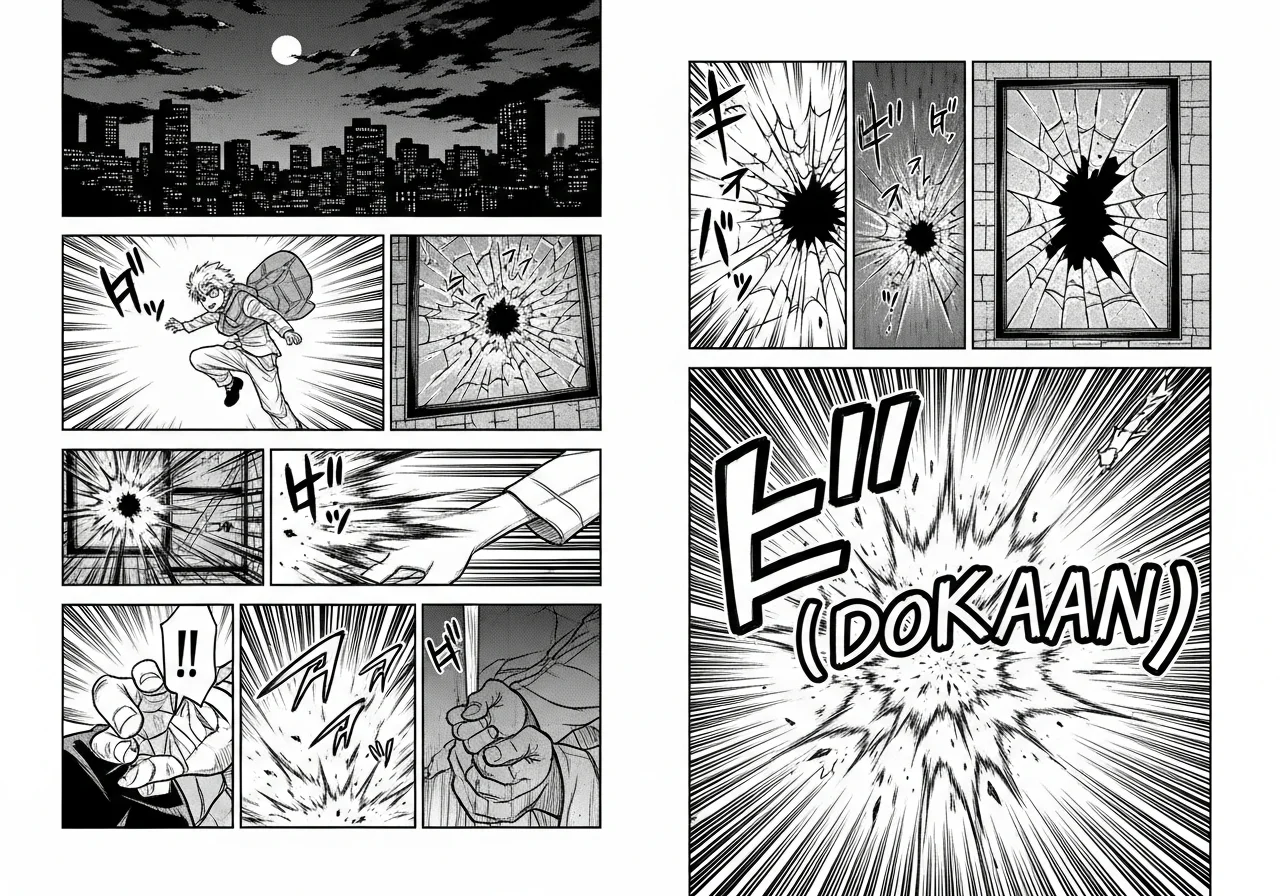
The AI Manga Generator style page has more manga screentone and ink-weight prompt examples. For advanced panel-grid control — including diagonal break panels, flashback borders, and reading-direction overrides — the AI manga panel layout auto-generate guide covers composition techniques that go beyond this recipe.
What Is the Manhwa Art Style — and How Do I Reproduce It?
Manhwa art style is defined by full color, soft digital shading, semi-realistic character proportions, and a vertical reading flow originally optimized for mobile screens. Korean webtoon studios developed this aesthetic in the early 2000s when the move from print to web made color production cost-free. Color became a standard expectation, not a luxury.
The distinguishing visual markers of manhwa are: airbrushed gradient skin with blush highlights, heavily detailed hair with glass-like shine, large expressive eyes that are more naturalistic than the hyper-deformed style of classic manga, and cinematic color palettes anchored by warm midtones and deep dramatic shadows. Panels are tall and narrow, stacked in a single column optimized for portrait-mode smartphone reading.
Unlike manga’s disciplined negative space, manhwa fills panels with detail: elaborate outfits, intricate background environments, and expressive facial micro-expressions that reward zoomed-in reading on retina screens.
Manhwa Style Descriptors
- Color palette: Warm cinematic — rose-gold highlights, deep navy or burgundy shadows, peach-blush skin tones, cream or gradient-sky backgrounds; action variants shift to cool blue-silver
- Shading: Soft cel with airbrushed gradients, no hard shadow edges, subtle inner glow on hair and skin highlights
- Character proportions: Semi-realistic — taller than real-world proportions, slightly elongated limbs, large expressive eyes with iris detail and light-reflection dot highlights, defined lip rendering
- Linework: Clean 1pt digital ink outline in warm dark tone (not pure black), colored lines integrate softly with the painted fill beneath
- Panel layout: Vertical tall panels in a single column, 3–5 panels per episode scroll section, full-bleed establishing shots alternating with tight emotional close-ups
- Genre palettes: Romance = warm rose-amber; action = cool navy-silver; fantasy isekai = jewel tones (emerald, sapphire, gold accent)
Manhwa Prompt Recipe (Copy-Paste into Comistitch Studio)
Style: Korean manhwa, full color, vertical webtoon layout
Color palette: warm cinematic — rose-gold highlights, deep navy shadows, peach-blush
skin tones, cream gradient background
Shading: soft cel with airbrushed gradients, no hard shadow edges, subtle inner glow
on hair and skin highlights
Character rendering: semi-realistic proportions, large expressive eyes with iris detail
and light-reflection dot highlights, flowing hair with glass-shine overlay
Linework: clean 1pt digital ink outline in warm dark tone (not pure black)
Panel layout: 3-5 tall vertical panels in single column, 9:16 aspect ratio,
full-bleed establishing shot → medium dialogue panel → tight emotional close-up sequence
Mood: romantic tension rising to emotional climax — or high-stakes action with
dramatic lighting shift from warm palette to cool as stakes escalate
Genre indicators: architectural interior details or dramatic sky in establishing shots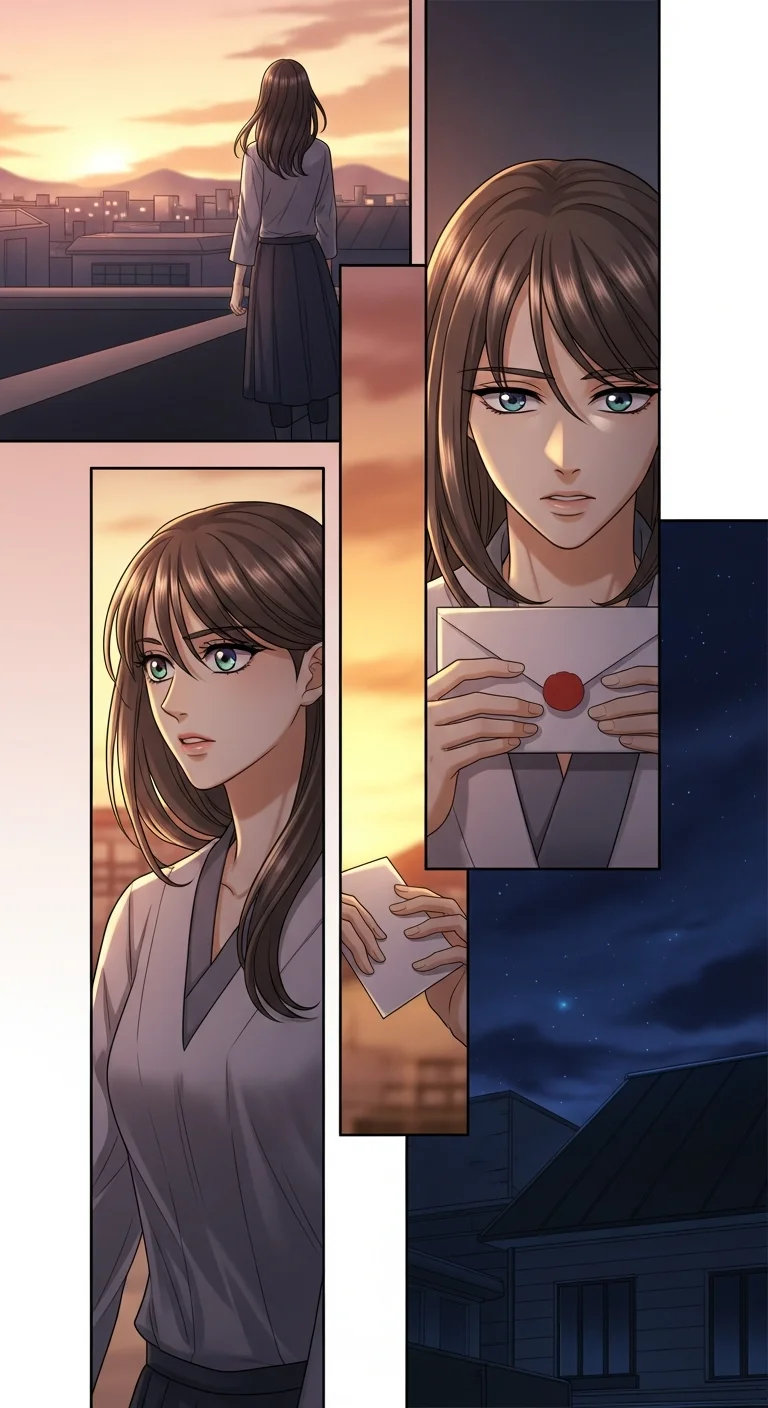
Make it in Comistitch. The AI Manhwa Generator style page maps every color and rendering setting the builder exposes for this aesthetic. For a complete production workflow — from character design to published episode, including Comistitch color grading presets and panel sequencing for romance and action genres — the AI Manhwa Generator complete guide is the next step after this recipe.
For online creation without any software install, the AI manhwa maker online guide covers the browser-based workflow in full.
What Is the Webtoon Art Style — and How Do I Reproduce It?
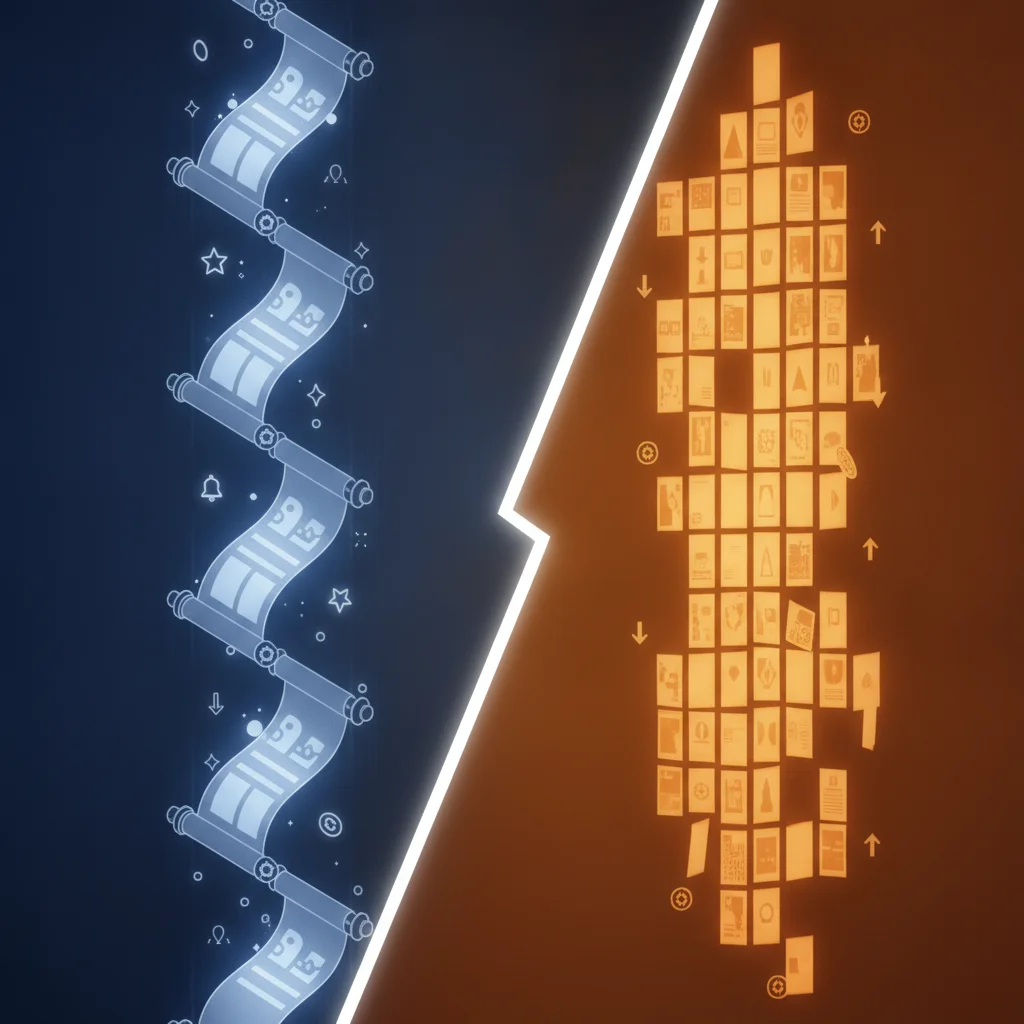
The webtoon art style is a format-driven aesthetic: because webtoons are consumed by scrolling on a phone, every visual decision is optimized for a tall narrow canvas viewed at arm’s length. Clean lineart ensures readability at any size. Full color maintains engagement on backlit screens. Panel-to-panel transitions create a vertical rhythm — the reader’s eye flows continuously downward.
Unlike manhwa, which carries a specific Korean artistic and cultural tradition, webtoon style is a broader category that includes manga-influenced works, original English-language comics (OEL), and genre experiments from Southeast Asia and Latin America. What unifies them is the format: infinite vertical scroll with episode-ending cliffhanger panels.
The dominant commercial webtoon visual style — the one platform audiences associate with “webtoon art” — sits between manhwa realism and animated cartoon. Clean outlines. Vibrant flat fills with selective shading. Character designs that read clearly at thumbnail scale. Energetic panel pacing built for per-view mobile engagement.
Webtoon Style Descriptors
- Canvas format: Infinite vertical strip — single-column, full-width panels, continuous scroll with no page breaks between panels; white gutter spacing between scene transitions
- Color: Bright saturated palette — vivid primaries, clean white gutters, vibrant sky blue and warm gold for action; soft pastels for slice-of-life and romance
- Linework: Clean 1–2pt digital outline, minimal line weight variation (more cartoon than manga), consistent across all panels
- Shading: Flat cel fills with selective airbrushed shadows, limited to 2–3 shadow values per color area; no complex layered rendering
- Characters: Slightly simplified but expressive — larger head relative to body, simplified hands, bold silhouettes readable at phone thumbnail scale
- Panel pacing: Wide establishing shot → medium two-shot dialogue → tight reaction close-up → episode-end hook panel (visually disruptive, high-contrast, full-width)
- Thumbnail hook: First visible panel must work as a standalone attention-grabber on platform home feeds at 150px width
Webtoon Prompt Recipe (Copy-Paste into Comistitch Studio)
Style: digital webtoon, full color, vertical infinite scroll
Canvas: single-column vertical strip, 800px wide, variable panel height, white gutter spacing
Color palette: bright saturated — vivid sky blue, warm orange accents, clean white
negative space, occasional deep navy for dramatic shadow moments
Linework: clean digital ink at 1–2pt weight, consistent line width throughout,
bold character outlines at 2pt, clean panel borders at 3pt
Shading: flat cel fills with 2 shadow values per tone, selective airbrush on
focal points only, no texture overlays
Character style: slightly simplified proportions, large readable facial expressions,
bold silhouettes visible at thumbnail scale, detail concentrated in face and hands
Panel sequence: wide establishing shot → medium dialogue panel → tight emotional
reaction close-up → disruptive full-width cliffhanger panel at episode end
Thumbnail hook: bold graphic element or high-contrast focal point in top 200px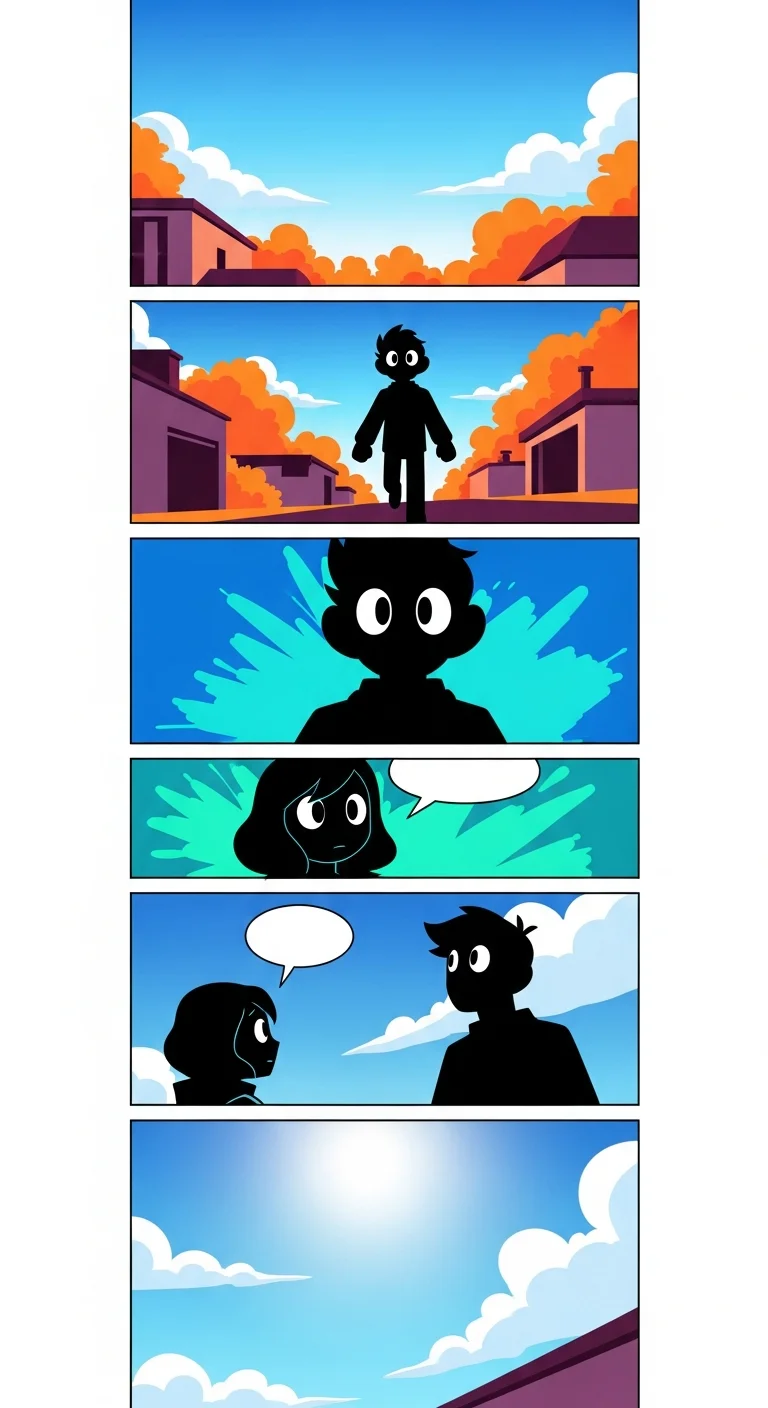
The AI Webtoon Creator style page explains the specific canvas settings the builder applies automatically for vertical-scroll format. For a full technical guide to episode pacing, platform-specific panel dimensions, and cliffhanger composition — the webtoon vertical scroll paneling guide goes deep on structure. The free AI webtoon maker guide covers the no-cost creation path specifically.
How Do Manga, Manhwa, and Webtoon Compare at a Glance?
| Feature | Manga | Manhwa | Webtoon |
|---|---|---|---|
| Color | Black and white (standard) | Full color | Full color |
| Linework | Variable ink weight, organic | Thin consistent digital ink | Clean consistent, minimal variation |
| Shading | Screentone dots + crosshatch | Airbrushed gradients, soft cel | Flat cel, 2–3 shadow values |
| Panel layout | Right-to-left page grid | Tall vertical column | Infinite vertical scroll strip |
| Character proportions | Variable — chibi to realistic | Semi-realistic, elongated | Simplified, bold silhouette |
| Primary motion tool | Speed lines + impact stars | Motion blur overlays | Bold jump cuts between panels |
| When to use | Shonen, shojo, seinen; print or paged digital | Romance, action, isekai; mobile-first | All genres; indie platform publishing |
| Comistitch style setting | Manga (B&W, screentone filters) | Manhwa (color, soft-cel pipeline) | Webtoon (vertical canvas, saturated) |
This table is for quick reference during style selection. For a deeper history-and-format breakdown — origin country, reading direction, platform ecosystem — the manga vs manhwa vs webtoon comparison guide covers the full picture. This post is your reproduction cookbook; that post is the explanation.
Which Style Should I Choose for My Story?
The decision depends on three factors: your genre, your target platform, and your visual production priority.
Choose manga style if:
- Your story is a shonen action series, psychological thriller, horror, sports drama, or slice-of-life in the seinen tradition
- Your target audience expects black and white as a mark of craft or authenticity
- You are targeting Manga Plus, physical volume publication, or a manga-specific digital readership
- You want the expressive economy of high-contrast grayscale composition — less visual noise, more emotional punch per panel
Choose manhwa style if:
- Your story is a romance, fantasy isekai, reincarnation drama, or action series with Korean-influenced visual DNA
- Your target platform is LINE Webtoon, Tapas, Lezhin, or Kakao
- You want vibrant full-color art that reads beautifully on mobile retina screens
- Your characters drive the story — manhwa’s semi-realistic face rendering excels at conveying emotional nuance
Choose webtoon style if:
- You want maximum platform compatibility — webtoon format runs natively on every mobile-first platform
- You are an indie creator prioritizing fast production over complex rendering
- Your genre is slice-of-life, romantic comedy, or school drama, where clean readable art outweighs detailed shading
- You want the highest per-episode engagement metric — vertical scroll paired with an end-of-episode cliffhanger panel is the highest-converting episode format on any webtoon platform
From inside the builder, switching between manga, manhwa, and webtoon styles is a single dropdown selection. The builder handles panel layout, color processing, and canvas orientation automatically. You can prototype all three looks using the same story script before committing to a direction — a useful step when you are not yet certain which platform you want to publish on.
How Do I Use These Recipes in Comistitch Studio?
Applying a style recipe in Comistitch Studio is a three-step process: select the base style, paste the recipe prompt, generate and review.
1. Select the base style. In Comistitch Studio, choose Manga, Manhwa, or Webtoon as your style. The builder loads the corresponding rendering pipeline and canvas dimensions — manga renders a right-to-left page grid with screentone shading; manhwa renders a single-column vertical canvas with a soft-cel color pipeline; webtoon renders an infinite vertical strip with flat-fill color.
2. Work the recipe into your script. Copy the relevant recipe block above and work its descriptors into your script’s scene and panel descriptions. Repeat them wherever you want the visual recipe applied. You can override individual panels by adding a different descriptor to just that panel’s description — useful for flashback panels that should use a different screentone density, or a memory sequence rendered in a muted palette.
3. Generate, review, and tune. Hit Generate. The builder applies the style recipe across all panels and delivers a review grid in 30–120 seconds. For manga, confirm screentone density looks intentional rather than muddy — if too dark, reduce the Shadow Density slider. For manhwa, check skin-tone gradients for color banding at major transitions. For webtoon, confirm gutter spacing between panels is consistent and white. Re-generate individual panels as needed without touching the others.
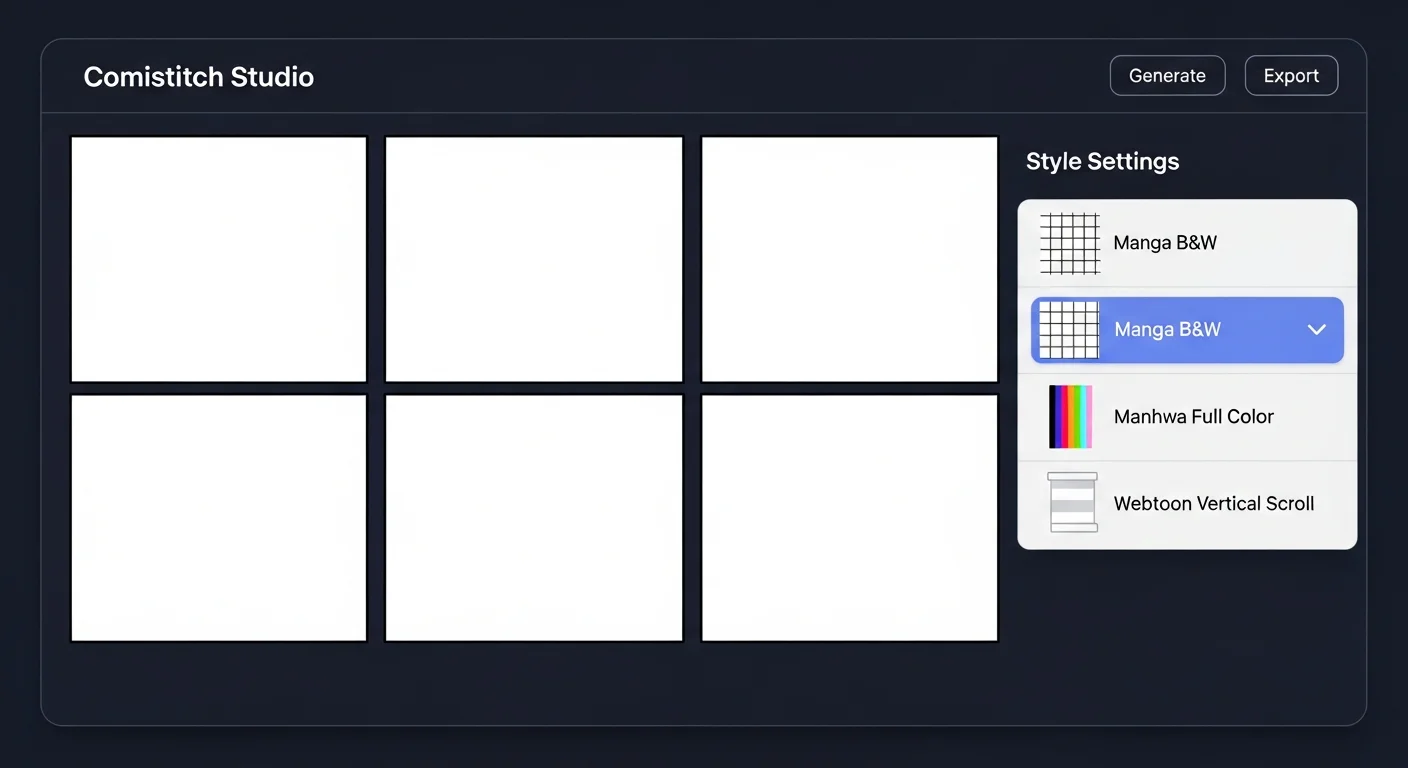
The builder handles the technical layer automatically — screentone compositing for manga, airbrush layer blending for manhwa, flat-fill optimization for webtoon. You stay focused on script and story. For a benchmark of how Comistitch compares to other AI tools on style fidelity and character consistency, the best AI manga generators 2026 comparison includes side-by-side output comparisons for the manga style specifically.
Can I Blend Two Styles in One Comic?
Yes, with deliberate intention. Mixing style elements can produce fresh hybrid aesthetics — but undisciplined blending often reads as inconsistency rather than innovation.
Productive blends:
- Manga line weight + manhwa color. Use variable ink weight from the manga recipe with full-color fills from the manhwa recipe. This works well for shonen stories that want color vibrancy without airbrushed softness. The builder supports this by applying a color-fill layer over a B&W ink render.
- Webtoon format + manhwa rendering. Publish in webtoon vertical scroll with full manhwa rendering. This is the dominant commercial webtoon aesthetic — most LINE Webtoon Originals use exactly this combination. Paste the manhwa recipe into a project with Webtoon canvas selected.
- Manga paneling + webtoon scroll delivery. Produce manga-style right-to-left panels per section, but stack sections vertically for mobile delivery. Some global creators use this to bring traditional manga storytelling to mobile-first platforms without converting to a single-column layout.
Elements that conflict:
- Screentone dots and airbrushed gradients in the same panel read as unfinished, not hybrid. Use one shading system per project.
- Right-to-left panel reading inside a vertical scroll creates navigation confusion. Webtoon readers expect panels to flow downward; forcing them left-right breaks the reading contract.
- Heavy ink weight variation (manga) combined with thin consistent digital ink (webtoon) in the same panel looks like a generation error, not intentional style contrast.
From inside the builder, apply a Global Style and override individual panels with a secondary recipe for deliberate contrast scenes. This gives you hybrid control without managing two separate render pipelines manually. The best AI manga generators 2026 comparison benchmarks which tools support hybrid style rendering natively — and which force you into a single style per project.
Frequently Asked Questions
What does “authentic manga style” mean in AI-generated comics?
Authentic manga style means the output replicates the specific visual conventions of Japanese print comics: variable ink weight, screentone dot shading, right-to-left panel reading order, and motion-line vocabulary for action. An AI generation is “authentic” when each of these elements is consistently applied — not when just one is present.
Can I use these prompts in other AI comic tools, not just Comistitch?
Yes. The style descriptors in the recipes are tool-agnostic — they describe visual output, not Comistitch-specific controls. However, Comistitch’s panel canvas handles multi-panel layout automatically from these descriptors. In tools without panel generation, you will apply the style per individual image and assemble panels manually.
How do I get screentone shading to look authentic in AI manga?
Specify the density explicitly: “40% dot screentone for mid-tone, 70% crosshatch for deep shadow, solid black for darkest areas.” Generic “add screentone” prompts often produce muddy or inconsistent results. Screentone density isn’t a separate manual control in Comistitch — naming the exact density in your panel description is what drives the render.
What is the difference between manhwa and webtoon art style in practice?
Manhwa art style refers to Korean-influenced rendering: semi-realistic faces, airbrushed gradients, romance or action palettes. Webtoon art style refers to the format-optimized visual approach: clean flat lineart designed for vertical mobile scroll. Most commercial webtoons combine both — manhwa-rendered and webtoon-formatted. The manhwa vs manga vs webtoon guide covers the origin and format distinctions in full.
How long does it take to generate a styled page in Comistitch?
A 6-panel manga page with screentone and speed lines generates in approximately 45–90 seconds. A 4-panel manhwa vertical strip takes 30–60 seconds. A full webtoon episode scroll of 8–12 panels takes 60–120 seconds. The style recipe is applied globally — individual panel overrides add 10–15 seconds per panel.
Is full-color rendering harder to get right than manga black and white?
The challenge shifts rather than simply grows. Black-and-white manga requires precise screentone density control to avoid muddy gradients. Full-color manhwa requires palette consistency across panels. Webtoon flat fills are the most forgiving because they are less sensitive to subtle generation variation than airbrushed gradients.
Can I publish AI-generated manga, manhwa, or webtoon comics commercially?
Yes, on most platforms. Comistitch generates original artwork — not reproductions of existing intellectual property — so the output is commercially licensable. LINE Webtoon CANVAS, Tapas, and Lezhin Comics all accept AI-assisted comics as of 2026. For a detailed platform-by-platform breakdown of rights and submission requirements, see the AI comic copyright and commercial use guide.
Start creating your own styled comic free on Comistitch →
Related guides: AI Manga Generator · AI Manhwa Generator · AI Webtoon Creator · Manga vs Manhwa vs Webtoon — What’s the Difference?