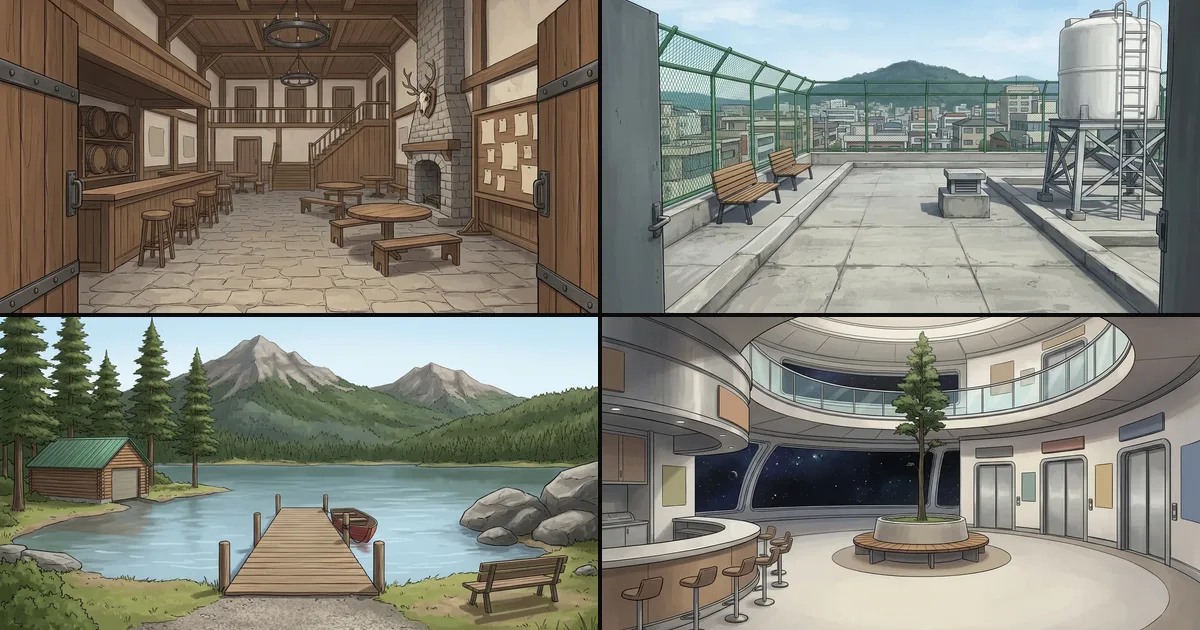
World is a new part of every Comistitch project that remembers where your story happens. Save a place once, such as a classroom or a tavern, and every page set there is drawn from the same written description. You can also add any of 120 ready-made places from the Shop for free. Figures as of November 17, 2026.
What problem does World solve?
AI comic tools are good at drawing a single page and bad at remembering one. A café that has two tables by the window on page one can come back on page three with a different counter, a new door and the window on the other wall. Readers notice. We measured it in our own pipeline: before World, when a place came back on a later page, its description had been rewritten in more than a third of cases.
We already keep characters steady with a reference portrait (see the character consistency guide). World does the same job for settings.
What can you put in your World?
| Way to add a place | Cost | What you get |
|---|---|---|
| Type a description | Free | A place made from your own words, no picture needed |
| Upload a picture | Free | Your picture as the place’s thumbnail, plus your description |
| Save it from a page | Free | A place cut from a page you already generated, with the description from that page’s script |
| Add it from the Shop | Free (up to 20 at a time) | A painted preview and a ready-written description |
| Ask the AI to create it | 20 credits | A new painted place and description from a short prompt |
| Ask the AI to describe your picture | 20 credits | A name, nicknames and a description written from your picture |
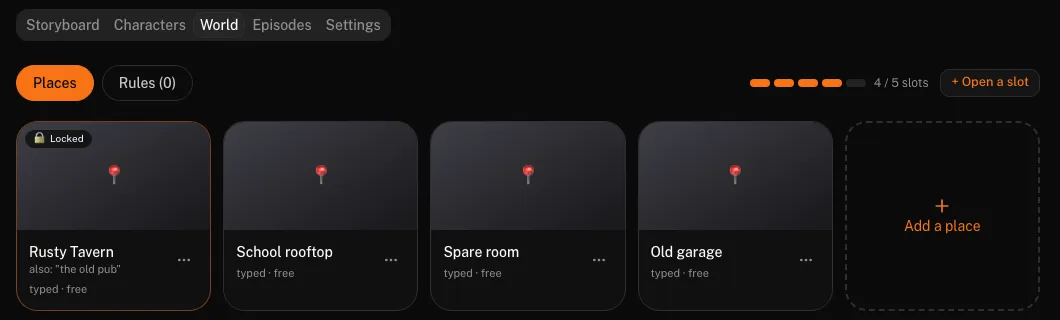
Every place keeps a short description, up to 600 characters, with a fixed layout: what is on the left, what is on the right, where the light comes from. It can also have nicknames, so “the old pub” in your script points to your Rusty Tavern.
Projects also get Rules: up to five short lines about your world, such as “magic only works after sunset” or “everyone travels by tram”. Rules are free and guide the script. When a rule and a place disagree about what a room looks like, the place wins.
How do you use places in the studio?
- Open the World chip in Step 2, next to Style and Layout. It lists your project’s places and highlights the ones your story already mentions by name.
- Pick the places this story should keep. Picking a place does not force it onto every page; it makes it available, and the script uses it where the story goes there.
- Check the place on each page in Step 3. Every page shows a small place chip. Tap it to move that page to another place before anything is drawn.
- Generate as usual. A page still costs 30 credits; places add nothing to that.
- Redraw with an edited place if you change its description later. The redraw dialog has an option to apply the new description, so an old page can catch up.
On the project page, the World tab lets you lock a place you always want kept, rest a place you are not using right now, edit descriptions and open more slots. On a finished page, Save place turns a setting you like into a reusable place in one click.
What is in the Shop?
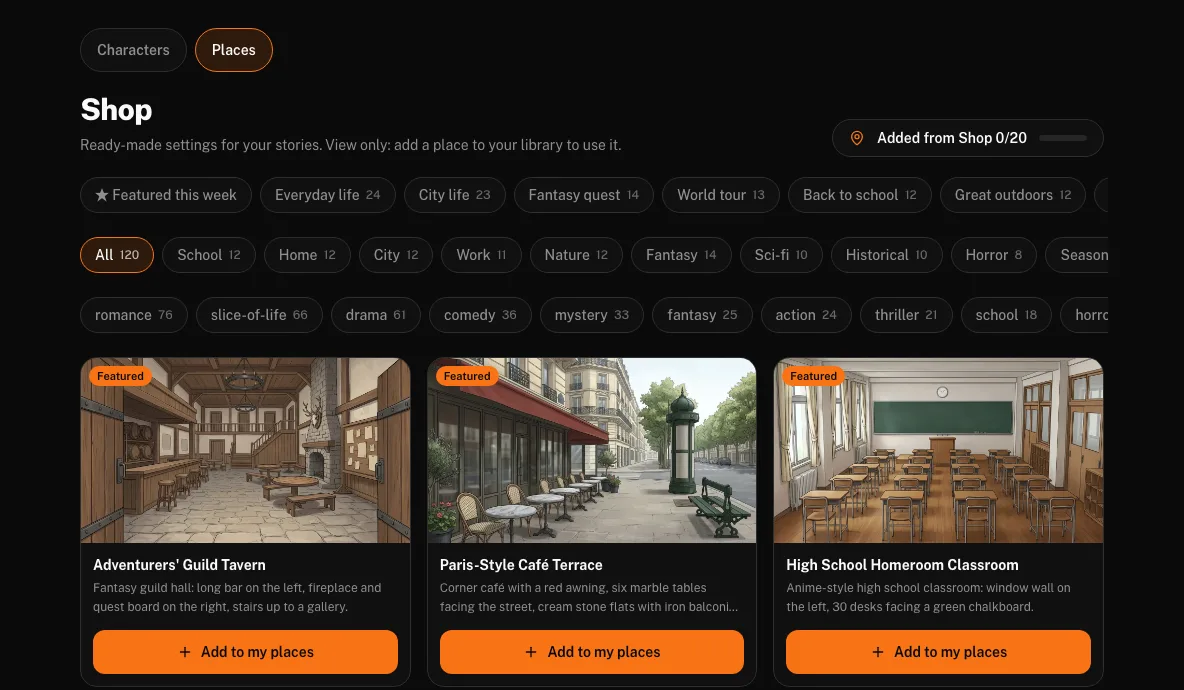
The Shop now has a Places tab next to Characters, with 120 painted places in 11 categories: School, Home, City, Work, Nature, Fantasy, Sci-fi, Historical, Horror, Seasonal and Real world. Themed shelves group them for common stories, such as Everyday life, Fantasy quest or Back to school, and you can filter by genre tags like romance, mystery or comedy.
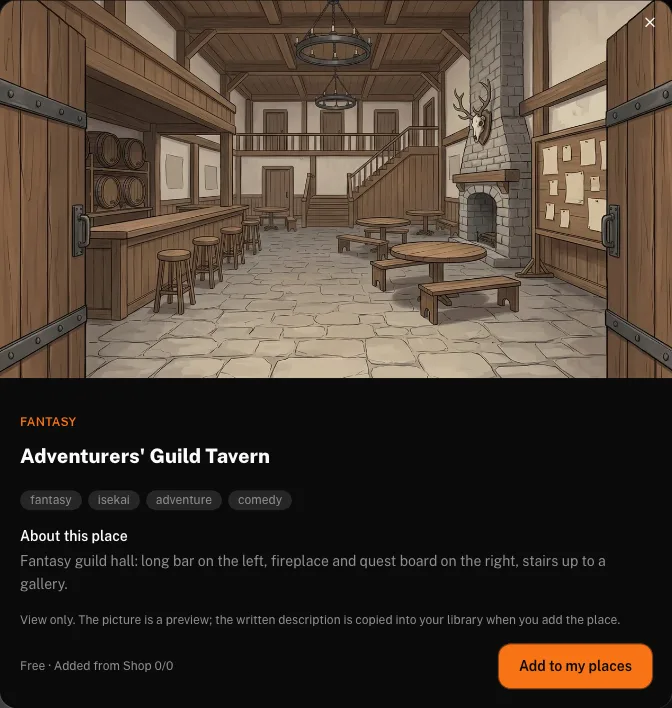
Each place has a detail card with its picture, a summary and a few facts. Click Add to my places and a copy lands in your library, named in your language, ready to attach to any project. You can hold 20 Shop places at a time for free. Like the free character library, the Shop is a starting point: your copy is yours to rename or rewrite.
What are the limits?
- 5 active places per project, up to 15 with extra slots. Credit packs include free slot unlocks (3 to 10 depending on the pack); otherwise a slot costs 10 credits.
- The picture is not copied into your pages. Consistency comes from the written description and the previous page, not from pasting your image into the panel. A busy room can still shift in small details, so check Step 3 and redraw a page if needed.
- 200 places per library, which is far more than one story needs.
Where can you try it?
World is on for every account. Open the studio, start a project in any style, for example the AI manga generator, and look for the World chip in Step 2. New accounts get 60 free credits with no card, enough for 2 pages. Updates to World and the Shop will appear on What’s New, and this post will be edited when the numbers change.