You have finished a page. The expression finally feels right, the dialogue fits, and that last panel leaves the question you wanted it to leave.
Then comes a different question: what will someone else see?
Perhaps you want to know whether the reveal is clear. Perhaps you have a character you cannot stop drawing, and you would love to meet someone who understands why. Or you are simply looking for a comic that makes you want to open the next chapter.
Comistitch Community is a place for those moments. It brings posts, creative work, replies, reactions, and following into the same space. You can share what you made, explain what you are thinking about, and give another creator a reason to keep going.
The interface examples below use English UI and sample content from test mockups. Names, artwork and counts are demonstration data, not real community activity.
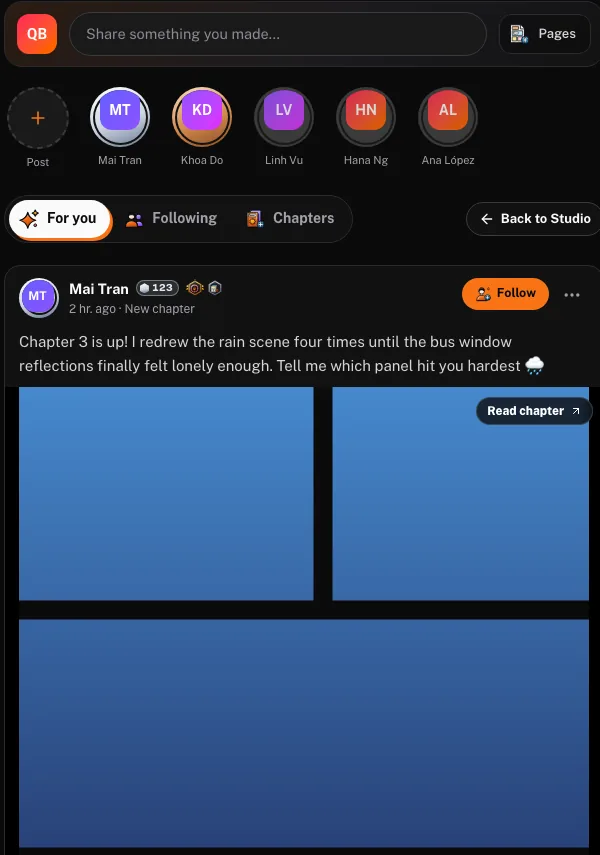
Share a piece of the story
A comic does not have to arrive as a grand announcement. Sometimes one page, one character, or one small question is enough to begin.
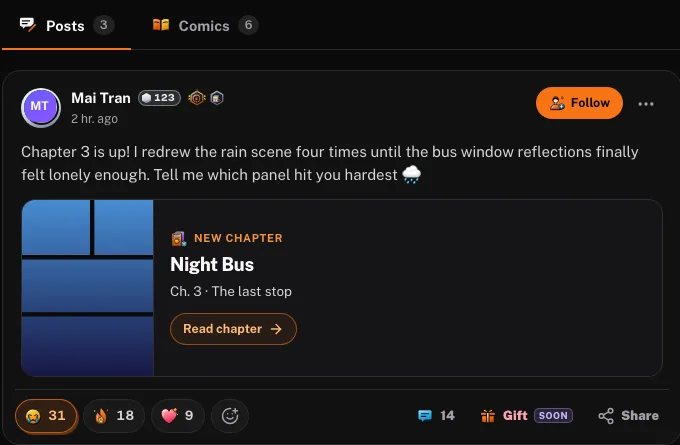
A Community post can include your own published comic or chapter, a selection of one to four published pages, a character you own, or up to four photos you upload. Choose one attachment type for the post, then add the context that makes it worth opening.
For a chapter, that might mean telling readers what changed for the protagonist. For a character, it might be the detail you are trying to communicate through their expression or clothes. For a page, it could be the quiet moment before a confrontation.
Sharing a character does not require publishing a comic first. Comic, chapter, and page attachments do need to come from eligible published work. Creating something in your private workspace does not automatically turn it into a Community post: you choose what to share.
New to characters? The Character Library is a good place to start, and how it launched explains what you can do with it.
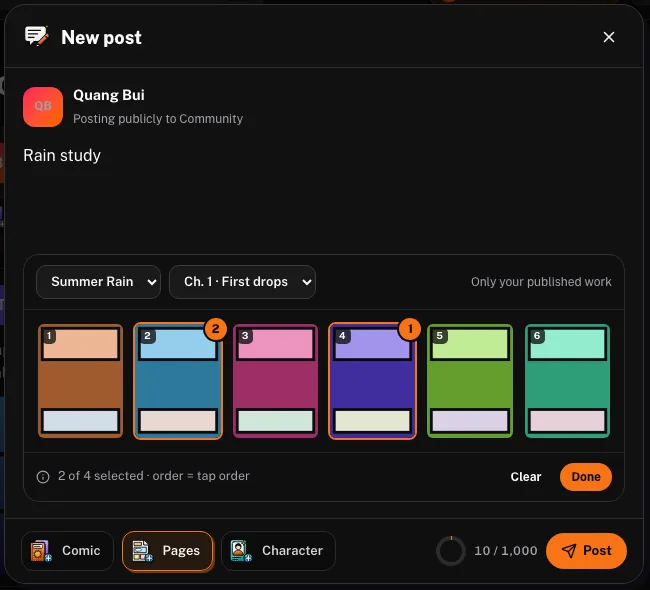
Give readers something specific to respond to
“What do you think?” is an understandable question. A smaller question often starts a better conversation.
Ask what the reader noticed, where they paused, or what they believe a character wants. A response about one moment can be more useful than a verdict on your entire story.
Illustrative first-post example — not a real user post:
A quiet entrance before the chase
I wanted this character to look determined before she says anything. Can you tell what she wants from these first two panels? I am especially curious whether the pause feels tense or just slow.
That question gives a reader somewhere to begin. You can attach eligible pages to show the moment you mean, or introduce an owned character and ask about the impression their design creates.
There is no promise that every post will receive a response. The aim is to make your invitation clear enough that someone who wants to help knows how.
Let the conversation continue
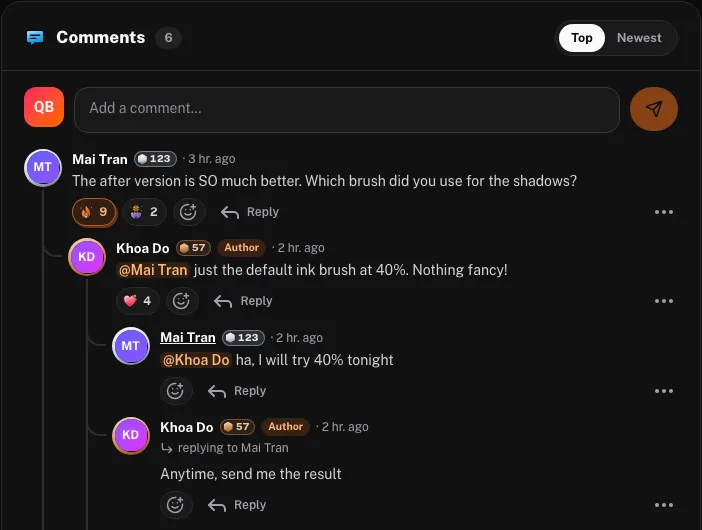
Reactions are a quick way to acknowledge a post. Comments and replies give you room to say why something worked, ask a follow-up question, or compare how you read a scene.
If you are giving feedback, describe your experience before prescribing a fix: “I read this as hesitation” tells the creator something different from “change the face.” If you are receiving feedback, ask which detail led the reader there. You may discover that a tiny change matters more than a full redraw.
Threaded replies and mentions help people continue the exchange around the original post. You can take the idea back to your work, try it, and share what you learned later. You do not have to agree with every suggestion for the conversation to be useful.
If your question is about whether a character stays recognizable from page to page, our character consistency guide covers what to check first.
Find creators you want to return to
Community is also for the days when you would rather read than post.
Explore the For you feed, open a creator’s profile, and look through their public work and posts. When you find a voice, character, or project you want to keep up with, follow that creator. The Following feed gives you a place to find posts from people you follow.
A useful first visit can be as simple as reading a post carefully and leaving one thoughtful response. You do not need a finished series to take part in the conversation.
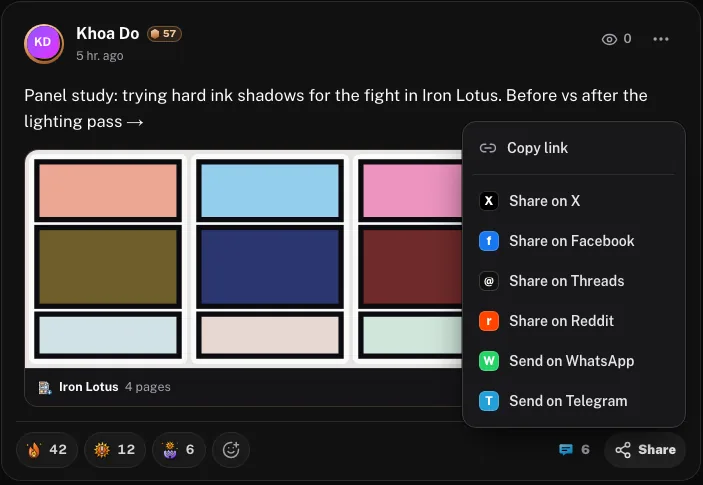
Public share links also let a post travel beyond the feed. Someone can open a shared post without signing in; they will need to sign in to participate. That makes it practical to send a specific post to a friend rather than asking them to search for it.
Make your first visit simple
- Sign in and open Community. Access to the feed and participation requires an account.
- Choose one thing to share. Pick an owned character, eligible published work, or photos you upload. Give the post a little context rather than trying to explain the entire project.
- Ask one clear question. Tell readers what you are exploring: a character’s intention, a page’s pacing, or the moment a scene turns.
- Make room for an exchange. Read replies, ask a useful follow-up, or visit another creator’s work. You can start as a reader if you prefer.
Before posting, check that you are comfortable making the selected material public. Be considerate of other people’s work and keep feedback focused on what the creator has shared.
A community you can participate in at your own pace
You can use hide, report, and block controls when needed, and manage Community notification settings. These controls help you decide how you participate; they are not a reason to ignore your own boundaries.
You may also see creator gifts labeled Coming soon. Gifts are not available to send yet. For now, a thoughtful reply, a follow, or sharing a public post is a practical way to show interest in someone’s work.
The next step does not need to be dramatic. Bring a character you care about, a page you have been thinking about, or a question you would enjoy answering for someone else.
Looking for more? What’s New lists the latest releases, and where to publish your webcomic compares platforms for reaching readers beyond Community.
No account yet? Create a free account: signup includes 100 free credits, no card required, and you can open Community from your dashboard right after.
Open Comistitch Community and give that story a conversation.