You want to publish a webtoon, but you do not draw. AI now makes that possible end-to-end. This guide walks you from a story outline to a published episode in about 25 minutes, using a vertical-scroll-native tool and consistent characters across the entire series.
In short: Creating a webtoon with AI takes six steps — outline scenes, lock characters via a reference sheet, pick a genre style and palette, generate panels from the script, assemble the vertical scroll, and export to platforms like Webtoons or Tapas. A first episode ships in under 30 minutes from inside the builder.
Quick Stats
- Webtoon revenue projected at over USD 7 billion globally in 2026
- About 22% of Comistitch creators pick webtoon format — third most popular style
- 15-panel episodes generate in ~12 minutes on Comistitch with vertical layout pre-applied
- LINE Webtoon and Tapas both now allow AI-assisted webtoons with disclosure
What is a webtoon, and how is it different from manga?
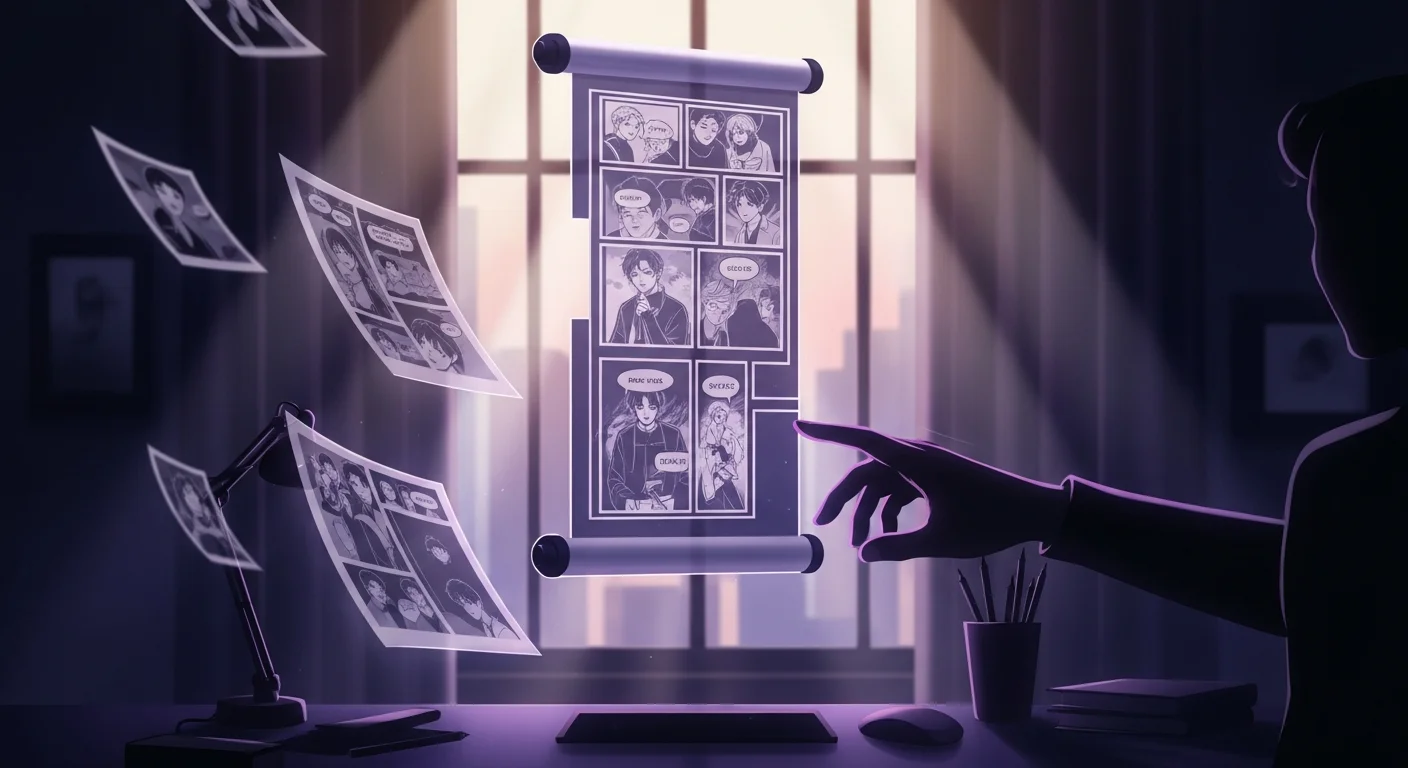
A webtoon is a vertical-scroll digital comic built mobile-first. Readers scroll top-to-bottom on a phone instead of flipping pages. The format originated in Korea (manhwa-derived) and now dominates global digital comics. Webtoons are typically full color, paneled in a single tall canvas per episode, and serialized weekly.
Manga is the page-based alternative — usually black and white, read right-to-left, and structured around two-page spreads. The two formats share storytelling DNA but require very different layout thinking.
If you want a quick visual primer on layout differences, see the webtoon vertical scroll techniques deep-dive.
Why use AI to create a webtoon?
Three reasons creators move to AI:
- Speed. A solo creator producing a weekly webtoon traditionally needs 20 to 30 hours per episode. AI cuts that to 1 to 3 hours.
- Consistency. Drawing the same character identically across hundreds of panels is the hardest part of webtoon work. AI character-lock systems handle it automatically.
- Mobile-native output. The best AI webtoon tools generate panels pre-sized and pre-assembled for vertical scroll, skipping the manual reformatting step that drains time from manga-style tools repurposed for webtoon.
The trade-off: you spend more time on script and direction, less on artwork. Most creators see that as an upgrade.
What do you need before you start?
You need three things ready before opening any tool:
- A short outline — 3 to 8 scenes covering hook, conflict, twist, cliffhanger.
- Character descriptions — 2 to 5 characters with traits, outfits, and signature visual cues.
- A target platform — LINE Webtoon CANVAS, Tapas, your own site, or a portfolio platform.
That is the entire prerequisite list. No drawing tablet. No art training. The story-to-webtoon conversion workflow covers script structure if you are starting from scratch.
How do I outline a webtoon episode?
A webtoon episode is shorter than a manga chapter — usually 15 to 30 panels, or about 2 to 5 minutes of reading. The structure that works:
- Panels 1 to 3 (hook): Visual punch. Open mid-scene. Grab attention before the reader scrolls past.
- Panels 4 to 10 (build): Establish the situation, the stakes, the relationships.
- Panels 11 to 18 (escalation): Conflict accelerates. Push your character into discomfort.
- Panels 19 to 25 (resolve-or-cliff): Either resolve the small arc or leave the reader hanging.
- Panels 26 to 30 (cliffhanger): The final 2 to 3 panels decide whether readers return next week.
Keep dialogue compact — phone screens reward short bubbles. See pacing romantic tension with cliffhangers for arc-level rhythm.
How do I lock characters so they stay consistent?
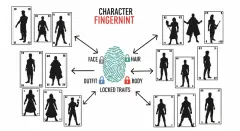
Webtoon readers spot character drift instantly. Same hair, same outfit, same proportions in every panel — that is the floor for professional output.
The right approach is a character sheet system:
- Create one sheet per character.
- Add hair, outfit, build, signature accessory.
- Upload a reference image if you have one.
- Apply the sheet to every panel the character appears in.
Comistitch’s consistency engine handles this from inside the builder — once the sheet is locked, every generated panel honors it. Tools without a sheet system require prompt repetition that drifts after a few panels.
For a deeper dive on multi-character casts, see the webtoon character consistency guide.
What style and color palette should I pick?
Genre drives style. Match the palette to the emotional spine of the episode:
- Romance: soft pastel, warm rose and cream, golden hour lighting.
- Action manhwa: crimson and cyan, neon contrast, high motion blur.
- Slice of life: honey, peach, sage — natural light.
- Horror: desaturated teal, bruised red, sickly green tones.
- Fantasy: emerald and sapphire, gold rim light, sky-kingdom skies.
The palette engine in Comistitch generates a 5-color set on a single mood prompt (60% dominant, 20% accent, 10% shadow, 5% highlight, 5% neutral). The builder handles preview across panel thumbnails so you can sanity-check before locking the palette.
How do I generate panels from a script?
Open the panel generator. Paste each scene with three pieces of metadata:
- Cast in frame — which characters appear, referenced by their sheet.
- Action / beat — what is happening at this moment.
- Mood — tone of the panel (intense, quiet, frantic, melancholy).
Most generators output a vertical-scroll-shaped panel per beat. If a page drifts off-style, reroll it; if it lands, lock it. From inside the builder, the reroll cycle takes well under a minute per page.
A 15-panel episode typically takes 8 to 12 minutes of generation time on Comistitch, longer on tools that re-run the full pipeline per panel.
How do I assemble the vertical scroll?
This is where webtoon diverges hardest from manga. You are not building pages — you are building a single tall canvas.
The rhythm that works:
- Dialogue: tight stacks, panels close together, minimal gap.
- Breath: wide single panel or empty space before a reveal.
- Reveal: large panel with focal subject centered.
- Cliffhanger: end on a high-tension panel with negative space below.
The builder handles vertical sizing and gutter spacing automatically; you tune the rhythm by reordering panels and inserting break gaps. A 15-panel episode usually lands between 6000 and 9000 pixels tall.
What if my AI panels look inconsistent?
Drift is the most common new-creator failure. The fix is upstream:
- Re-anchor the character sheet. If the protagonist’s hair changes mid-episode, the sheet was incomplete or got overwritten — re-pin the original.
- Lock the palette before generating panels. Generating panels first then trying to recolor them is a losing battle.
- Reroll aggressively. Cheaper than fixing in post. Most pro creators throw away 30 to 50% of first-pass pages.
How do I publish to Webtoons or Tapas?
Both platforms accept tall PNG or JPG uploads. The current size specs:
- LINE Webtoon CANVAS: 800px wide, max 1.5MB per image. Split very tall episodes into segments.
- Tapas: 940px wide, similar size limits. Tapas accepts longer single-image uploads.
- Self-host: No restrictions, but optimize for mobile loading (WebP, lazy-load, progressive JPEG).
Tag your work as AI-assisted per platform policy — both LINE Webtoon and Tapas now permit AI webtoons with disclosure. See the publish your romance webtoon on Tapas/Webtoons playbook for platform-specific upload steps.
Webtoon AI tool comparison — what fits which creator?
| Tool | Vertical native | Character lock | Free tier | Speed (15 panels) | Edit control |
|---|---|---|---|---|---|
| Comistitch | Yes (built-in) | Strong (single locked reference) | Yes — signup credits for ~2-3 pages (one-time) | ~12 min | Light |
| Dashtoon | Manual reformat | Medium | Limited | ~30 min | Heavy |
| AI Comic Factory | No | Weak | Yes | One-shot only | Light |
| Midjourney + manual layout | No | Prompt-only | Limited | ~60 min | Heavy |
Pick by your bottleneck: ship-fast creators take Comistitch, art-perfectionists take Dashtoon, experimenters take Midjourney workflows.
Sample prompt — Comistitch script entry
Scene 3, Panel 1
Cast: Mei (sheet #1)
Action: standing at the rain-streaked window of the cafe, holding a cooling cup
Mood: melancholy, anticipation
Style: romance webtoon, warm pastel palette, soft window light
Camera: medium back-view, focal point on rain streaks
The builder reads the cast tag, applies Mei’s locked appearance, and outputs a vertical-scroll panel with the rain-window framing. Total generation time: ~30 seconds on Comistitch.
How long does a full episode actually take?
Realistic times for a solo creator, end-to-end:
- Outline: 5 to 10 minutes
- Character sheets (one-time per series, not per episode): 5 to 15 minutes
- Style and palette lock: 2 to 5 minutes
- Panel generation: 8 to 15 minutes
- Vertical assembly and pacing tune: 3 to 8 minutes
- Export and upload: 2 to 5 minutes
Total: 25 to 60 minutes per episode after the one-time character setup. The first episode ever takes longer (1 to 2 hours including learning the tool); subsequent episodes get fast.
How do I keep readers coming back?
Three habits separate one-off webtoons from serialized hits:
- End every episode on a cliffhanger. The final 2 panels carry the return rate.
- Publish on a fixed schedule. Weekly Wednesdays beats sporadic uploads, even if each weekly episode is shorter.
- Cross-link episodes. First panel of each episode references the prior cliffhanger; final panel teases next.
You can also try the Comistitch Studio for free if you want to draft an episode this week — no card required for the first run.
Common mistakes new creators make
- Skipping the character sheet. Saves 10 minutes upfront, costs hours fixing drift.
- Building wide horizontal panels. Webtoon is vertical. Wide panels waste mobile screen.
- Overloading dialogue. Phones reward 6 to 12 words per bubble. Trim ruthlessly.
- Generating panels before locking the palette. Post-hoc recoloring rarely matches.
- Writing for desktop preview. Always preview on phone before publishing — gaps look different at scale.
What is next after your first episode?
Once episode 1 ships, the marginal cost of episode 2 drops sharply. The character sheets, palette, and style are already locked. Focus shifts to script and pacing. Most creators who finish episode 1 publish episode 2 within a week.
Start with the Comistitch webtoon creator tool free tier — it covers everything in this workflow without a card.
If you arrived searching for “toon scroll” rather than “webtoon”, the two describe the same continuous vertical-strip reading motion — what toon scroll means, and how to make one untangles the terminology.