Prompt manhwa with glossy hard cel-shade and cinematic Korean action lighting; prompt manhua with ink-wash xianxia palettes, jade-crimson-gold tones, and misty hanfu compositions; prompt webtoon with soft flat cel-shade, K-beauty faces, and a tall vertical-scroll canvas. All three read top-to-bottom, but their color language and shading technique differ sharply. If manhwa is your target format, Comistitch’s AI manhwa generator has these prompt rules built into a dropdown preset. Each format section below also carries the same fictional cast into an action scene, so you can confirm the character stays consistent as the format shifts.
In short: Manhwa = Korean glossy hard cel-shade action. Manhua = Chinese ink-wash xianxia/wuxia with jade-crimson-gold tones. Webtoon = soft flat cel-shade K-beauty style built for vertical scroll. Swap one shading phrase in your prompt and you swap the entire national look.
This cheatsheet is for creators who already know roughly what these three formats are and just need the exact prompt wording to tell them apart. Jump to any section:
- What makes the three prompts different?
- How to prompt manhwa
- How to prompt manhua
- How to prompt webtoon
- Quick-reference cheatsheet table
- Common prompt mistakes
- Which format fits your story
- FAQ
What Makes Manhwa, Manhua, and Webtoon Prompts Different?
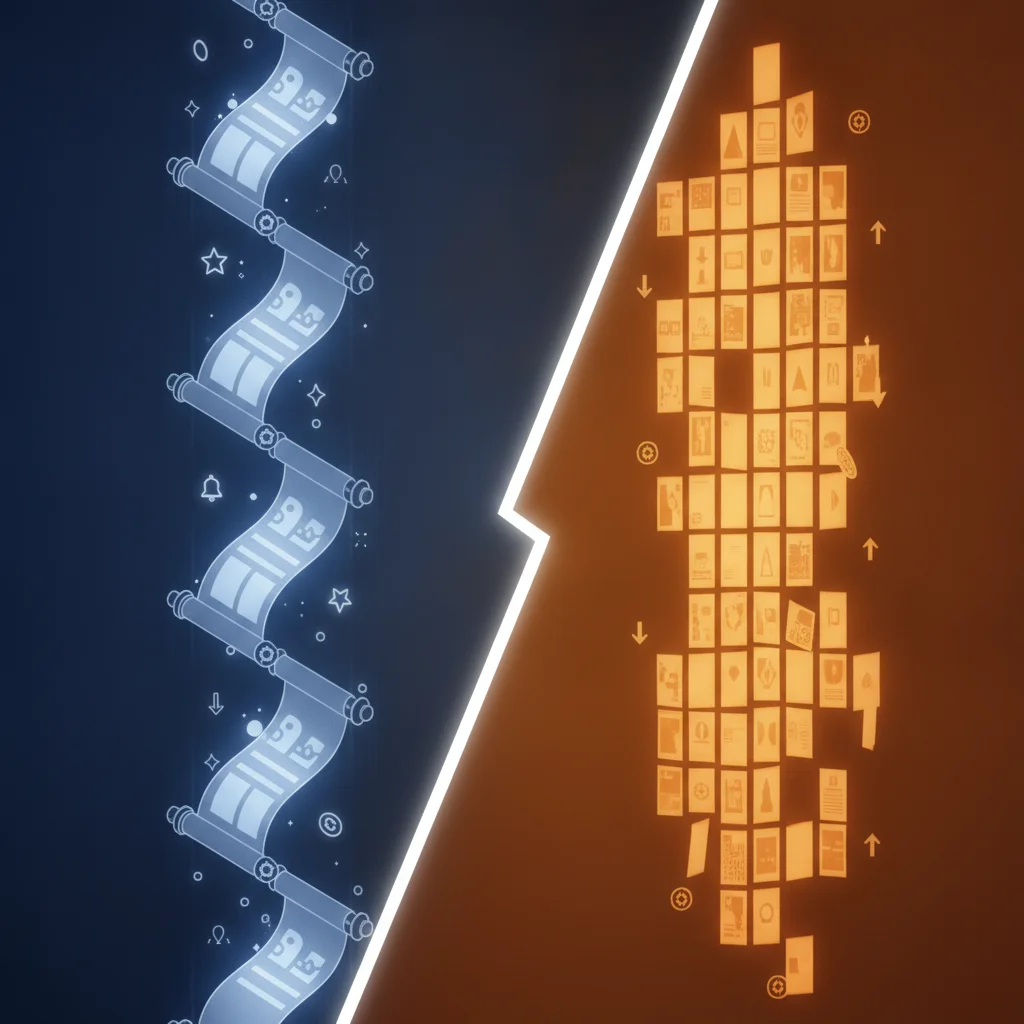
All three formats are usually built for the same vertical-scroll canvas, so the layout cue in your prompt barely changes between them. What changes is the shading technique and the palette:
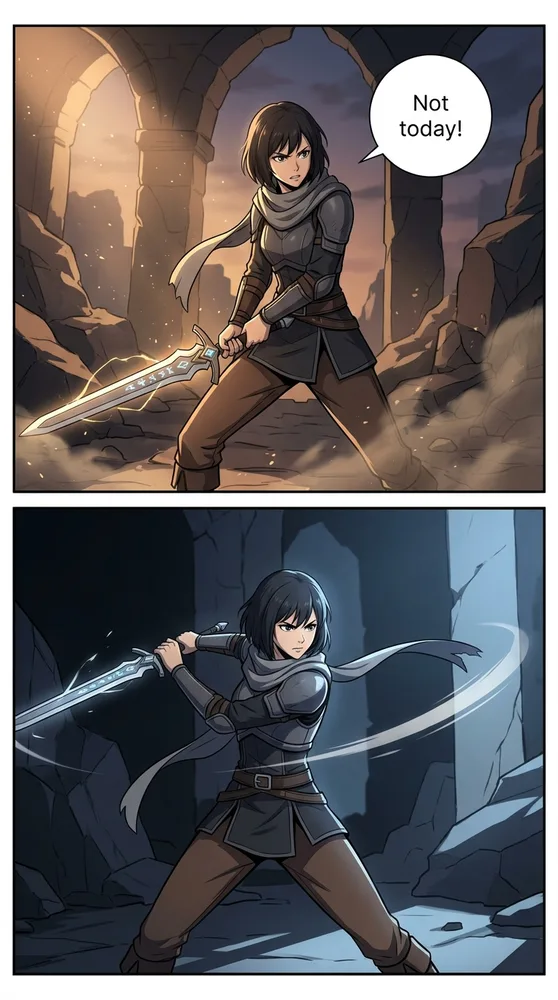
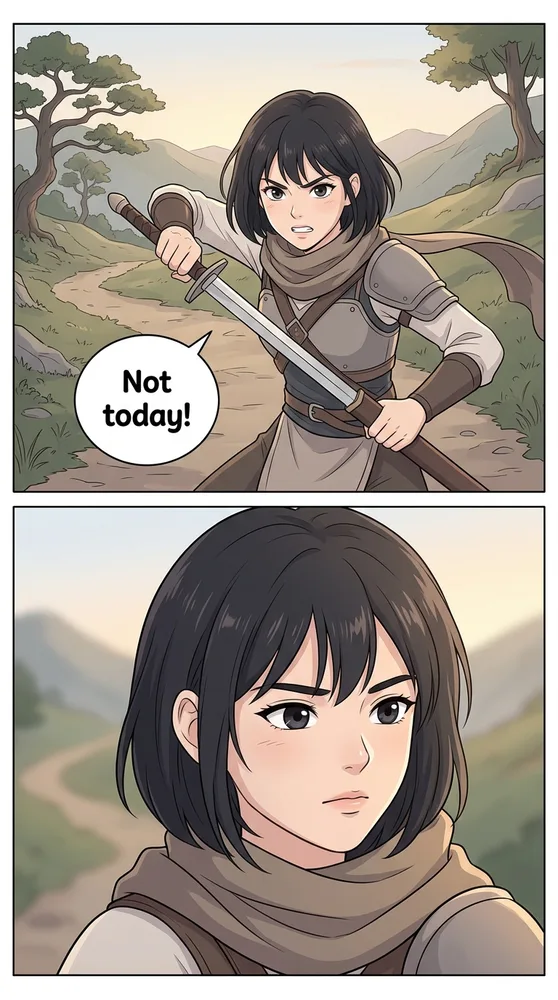
- Manhwa uses hard cel-shade — sharp, high-contrast color blocks with dramatic rim lighting, like a glossy Korean action webtoon.
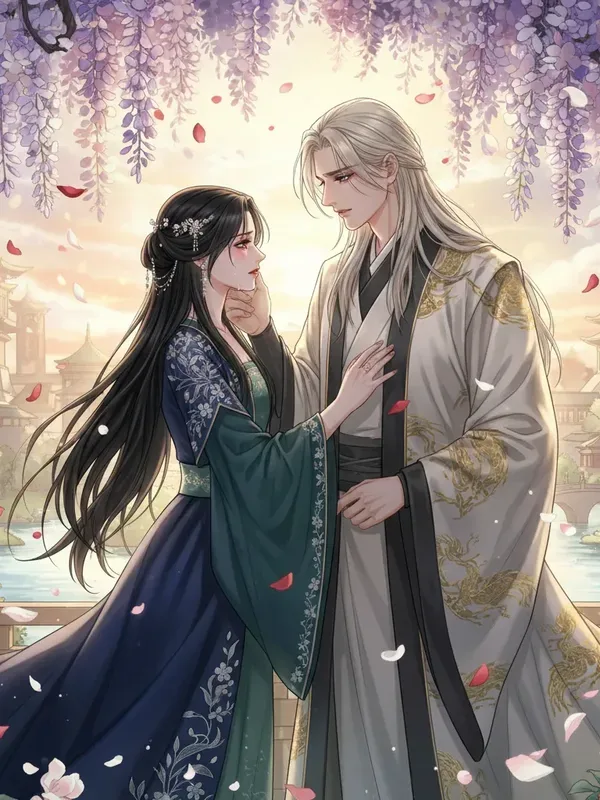
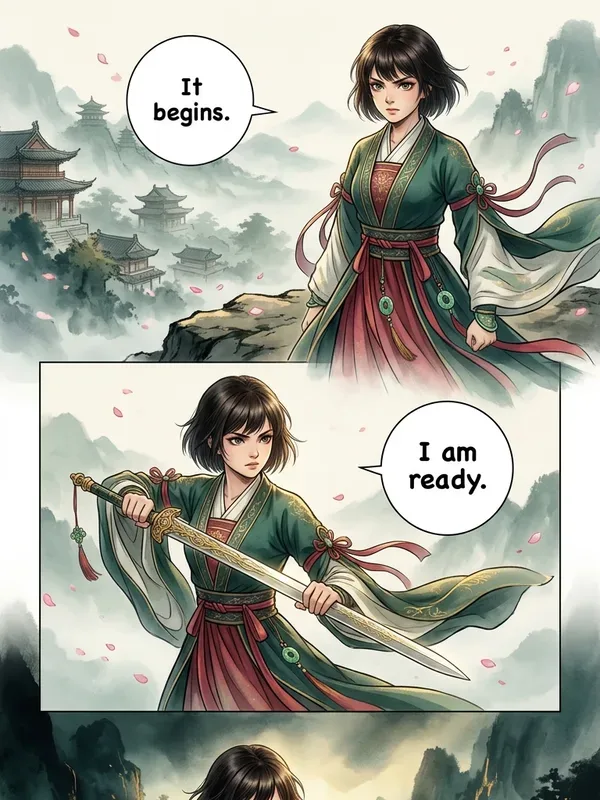
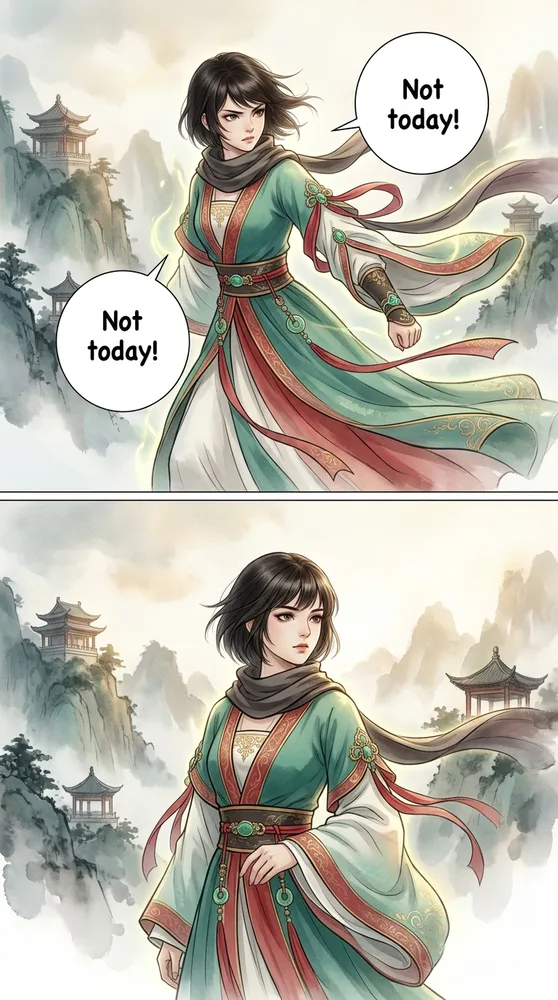
- Manhua uses ink-wash brushwork — soft, textured strokes with a jade-crimson-gold palette borrowed from Chinese xianxia and wuxia fiction.
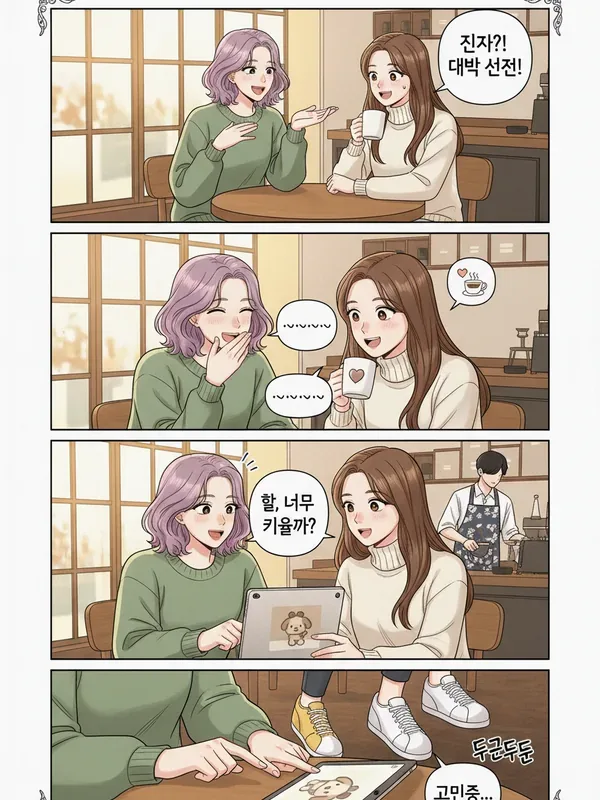
- Webtoon (as a generic preset) uses soft flat cel-shade — gentle gradients, rounded K-beauty facial features, and minimal shadow contrast.
Think of “webtoon” here as the neutral, format-first preset, while “manhwa” and “manhua” are nationality-first presets that happen to also read vertically. If you want the full definitions and origin story of all three terms — not just prompt wording — the manhwa vs manga vs webtoon comparison covers that ground in detail. For a broader look at how these three sit alongside 17 other product styles, see the AI comic art styles compared roundup.
How Do You Prompt Authentic Manhwa Art With AI?
Manhwa prompts need three ingredients: hard cel-shade contrast, cinematic lighting, and a saturated jewel-tone palette. Here’s a copy-paste starting point:
Manhwa style, full-color, glossy Korean webtoon aesthetic. Character: [describe your character — hair, outfit, pose]. Scene: [describe action or setting]. Hard cel-shade with crisp contrast, dramatic rim lighting, cinematic camera angle, saturated jewel-tone palette (sapphire, crimson, gold). Vertical 9:16 canvas, top-to-bottom panel flow, clean speed lines for action beats. Skin rendered smooth with a soft airbrush gradient, sharp linework on hair and clothing folds. No screentone, no black-and-white shading — full color throughout.The two words doing the most work are “hard cel-shade” — without them, generators default to a softer, flatter gradient that reads closer to generic webtoon than manhwa.
Make it in Comistitch. The AI manhwa generator style page has the preset dialed in if you’d rather select it from a dropdown than type the recipe by hand.
How Do You Prompt Authentic Manhua Art With AI?
Manhua is the format most creators get wrong by default, because most AI comic tools are tuned for manga or manhwa first. The fix is naming the ink-wash technique explicitly and layering in the jade-crimson-gold palette:
Manhua style, ink-wash xianxia and wuxia aesthetic. Character: [describe your character — hair, outfit, pose] wearing flowing hanfu robes. Scene: [describe action or setting] set against a misty mountain or ancient palace backdrop. Palette: jade green, crimson red, and imperial gold accents against soft ink-wash gray. Brushwork linework with visible ink texture, flowing fabric and hair motion lines, delicate atmospheric fog layering. Vertical scroll canvas, top-to-bottom panel flow. Keep the ink-brush softness — avoid Korean-style hard cel-shade contrast.That last line matters more than it looks — without an explicit instruction to avoid hard cel-shade, generators trained mostly on manhwa data will default back to glossy contrast shading. The AI Manhua Generator style page ships this recipe as a one-click preset.
How Do You Prompt a Webtoon-Ready Vertical Scroll?
“Webtoon” as a generic prompt target means the soft, flat, mobile-first look you see on the majority of vertical-scroll platforms, independent of national style:
Webtoon style, soft flat cel-shade, K-beauty character design. Character: [describe your character — hair, outfit, pose]. Scene: [describe action or setting], mobile-first framing. Flat color fills with gentle gradient shading, clean line art, rounded facial features, expressive large eyes. Vertical 9:16 canvas, generous white gutter spacing between panels, top-to-bottom scroll flow optimized for phone screens. Palette: soft pastel-to-bright tones, minimal shadow contrast compared to manhwa's hard cel-shade edge.Gutter spacing is the detail most creators skip. Explicitly requesting “generous white gutter spacing” keeps panels from crowding together when a reader scrolls fast on a phone screen — a webtoon-specific readability concern that doesn’t apply to page-based manhwa or manhua layouts. The AI Webtoon Creator style page applies this canvas math automatically.
Manhwa vs Manhua vs Webtoon: Quick Prompt Cheatsheet
Bookmark this table for the exact phrases to swap between formats without re-reading the sections above:
| Format | Origin / Look | Vertical-Scroll Prompt Cue | Palette |
|---|---|---|---|
| Manhwa | Korean glossy action, hard cel-shade, cinematic lighting | ”hard cel-shade, dramatic rim light, cinematic Korean webtoon panel” | Saturated jewel tones, high shadow contrast |
| Manhua | Chinese ink-wash xianxia/wuxia, hanfu robes, misty mountains | ”ink-wash brushwork, misty atmosphere, flowing hanfu silhouette” | Jade green, crimson red, imperial gold accents |
| Webtoon | Soft flat cel-shade, K-beauty faces, mobile-first canvas | ”soft flat cel-shade, tall 9:16 canvas, generous gutter spacing” | Pastel-to-bright flat fills, minimal contrast |
What Prompt Mistakes Mix Up These Three Formats?
The same five mistakes show up over and over when creators try to keep manhwa, manhua, and webtoon visually distinct:
- Naming “webtoon” when you mean “manhwa.” Webtoon is a delivery format, not a national style — if you want the Korean glossy hard cel-shade look specifically, say “manhwa,” not “webtoon.”
- Forgetting to exclude hard cel-shade from manhua prompts. Without an explicit “avoid hard cel-shade” instruction, generators trained heavily on Korean-style data will drift toward manhwa contrast even when you asked for ink-wash.
- Skipping the palette anchor words. “Jade green, crimson red, imperial gold” for manhua and “sapphire, crimson, gold jewel tones” for manhwa are doing more work than any adjective like “vibrant” or “colorful.”
- Leaving out canvas orientation. All three formats read top-to-bottom on a vertical-scroll canvas — if you omit “9:16” or “vertical scroll,” you risk getting a page-based layout instead.
- Using generic “Asian comic style” wording. This collapses three distinct national traditions into one blurry aesthetic. Always name the specific format — manhwa, manhua, or webtoon — plus its shading technique.
Which Format Should You Prompt for Your Story?
Match the format to genre and platform, not personal preference alone:
- Manhwa fits action, isekai fantasy, and romance stories headed for LINE Webtoon, Tapas, or Lezhin — genres where hard cel-shade contrast reads as high production value.
- Manhua fits cultivation, xianxia, and wuxia fantasy — genres where the ink-wash aesthetic is a genre signal, not just a visual choice.
- Webtoon (the neutral preset) fits any story where you want vertical-scroll pacing without a strong national-style commitment, or where you’re prototyping before locking in manhwa or manhua specifics.
From inside the builder, switching between the three presets on the same character and script is a single dropdown — the builder handles the canvas orientation and shading math automatically, so you can compare all three looks before committing to one for your full episode. Start a project in Comistitch Studio to test the difference on your own character.
Where Can You Learn the Full Definitions and Style Recipes?
This page is deliberately a cheatsheet, not a deep dive — it assumes you already know roughly what manhwa, manhua, and webtoon are and just need prompt wording. Two companion guides go further:
- For the origin story, color conventions, and reading-direction differences behind each term, read manhwa vs manga vs webtoon: key differences — the definitions and history hub.
- For complete step-by-step style recipes with full HowTo instructions (not just the short prompt blocks above), read the AI comic style cookbook for manga, manhwa & webtoon — the full look-recipes guide.
Three formats, one shared canvas, three different shading vocabularies. Keep this table bookmarked, swap the palette and cel-shade phrase for the format you need, and generate the same character three ways to see the difference for yourself — shipped from the panel canvas in a single Comistitch project.