AI comic art styles range from black-and-white manga screentone to full-color manhwa cel-shading to painted graphic-novel realism — Comistitch now offers 21 of them, including the newly added Webtoon Romance. The clearest way to compare styles is on the same character in the same scene, so only the style variable changes. Below, the original 20 render one warrior-on-a-cliff-at-dawn scene side by side, with a full comparison table covering all 21.
In short: Comistitch renders 20 distinct AI comic art styles — from B&W manga to painted graphic-novel realism — on the exact same character and scene, so you can compare linework, color, and mood before committing to a look. Every style is available free from inside the builder.
Jump to: the 20-style table · the side-by-side image grid · manga-genre styles · painted styles · noir and horror styles · cute and kids styles · manhwa vs manhua vs webtoon · how to pick a style · FAQ
What Are AI Comic Art Styles, and Why Compare Them on One Character?
An AI comic art style is a rendering pipeline — a specific combination of linework, shading, color palette, and panel format — that a comic generator applies consistently across a project. “Manga style” and “webtoon style” are not the same prompt with different words; they are different pipelines with different screentone logic, color handling, and panel proportions entirely.
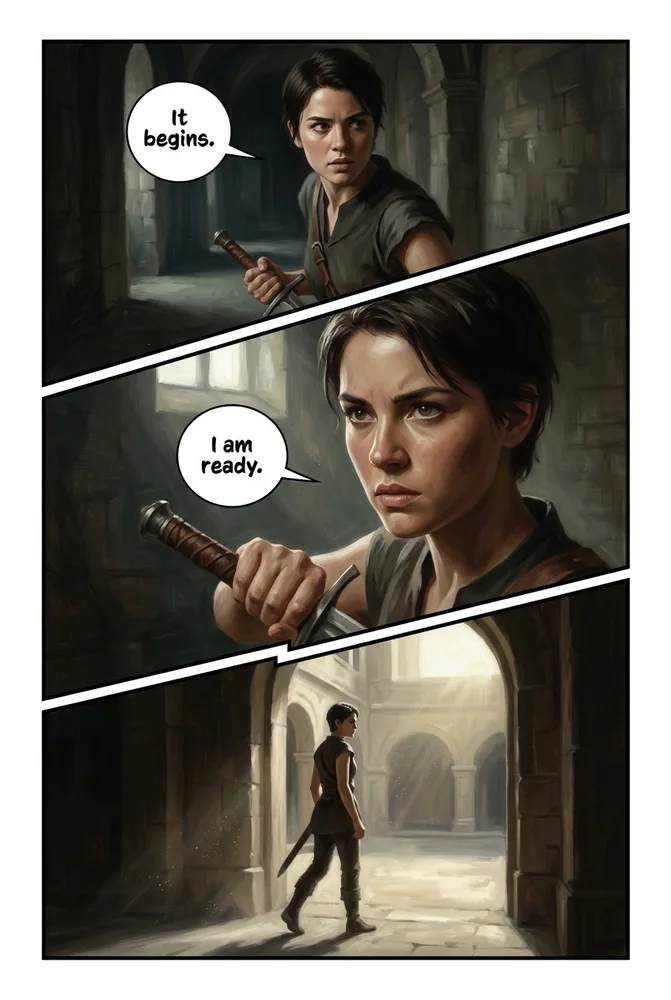
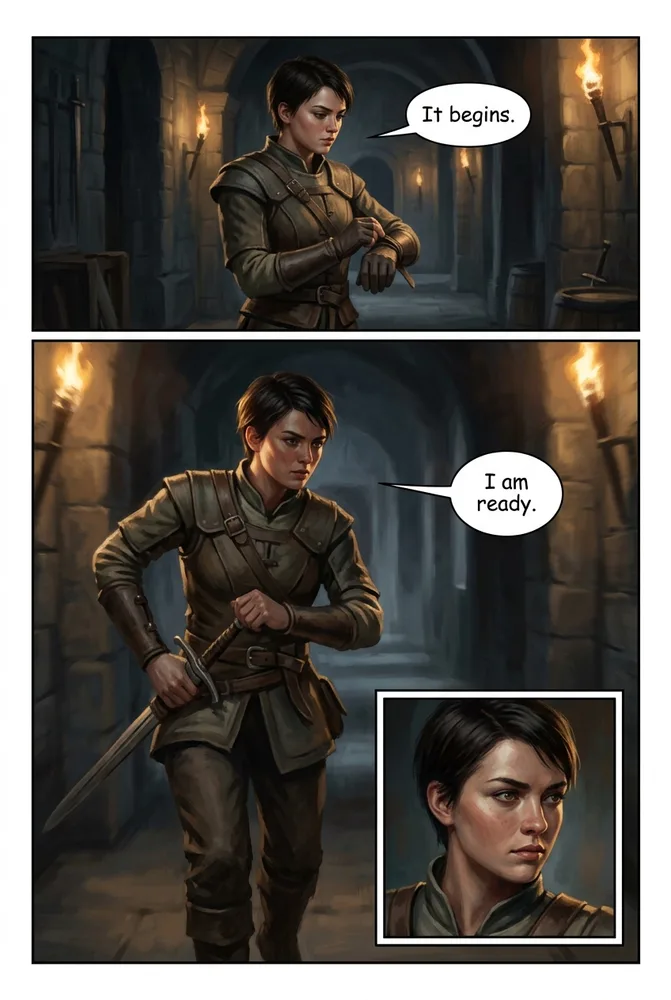
Most style comparisons on the web show 20 different characters in 20 different scenes, which makes it impossible to isolate what the style itself is doing versus what the character design or composition is doing. This guide fixes that: the same fictional demo character, in the same windswept-cliff-at-dawn scene, rendered in all 20 Comistitch styles. Same character, same scene, only the style changes — so what you’re comparing is the style, not the subject.
How Do 20 AI Comic Art Styles Compare at a Glance?
The table below covers every style Comistitch offers, grouped loosely by rendering family. “Look / linework” summarizes the defining visual trait; “Best for” is the genre or use case each style is tuned toward.
| Style | Family | Look / linework | Best for | Style page |
|---|---|---|---|---|
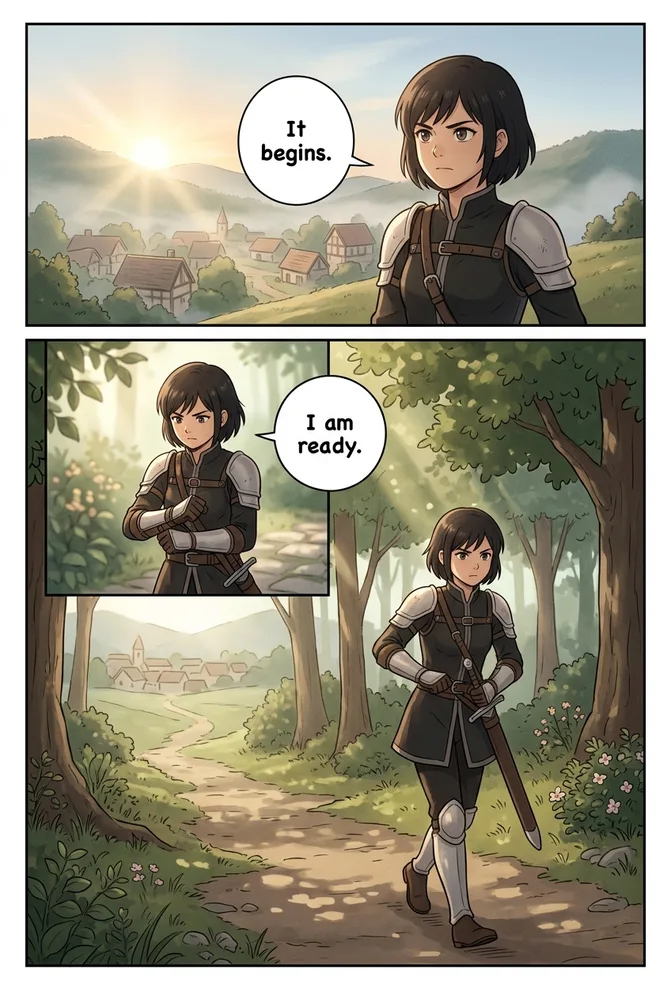
| Manga Classic | Manga | B&W, screentone dots, dynamic action lines | Shonen and seinen action stories | AI Manga Generator |
| Webtoon | Webtoon | Full-color vertical scroll, soft flat cel-shade | Mobile-first episodic series | AI Webtoon Creator |
| Manhwa | Manhwa | Glossy Korean action, hard cel-shade, cinematic | Romance and action mobile comics | AI Manhwa Generator |
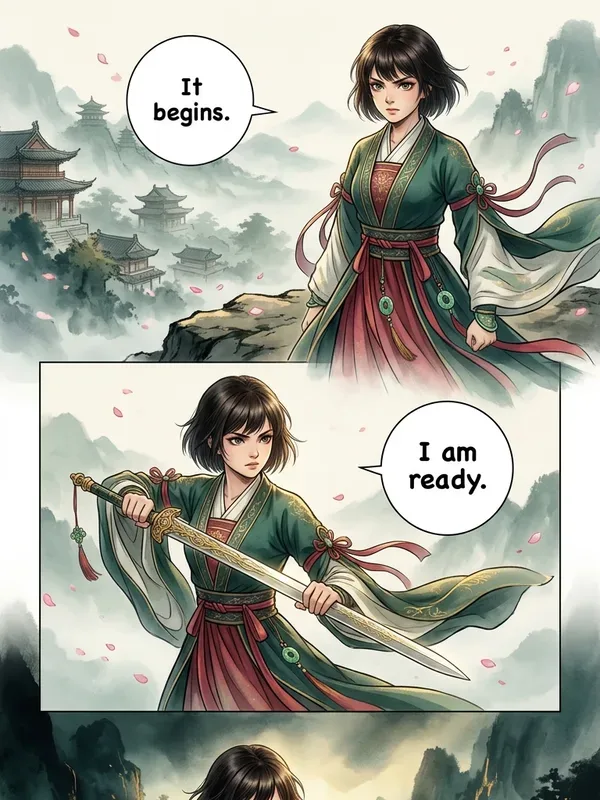
| Manhua | Manhua | Ink-wash xianxia/wuxia, jade-crimson-gold, hanfu | Wuxia and cultivation fantasy | AI Manhua Generator |
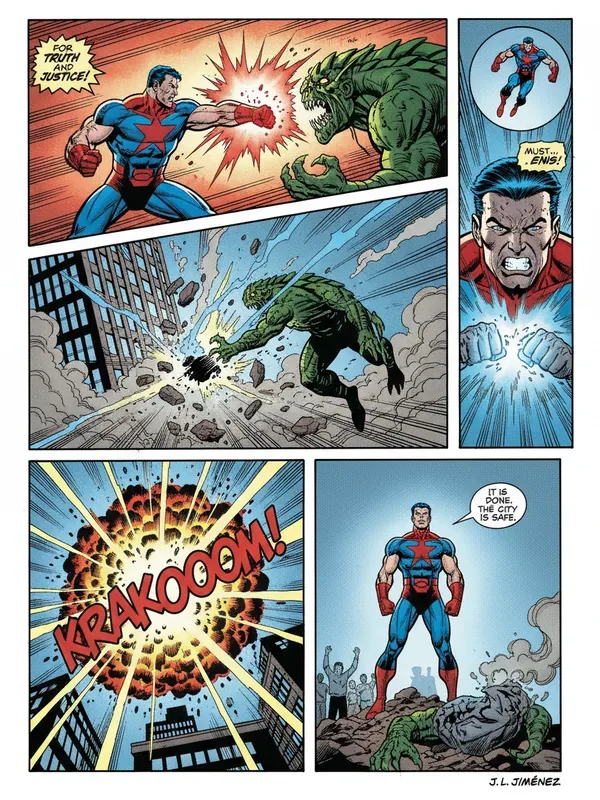
| American Superhero | American | Bold heavy inks, Ben-Day halftone, saturated | Superhero and pulp-action comics | AI Superhero Comic |
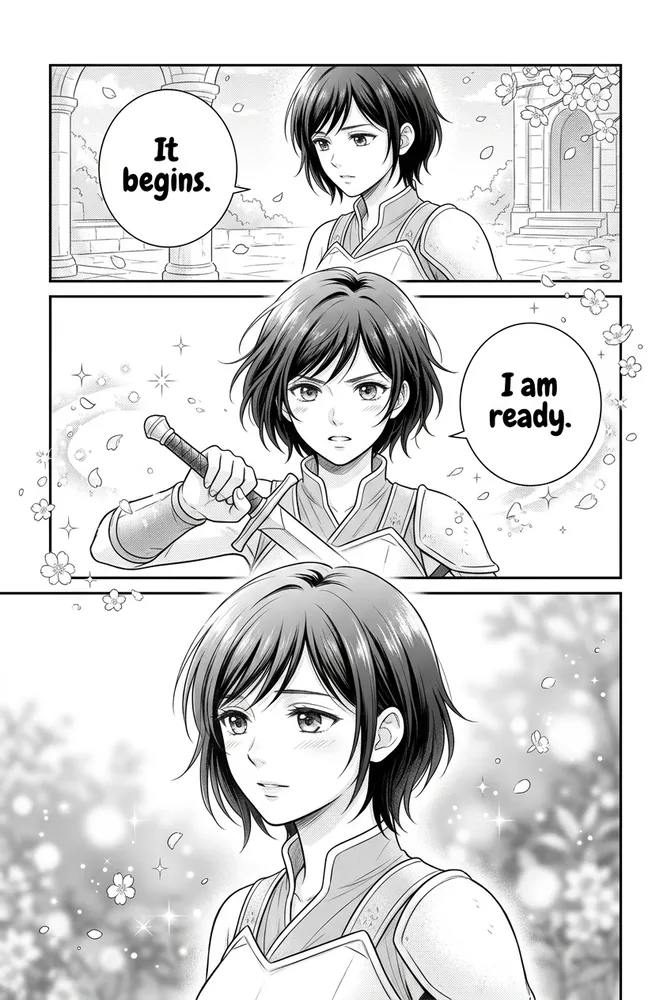
| Romance Manga | Manga | Shojo screentone, sparkle/flower FX, tender close-ups | Shojo romance and slow-burn drama | AI Romance Manga |
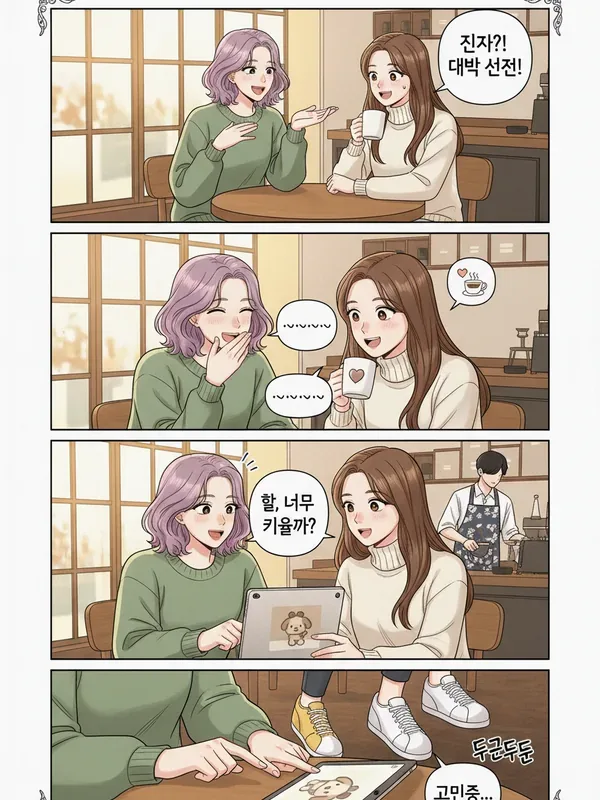
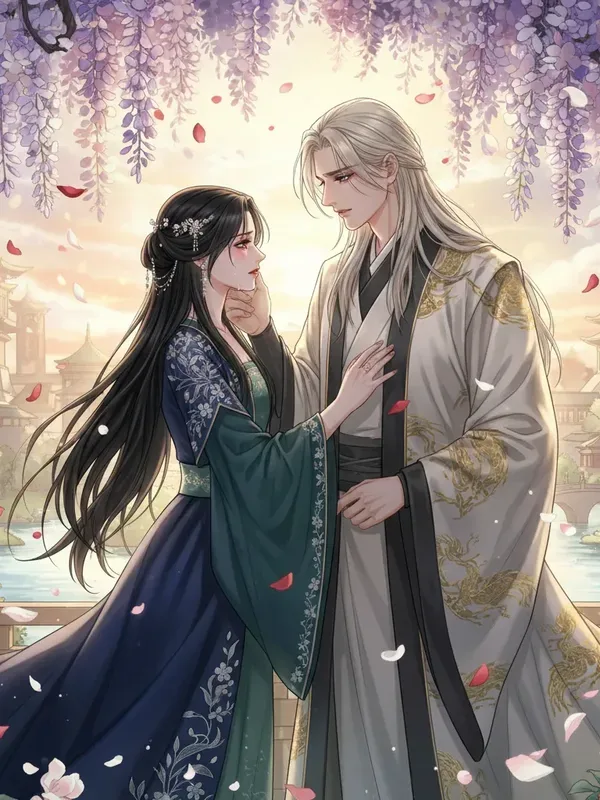
| Webtoon Romance | Webtoon | Soft painterly matte shading, thin lineart, warm low-contrast light, semi-realistic | Korean-style slow-burn and adult romance drama | Webtoon Romance style guide |
| Slice of Life | Manga | Warm everyday tone, soft clean line, natural light | Everyday-drama and comfort stories | AI Slice-of-Life Manga |
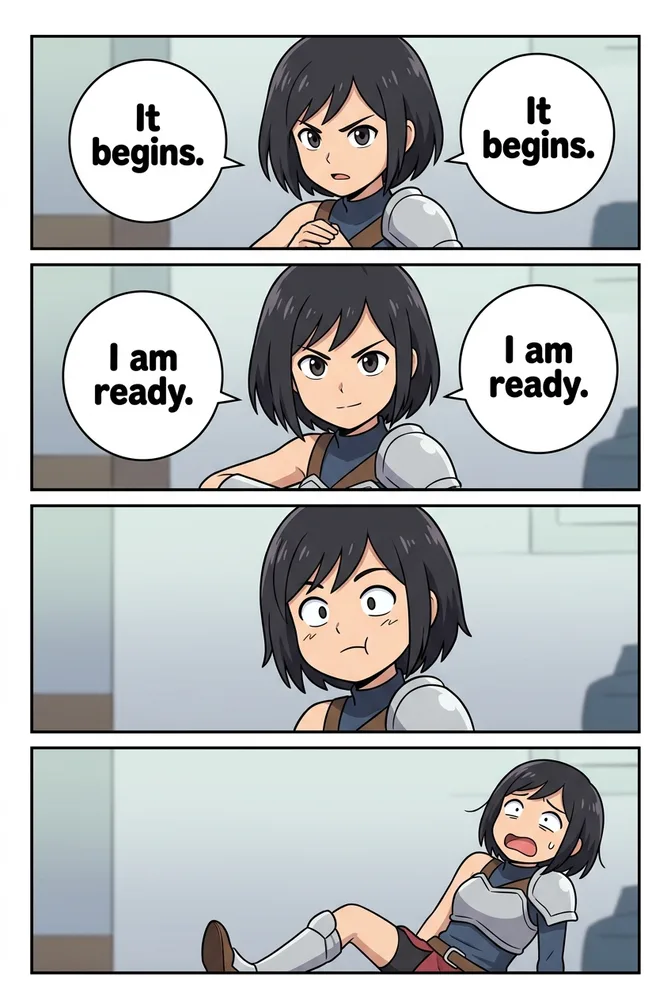
| 4-Koma | Yonkoma | 4-panel vertical strip, flat color, gag beats | Comedy strips and short gags | AI 4-Koma Generator |
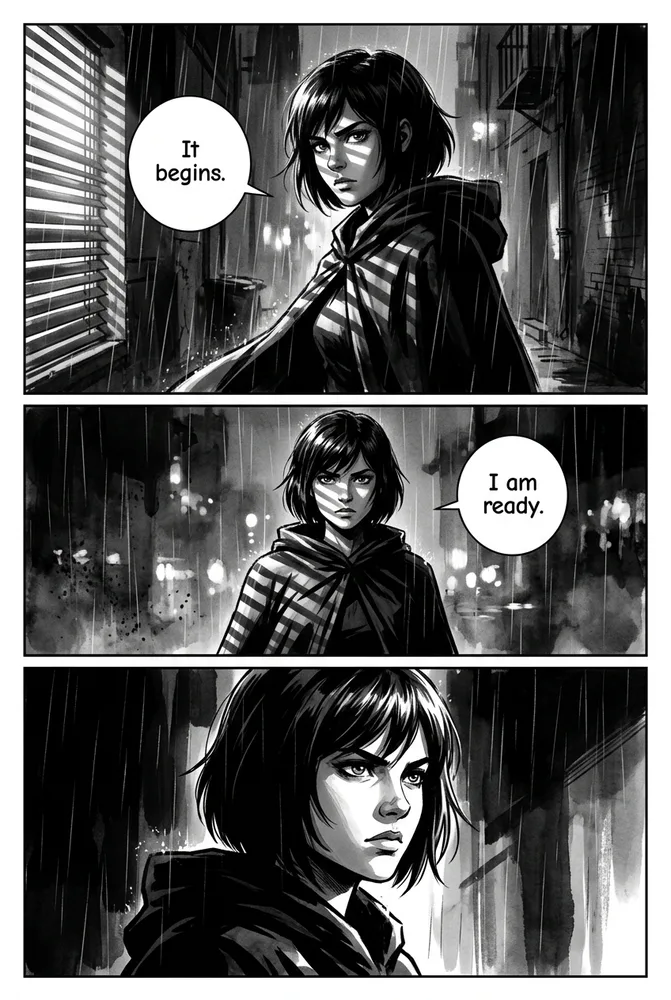
| Noir Detective | Manga | Heavy chiaroscuro ink, venetian-blind light, B&W | Detective and crime-thriller stories | AI Comic Noir |
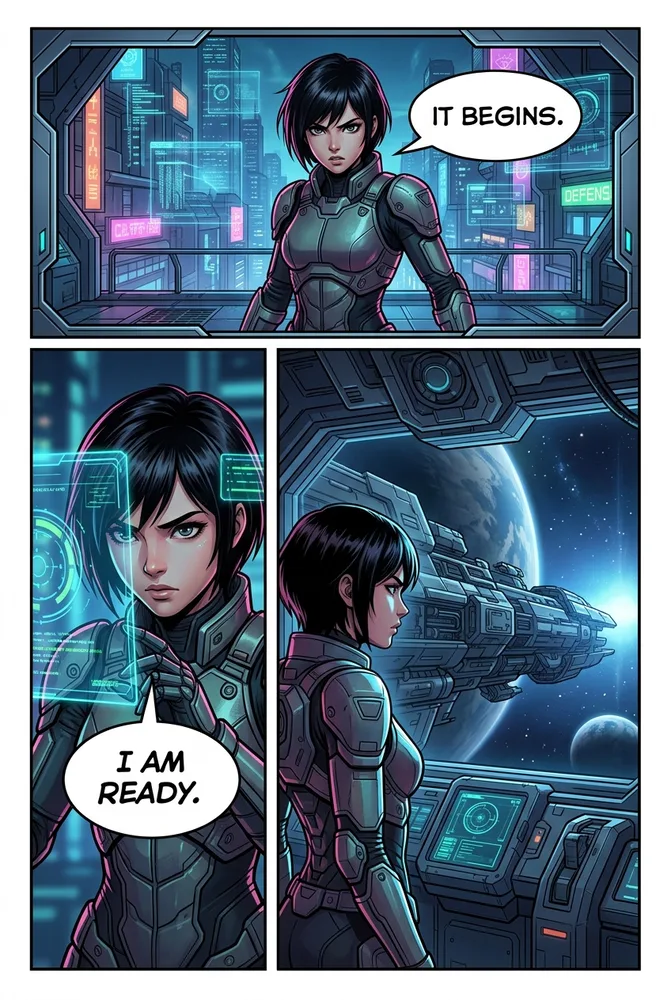
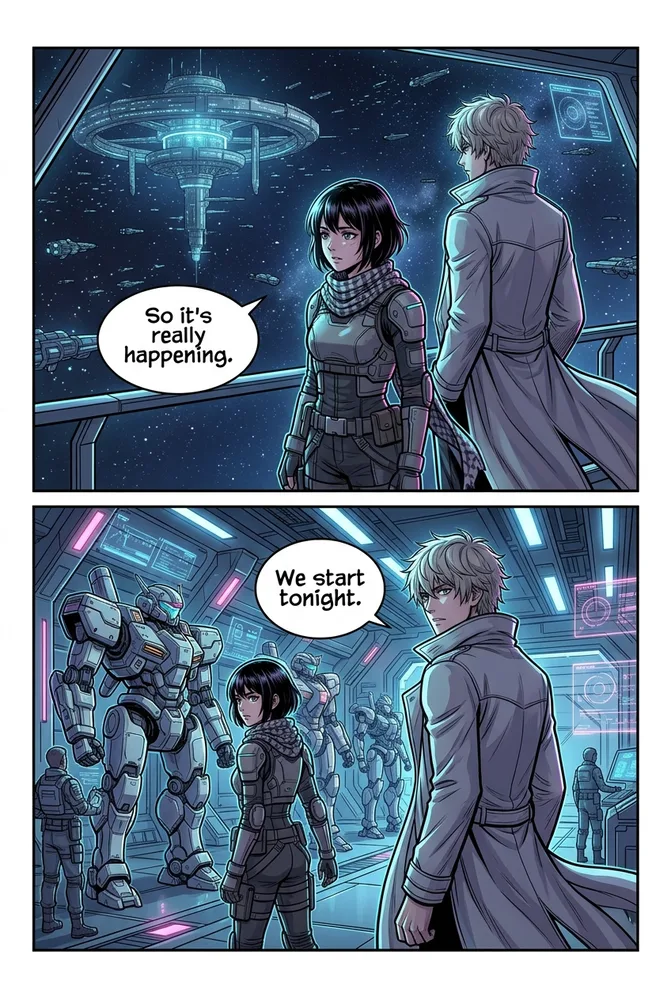
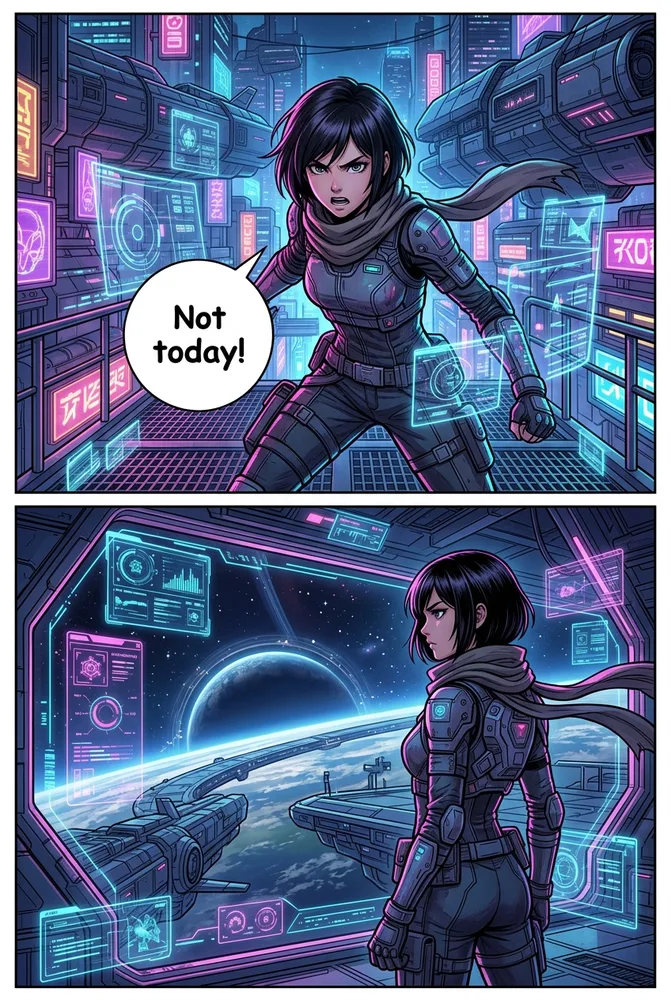
| Sci-Fi | Manga | Neon-tech, holographic UI, hard rim light | Space opera and cyberpunk stories | AI Sci-Fi Comic |
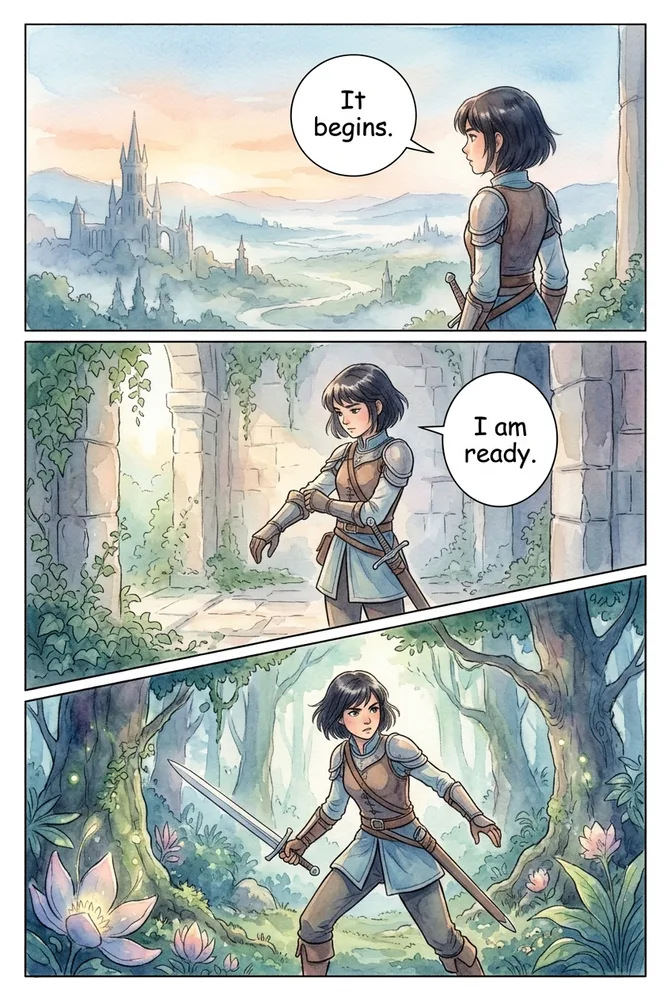
| Watercolor Fantasy | Painted | Soft watercolor wash and bleed, dreamy storybook | Fairytale and fantasy-adventure stories | AI Fantasy Comic |
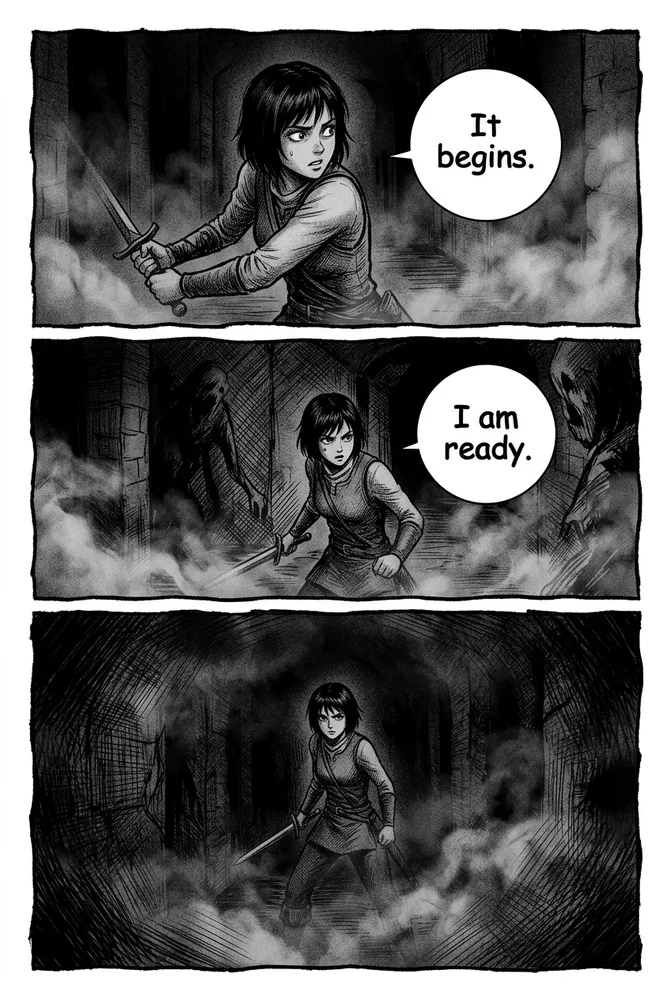
| Horror | Manga | Grainy heavy ink, environmental fog, cross-hatch dread | Horror and psychological-dread stories | AI Horror Comic |
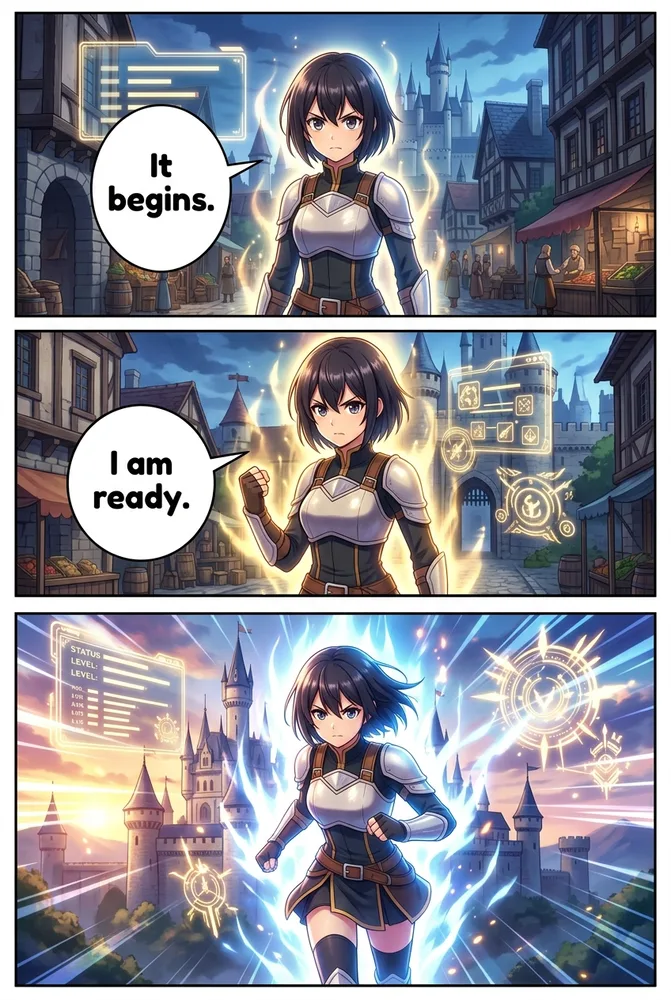
| Isekai | Manga | RPG status-window UI, power-aura FX, vivid light-novel look | Isekai and portal-fantasy adventures | AI Isekai Generator |
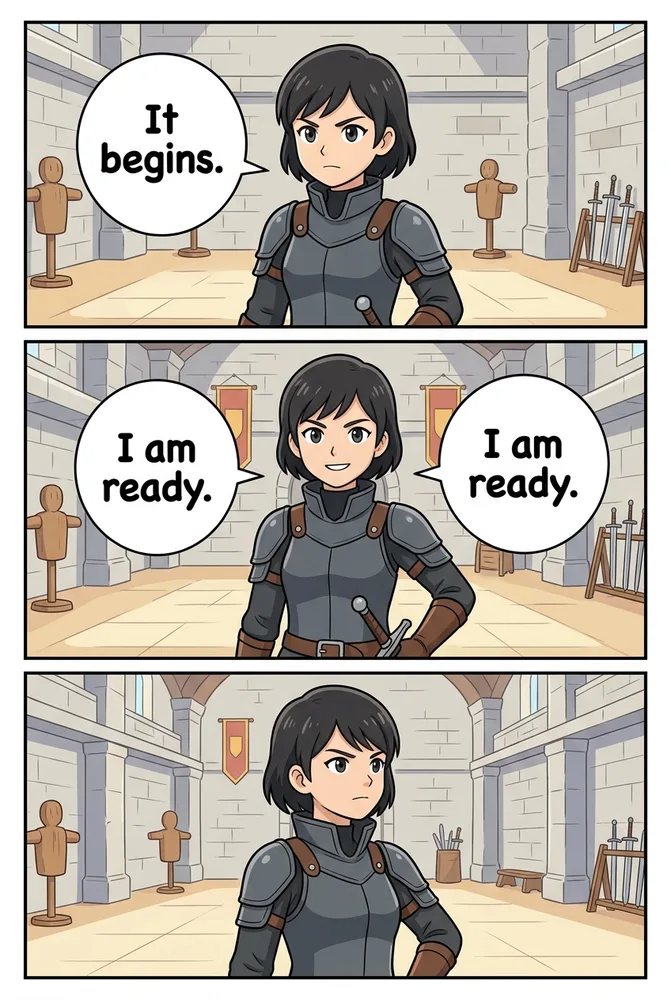
| Educational | Manga | Clean diagram-friendly, flat readable color | Explainer and classroom comics | AI Educational Comic |
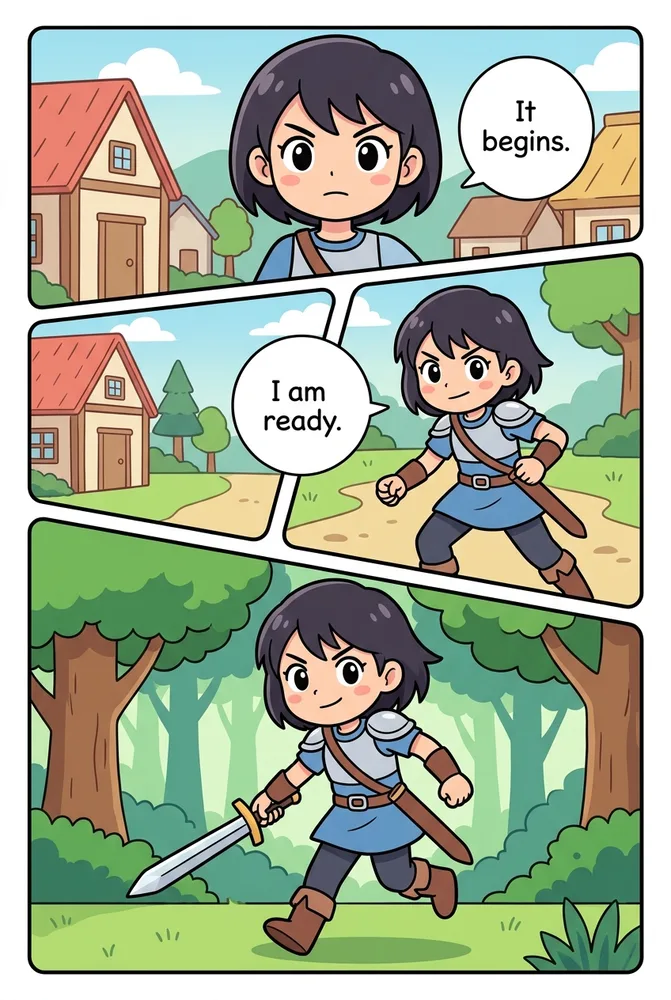
| Kids | Manga | Bold simple shapes, thick friendly outline, bright pastel | Children’s picture-book comics | AI Kids Comic |
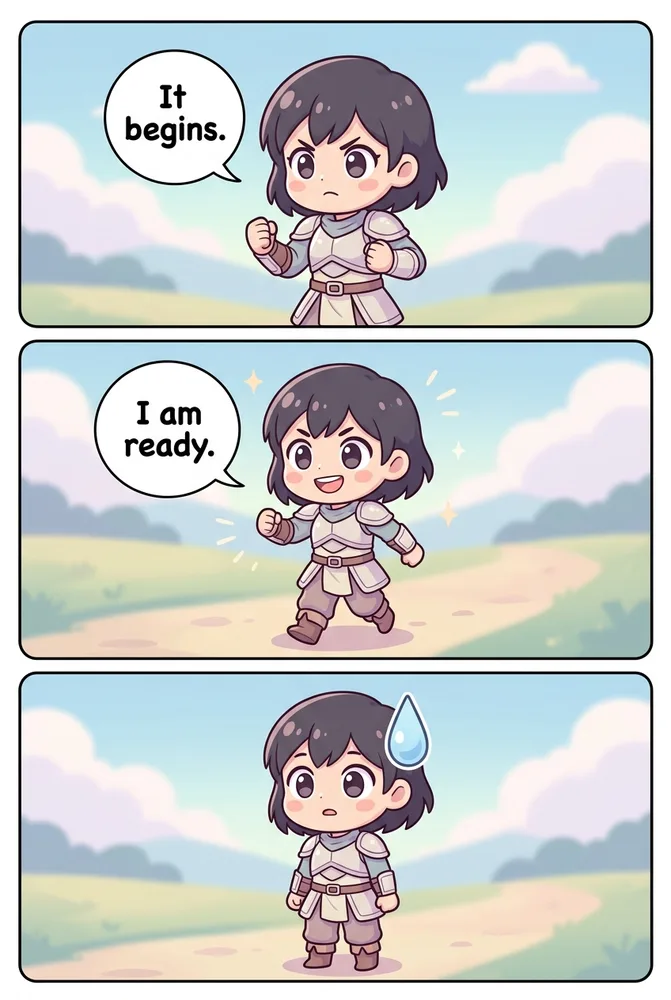
| Chibi | Manga | Super-deformed big-head, huge eyes, pastel kawaii | Cute mascot and gag-comic content | AI Chibi Generator |
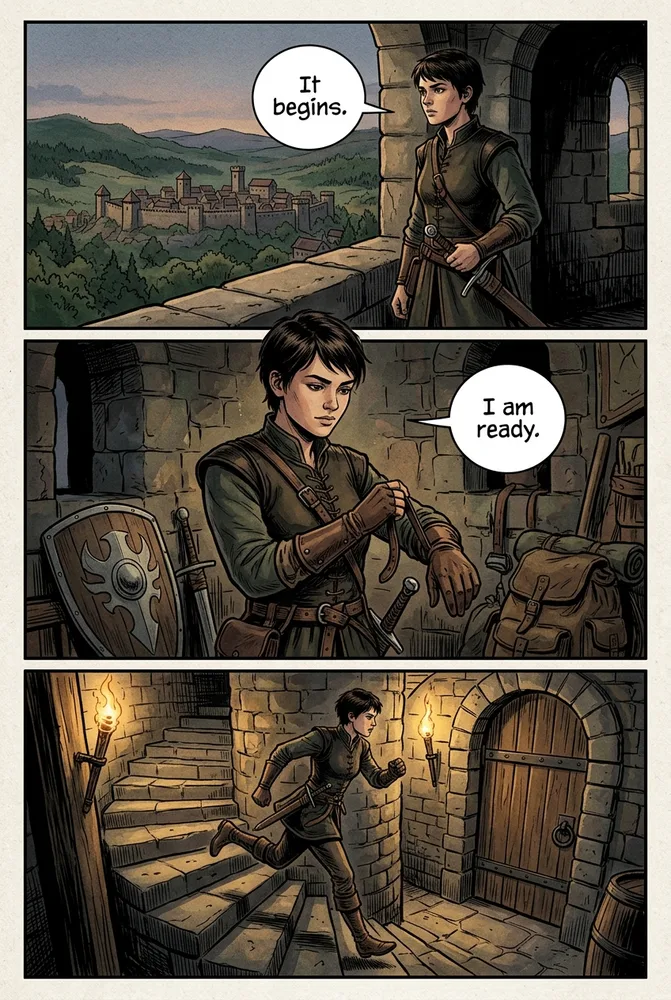
| Semi-Realistic | Painted | Inked line over watercolor/gouache wash, gritty | Grounded drama and literary graphic novels | AI Semi-Realistic Comic |
| Storybook Oil | Painted | Visible oil impasto, golden-hour warmth | Picture-book and folklore storytelling | AI Storybook Oil Painting |
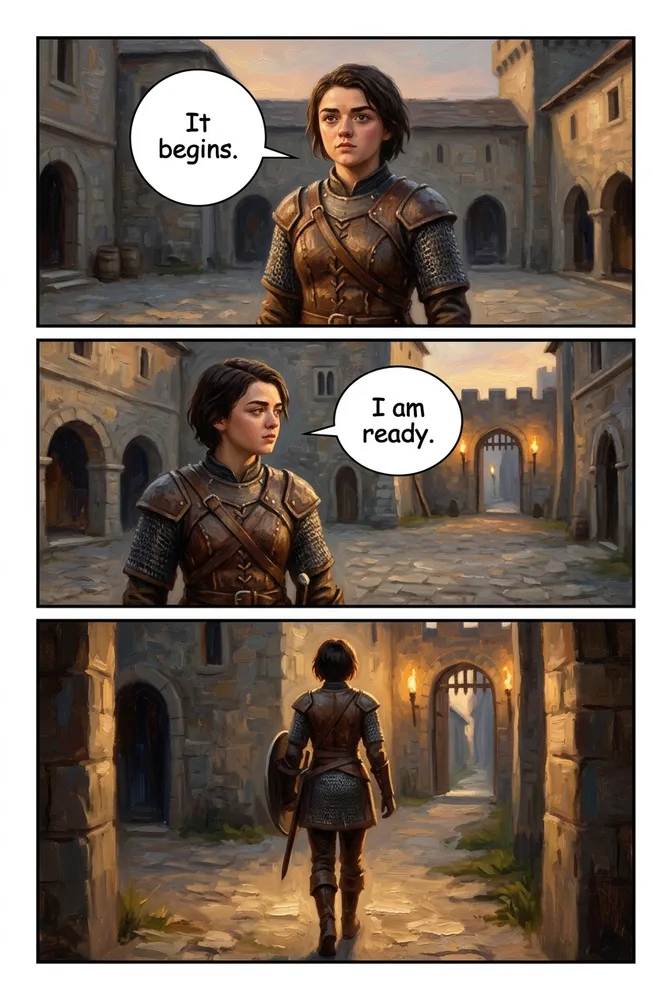
| Graphic Novel Painted | Painted | Museum-grade oil realism, near-photoreal chiaroscuro | Prestige graphic novels and literary drama | AI Graphic Novel Painted |
| Hyperreal Painted | Painted | Photoreal painterly brushwork, gallery finish | High-fidelity cinematic character studies | AI Hyperreal Painted |
What Do the 20 AI Comic Art Styles Look Like Side by Side?
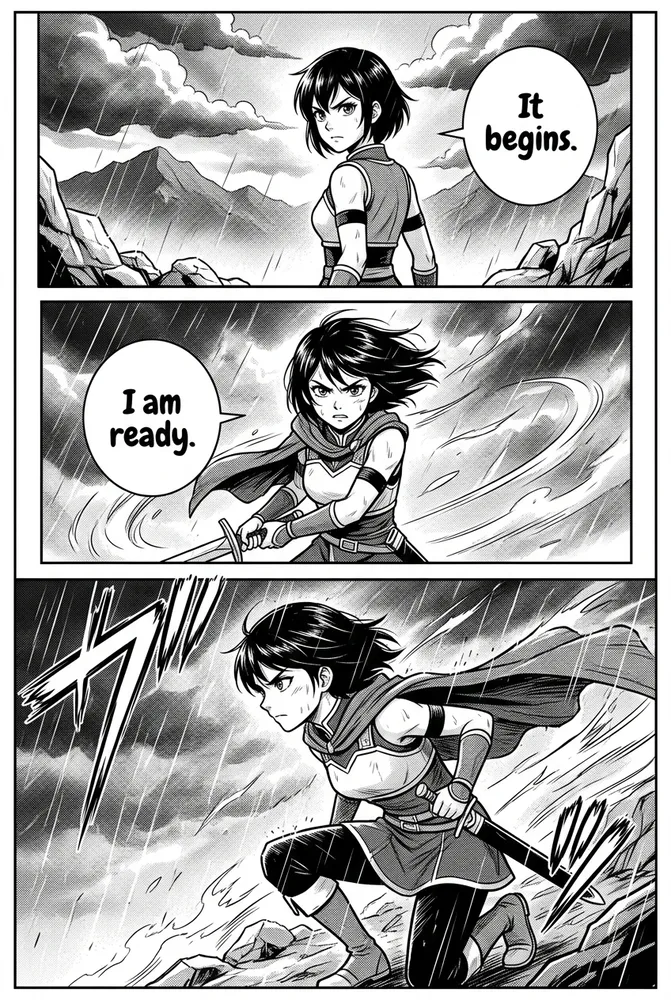
Every image below shows the same fictional demo character, in the same scene, rendered through a different style pipeline. Nothing about the character or the composition changes — only the linework, color, and shading logic does.
Which AI Comic Styles Fit Manga Genres Like Romance, Isekai, and Sci-Fi?
Six styles share the manga rendering engine but pull in genre-specific directions: Romance Manga leans into shojo screentone and sparkle FX for tender close-ups, Slice of Life softens the ink for everyday-drama warmth, and 4-Koma compresses the format into a flat-color 4-panel gag strip. Sci-Fi and Isekai add neon rim light and RPG status-window overlays respectively, while Educational strips everything down to clean, diagram-friendly flat color.
The common thread is genre tuning on top of a shared manga pipeline — same base screentone and ink logic, different mood and FX layer. If your story needs one of these six looks specifically, the AI manga genre styles prompt guide has copy-paste prompt recipes for each.
Which AI Comic Styles Use Painted, Brushwork Rendering?
Five styles skip ink-and-screentone rendering entirely in favor of painted media: Watercolor Fantasy uses soft wash and bleed for a storybook feel, Semi-Realistic inks a line over a watercolor-gouache wash for a gritty graphic-novel look, and Storybook Oil Painting leaves visible impasto texture with golden-hour warmth.
At the far end of realism sit Graphic Novel Painted and Hyperreal Painted — both push toward near-photoreal oil rendering and museum-grade chiaroscuro, the closest Comistitch gets to painted realism without crossing into photography. These five styles take slightly more prompt precision than the flat-cel families to render consistently — the AI painted comic styles prompt guide breaks down the brushwork recipe for each.
Which AI Comic Styles Fit Noir or Horror Moods?
Two styles are built specifically for mood over genre: Noir Detective applies heavy chiaroscuro ink, venetian-blind lighting, and rain to any scene, while Horror leans into grainy cross-hatch ink and environmental fog for dread. Both share the same B&W manga rendering engine as Manga Classic — the difference is entirely in lighting direction and shadow density, not linework technique.
These two are the most atmosphere-dependent styles in the lineup — small prompt changes to lighting angle shift the mood dramatically. The AI dark comic styles noir and horror prompts guide covers the lighting and shadow prompt cues in depth.
Which AI Comic Styles Work Best for Cute or Kids’ Comics?
Chibi and Kids are the two proportion-driven styles in the lineup. Chibi uses a super-deformed big-head, huge-eyes kawaii look built for mascots and comedic reaction panels. Kids simplifies shapes further into bold, thick-outlined forms with bright pastel color — designed to read clearly at any size, including on a picture-book page.
Both styles prioritize readability and warmth over detail density, which is why they’re the fastest styles to generate consistently even with a short prompt. The AI cute comic styles chibi and kids prompts guide covers proportion and palette prompt cues for both.
How Do Manhwa, Manhua, and Webtoon Styles Compare to Manga?
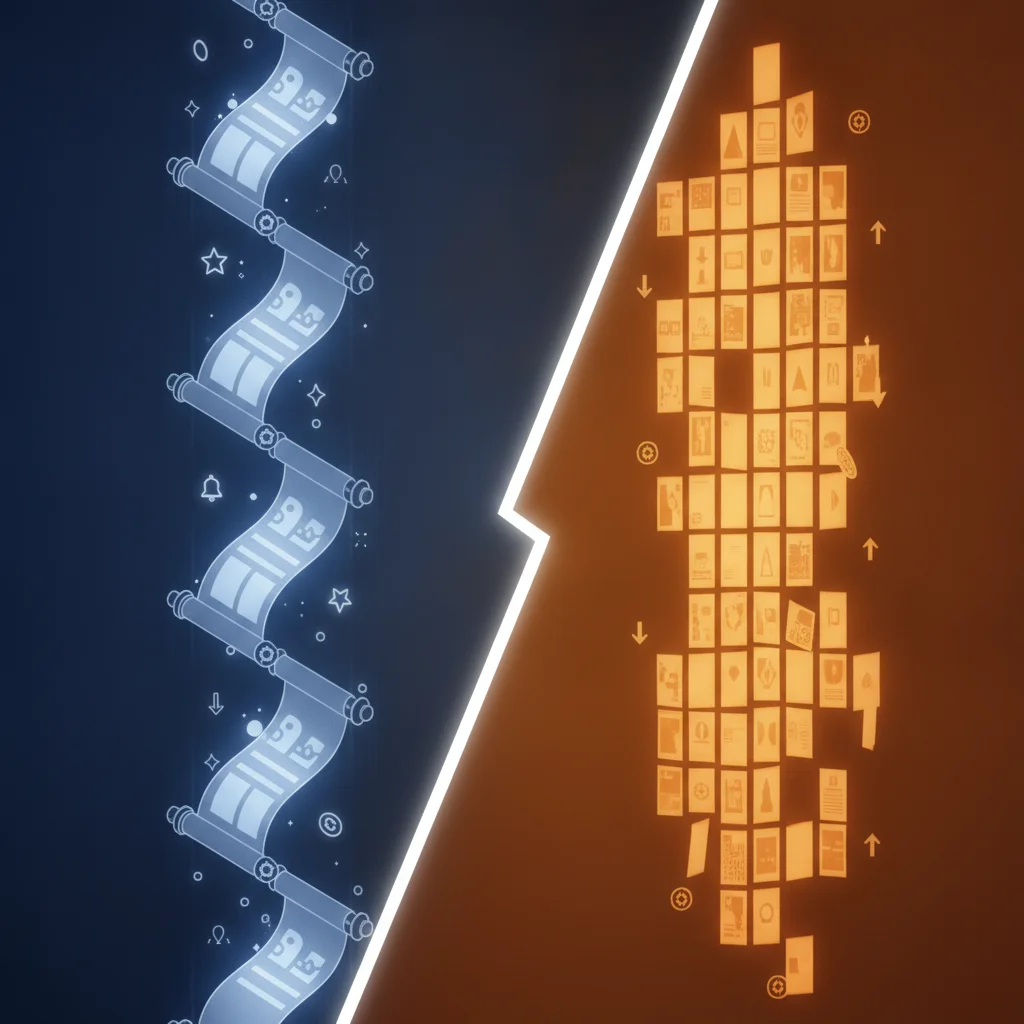
Webtoon, Manhwa, and Manhua are the three vertical-format styles, and they’re the most frequently confused trio in the whole lineup. Webtoon is a format-driven look — full color, clean flat lineart, built for infinite vertical scroll on any platform. Manhwa is Korea’s take on that format: glossy, hard cel-shaded contrast tuned for cinematic action and romance. Manhua is China’s take: an ink-wash xianxia and wuxia palette in jade, crimson, and gold, with hanfu costuming and a softer, mistier finish than manhwa’s crisp cel shading.
All three differ from Manga Classic in the most basic way — color versus black-and-white — but the deeper difference is panel format. Manga’s page grid reads right-to-left in fixed panels; webtoon, manhwa, and manhua all scroll continuously downward. If you’re deciding between these three specifically, the manhwa, manhua, and webtoon prompt cheatsheet has a full prompt-difference breakdown, and the manhwa vs manga vs webtoon comparison guide covers the origin, reading direction, and platform history behind each format.
Comistitch also just added Webtoon Romance, a semi-realistic variant of the Webtoon family built specifically for Korean romance-drama pacing — soft painterly matte shading, thinner delicate lineart, and warmer low-contrast light in place of standard Webtoon’s flat cel-shading. It targets the modern Naver and Lezhin romance-webtoon look. The Webtoon Romance style guide covers how it differs from standard Webtoon and Manhwa in full detail.
What About Manga Classic and American Superhero Styles?
Two styles in the table act as reference points rather than genre variants. Manga Classic is the control style — the baseline B&W screentone-and-ink look every other manga-family variant builds on. American Superhero sits entirely outside the manga rendering family: bold heavy inks, Ben-Day halftone dot shading, and saturated primary color, the visual language of Silver and Bronze Age Western comics.
If your project’s genre is manga-adjacent but you want the full taxonomy of manga sub-styles beyond the six genre variants covered above, the AI manga generator art styles guide documents the broader shonen, shojo, and seinen style taxonomy in depth.
How Do I Pick the Right AI Comic Art Style for My Story?
Three questions narrow 20 styles down to 1–2 candidates fast:
- What’s your genre? Action and thriller genres lean toward Manga Classic, Sci-Fi, or Noir Detective. Romance and drama lean toward Romance Manga or Manhwa. Comedy leans toward 4-Koma or Chibi. Fantasy leans toward Watercolor Fantasy, Isekai, or Manhua.
- What’s your target platform? Print or manga-app publishing favors B&W manga styles. Mobile vertical-scroll platforms (LINE Webtoon, Tapas, Lezhin) favor Webtoon, Manhwa, or Manhua. Portfolio or gallery-style showcase work favors the painted family.
- How much prompt precision do you want to invest? Flat-cel styles (Webtoon, Kids, Chibi, 4-Koma) render consistently with short prompts. Painted styles (Hyperreal Painted, Graphic Novel Painted, Semi-Realistic) reward more detailed prompt language for consistent results across panels.
If two styles still feel tied after answering these, generate a single test panel in each — comparing two real renders of your own character settles the decision faster than reading trait descriptions.
How Do I Try These Styles Inside Comistitch Studio?
Style selection is a single dropdown in Comistitch Studio’s Style Settings panel — no separate account, template, or plugin per style. Paste a prompt like the one below into the Script Editor to test any style on your own character concept:
Scene: a lone warrior stands on a windswept cliff at dawn, cloak snapping in the
wind, sword point resting against the rock. Wide establishing shot, dramatic
low sun behind the figure, silhouette-forward composition with just enough
detail to read the armor and hair. Style: [swap in any of the 20 style names
above — e.g. "Manhwa" or "Noir Detective" or "Watercolor Fantasy"]. Keep the
character design identical if you re-generate this scene in a second style
for direct comparison.
The builder handles the canvas dimensions, color pipeline, and screentone or cel-shade logic automatically once you pick a style — you only need to write the scene once. From inside the builder, switching styles mid-project takes one click; earlier panels keep their original render until you choose to regenerate them.
How Long Does It Take to Generate a Styled Comic Page?
Generation time varies slightly by style complexity, not by which of the 20 you pick. A single test panel in any style — flat-cel or painted — typically renders in 20–60 seconds. A full 4–6 panel page takes 45–120 seconds depending on panel count and whether you’re using Comistitch’s free or Pro rendering queue.
Painted styles like Hyperreal Painted and Graphic Novel Painted render on the slower end of that range because of the additional brushwork detail pass; flat-cel styles like Webtoon and Kids render on the faster end. Neither difference is large enough to be a deciding factor — pick the style that fits your story first.
Common Mistakes When Comparing AI Comic Art Styles
- Comparing different characters across styles. If your reference images use different character designs per style, you’re comparing character design, not style. Always test on one locked character concept, as this guide does.
- Judging a style from one panel. A single generated panel can look great or off by chance. Generate 2–3 panels in a candidate style before deciding — consistency across panels matters more than any single render.
- Skipping the style page. The comparison table above is a summary; each linked /styles/ page has a larger gallery and its own FAQ that answers style-specific questions this pillar doesn’t cover in depth.
- Assuming style locks you in. Many creators avoid testing new styles because they think switching mid-project is disruptive. It isn’t — style is a project setting you can revisit at any point.
- Over-indexing on trend rather than fit. The most popular style on a platform isn’t automatically the right one for your specific genre and character cast. Match the style to the story, not the trend.
Does the Same Character Stay Consistent Across Every Style?
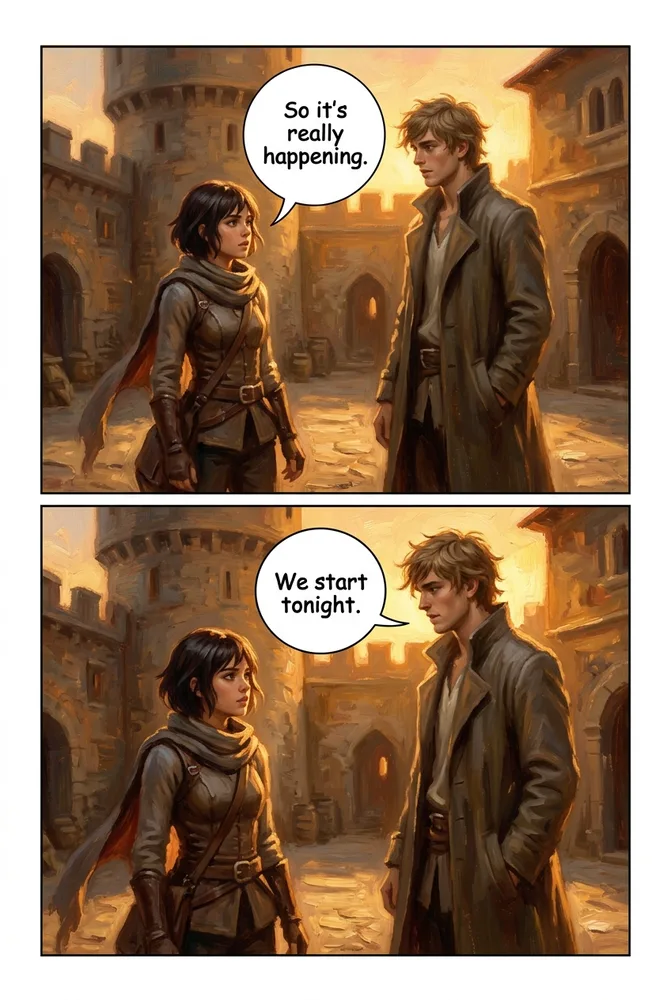
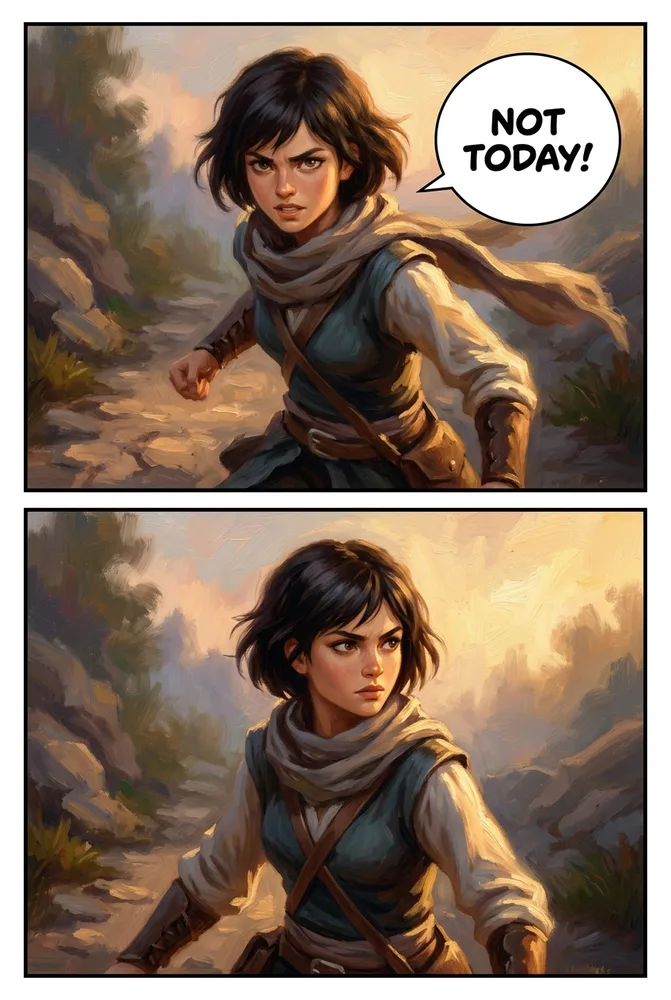
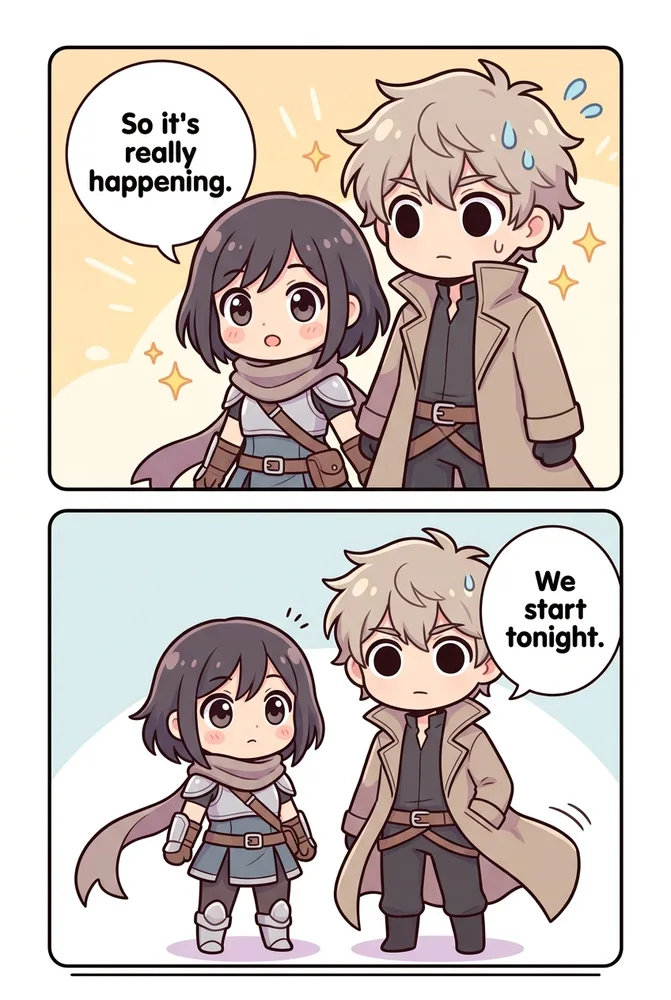
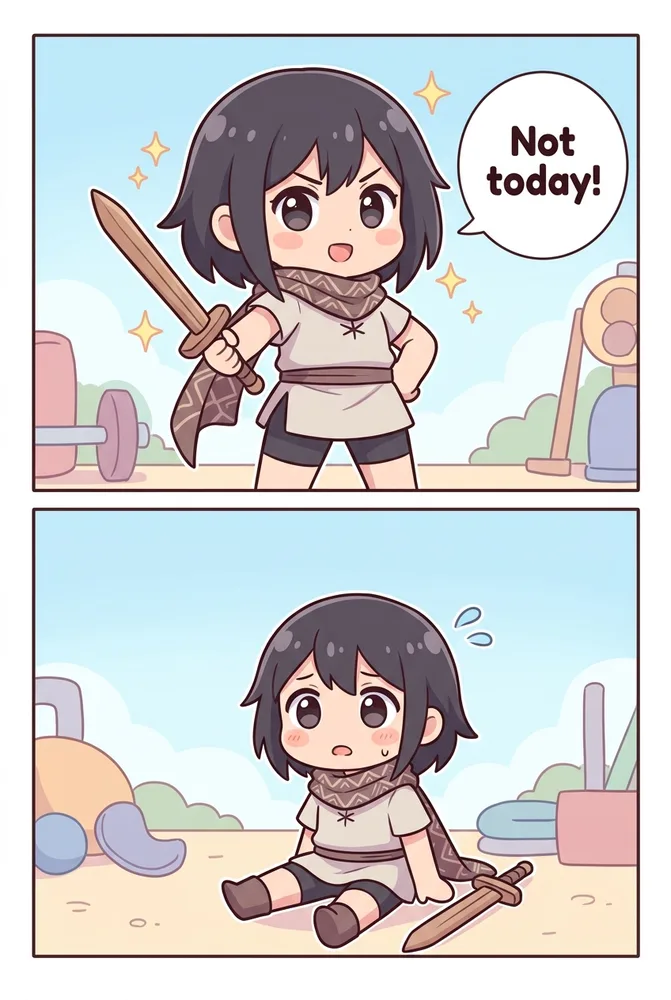
Every image in the 20-style grid above already makes this point in miniature — one character, one scene, 20 different renders. But consistency really gets tested across multiple scenes and moods, not a single static pose per style. Most AI comic generators redraw a character from scratch on every panel, so faces drift, outfits shift, and proportions wander page to page — that’s the hard problem in AI comics, and it’s the one Comistitch’s consistency engine is built to solve.
Below, four of the 20 styles carry the same fictional cast through a second scene — two characters talking at a café — and a third: an action pose. The character model stays locked while only the style pipeline changes, exactly the way it works from inside the builder: lock a character once, then generate it across scenes, moods, and styles without re-describing who they are each time.
Sci-Fi
Storybook Oil
Chibi
Manhwa
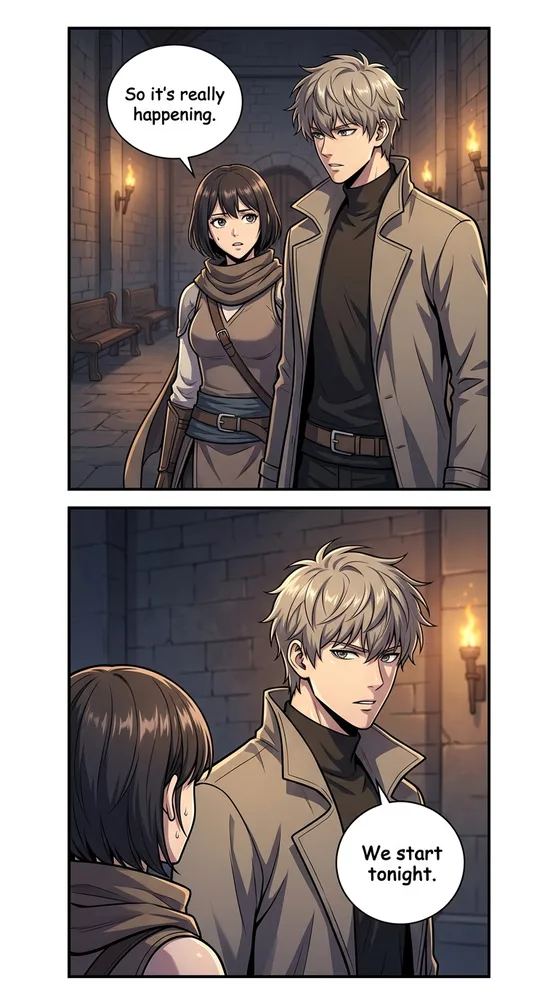
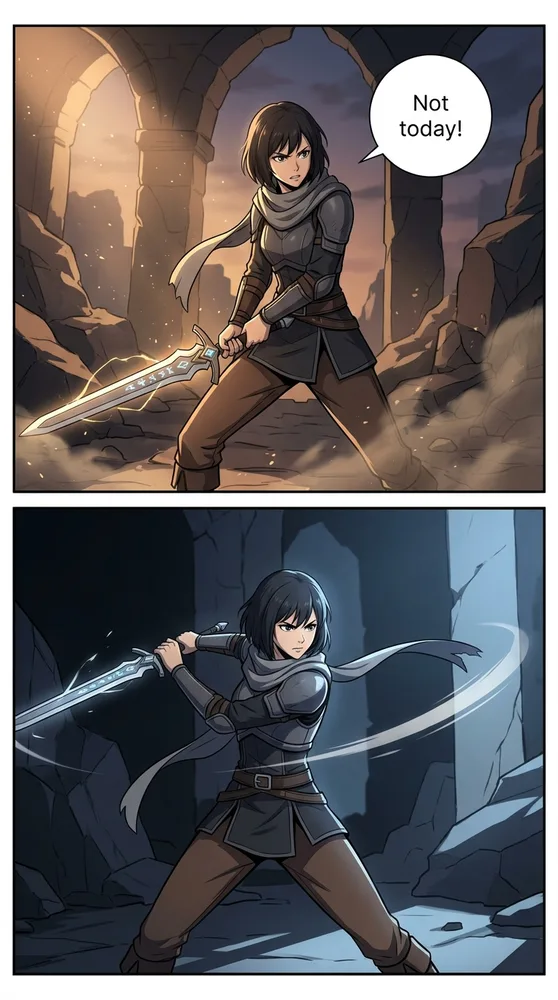
Try it yourself in Comistitch Studio — lock a character once, then generate it across as many scenes and styles as your story needs.
Compare your own character across all 20 styles free at Comistitch →
Not sure yet which platform or format you’re building for? The Comistitch pricing page breaks down what’s included in the free tier versus Pro across all 20 styles, and Comistitch Studio is where you’ll actually test them.
Related guides: AI manga genre styles · AI painted comic styles · AI dark comic styles · AI cute comic styles · Manhwa, manhua & webtoon cheatsheet · AI manga generator art styles