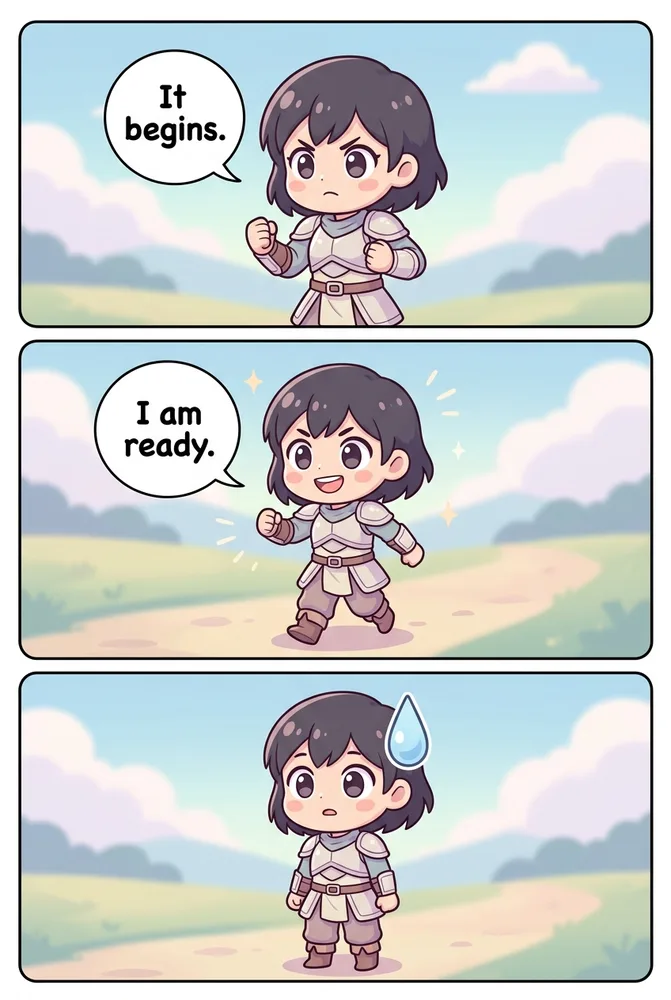
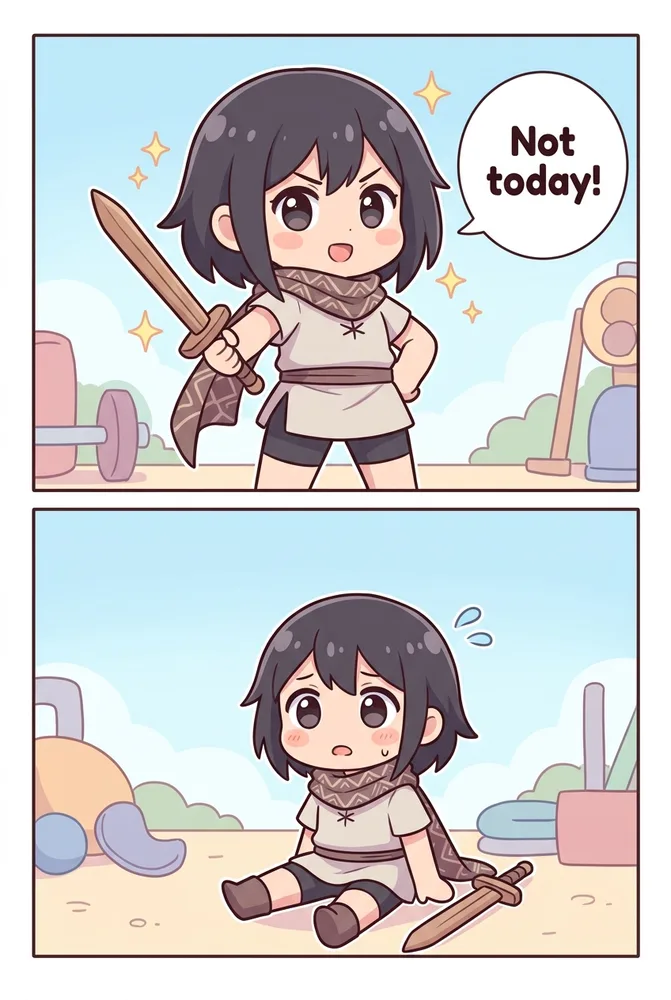
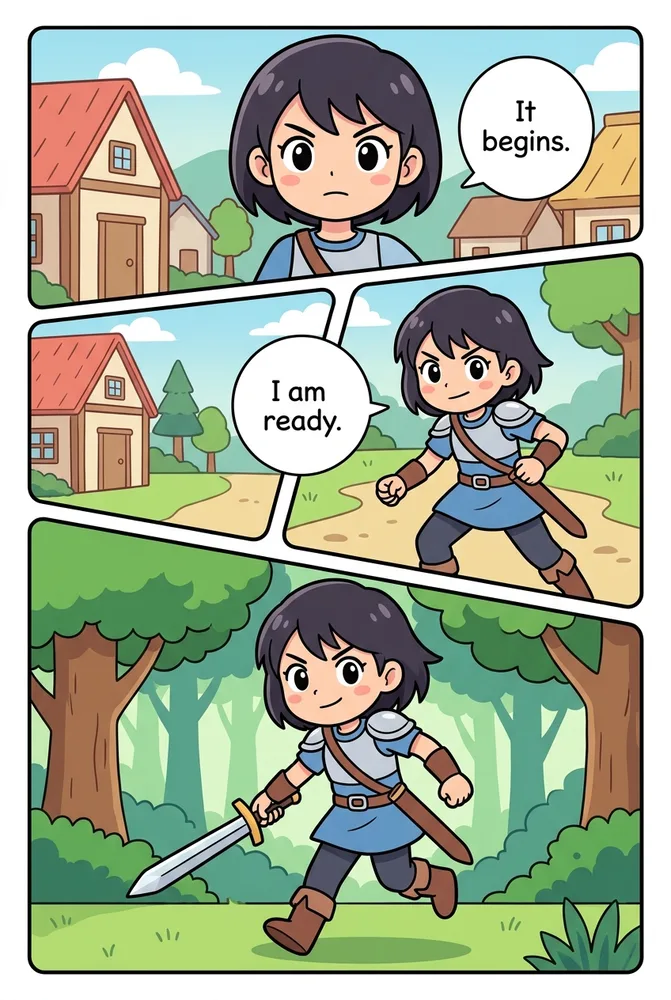
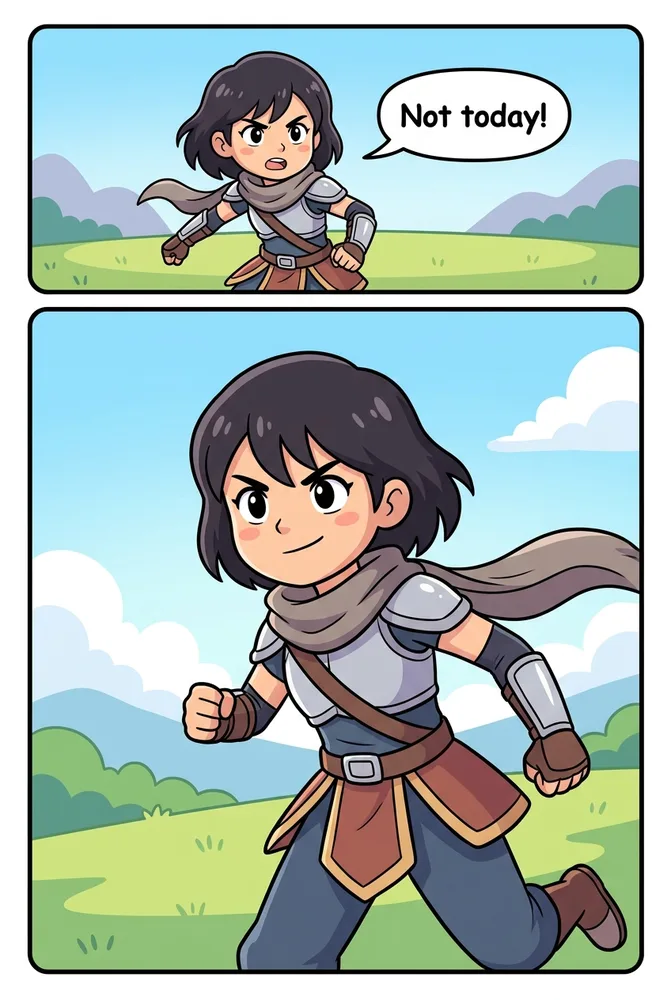
AI cute comic styles come down to two Comistitch presets — chibi and kids — separated by three prompt levers: proportion, palette, and expression. Chibi compresses a character into a 2-to-3-head-tall super-deformed silhouette for comedic punch; kids style keeps standard proportions but simplifies shapes and brightens color for young readers. Both generate from a single text prompt, no separate tool required. Both sections below also carry the same fictional cast into an action scene, so you can confirm the character stays consistent as the proportions shift.
In short: Chibi = exaggerated small-body, big-head proportions built for comedy and stickers. Kids = standard proportions with bright, simple, age-appropriate color and shape built for storybook narrative. Pick chibi for gag strips and reaction panels, kids for classroom or family story pages — both stay wholesome and copy-paste-ready.
This cluster is one piece of the broader AI comic art styles compared guide — start there for the full side-by-side across every Comistitch style family, or keep reading for the chibi-and-kids prompt cheatsheet.
What Are AI Cute Comic Styles?
“Cute” isn’t a single Comistitch preset — it’s a register that two distinct style options serve in different ways: chibi and kids. Both trade realism for approachability, but they get there through different mechanics. Chibi does it through proportion distortion (the oversized head, tiny body silhouette borrowed from manga merchandise culture). Kids style does it through palette and simplicity (standard proportions, but brighter colors and fewer fine details).
It’s worth separating this pair from the broader manga style taxonomy. If you’re looking for a wider breakdown of manga art-style families — shonen, shojo, seinen, and how chibi proportions sit inside that spectrum — the AI manga generator art styles guide covers that ground. This guide narrows in specifically on the chibi and kids product presets and how to prompt each one for a playful, wholesome result.
How Does Chibi Style Work in AI Comic Prompts?
Chibi’s defining trait is proportion: a 2-to-3-head-tall body with a disproportionately large head, simplified limb shapes, and minimal anatomical detail. Palette leans pastel with soft blush shading rather than heavy screentone. Expression is exaggerated and symbolic — star eyes for excitement, a single sweat drop for embarrassment, a spiral eye for dizziness — pulled straight from manga reaction shorthand.
Here’s a copy-paste-ready recipe for a chibi panel:
Chibi-style character: super-deformed proportions, 2-to-3-head-tall body, oversized round head, tiny simplified limbs. Palette: soft pastel tones, light blush gradient shading, minimal screentone. Expression: star-eyed excitement, exaggerated open-mouth smile. Format: single sticker-style panel, transparent-friendly composition, clean thick outline. Keep the linework simple and the palette warm.Run that prompt and you’ll get a punchy, sticker-ready result on the first try in most cases — chibi tolerates a loose prompt better than almost any other Comistitch style because there’s less fine detail for the model to get wrong.
How Does Kids Comic Style Work in AI Comic Prompts?
Kids style keeps proportions standard — no super-deformed head-to-body ratio — but simplifies everything else: clean readable silhouettes, fewer background details, and a palette built for young-reader legibility. Where chibi reaches for pastel softness, kids style reaches for high-saturation primary and secondary color with strong contrast.
A working kids-style recipe:
Kids comic style character: standard body proportions, clean simple silhouette, friendly readable pose. Palette: bright saturated primary and secondary colors, high contrast, clear color blocking. Expression: big warm smile, wide open eyes, clear legible emotion, no exaggerated manga-style reaction symbols. Format: 3-panel storybook layout, large panel size, generous space reserved for speech bubbles.The AI kids comic style page applies this palette-and-simplicity logic as a preset, so naming “kids style” alone in a scene description gets you most of the way there — the recipe above is for fine-tuning once you know what you want to adjust.
Chibi vs Kids — How Do the Two Cute Styles Compare?
| Aspect | Chibi | Kids | Comistitch advantage |
|---|---|---|---|
| Proportion | Super-deformed, 2-to-3-head-tall | Standard, simplified silhouette | Both selectable from one style keyword |
| Palette | Soft pastel, light gradient blush | High-saturation primary/secondary | Palette cue applies instantly, no separate tool |
| Line | Minimal, rounded, low screentone | Clean, thick, friendly outline | Consistent linework held across a full page |
| Best for | Gag strips, stickers, reaction panels | Storybook pages, classroom material | Character reference locks either style across panels |
Chibi wins when the goal is comedy, merch, or a quick expressive reaction. Kids style wins when the goal is a longer narrative page meant for a young reader to actually follow — larger panels, simpler backgrounds, and speech bubbles sized for early readers.
How Do I Prompt Expressive Reactions Without Losing Consistency?
Expressive styles like chibi are prone to a specific failure mode: the character’s face reads correctly in isolation but drifts subtly panel to panel — eye shape, head size, or outfit color shifts a little each time. The fix isn’t a better single prompt; it’s reuse. Once a chibi character design reads correctly, copy that exact description into every subsequent prompt rather than re-describing the character from memory or paraphrasing.
The builder handles the reference locking automatically once a character card exists, applying the same face, palette, and proportions across every new panel that names that character — even across a full 4-koma sequence with four separate expression states. For a deeper walkthrough of holding a design steady project-wide, see the AI character consistency guide.
How Do I Keep Kids Comics Age-Appropriate While Still Fun?
Kids-style generation on Comistitch applies content safety constraints on top of the palette-and-proportion preset — no violence, no frightening imagery, no adult themes — so the output stays classroom- and family-safe by default rather than something you have to manually police in every prompt. That said, a few prompt habits help keep pages both fun and appropriate:
- Name the emotional tone directly — “cheerful adventure,” “gentle discovery scene,” “silly mishap” — rather than leaving mood ambiguous, which nudges output toward a consistently warm register.
- Keep panel count low — 3 to 5 panels per page with generous white space reads far better to a young audience than a dense 9-panel manga grid.
- Favor cause-and-effect story beats — kids-style narrative works best when each panel shows a clear, simple action leading to the next, not layered subplot.
- Reserve chibi-style reaction panels for comic relief only — one exaggerated chibi beat inside an otherwise standard kids-style story reads as a fun surprise rather than a style clash.
Teachers and parents building classroom material specifically should also read the Comistitch vs Pixton comparison for education, which covers character consistency and group-project workflows in more depth.
What Mistakes Do Creators Make With Cute Comic Styles?
- Overloading a chibi prompt with detailed backgrounds. Chibi’s whole appeal is simplicity — long environmental descriptions fight the style and produce a muddled result. Keep the background as simple as the character.
- Using manga reaction symbols in a kids-style prompt. Star eyes and anger veins read as chibi shorthand, not kids-style shorthand. Mixing the two vocabularies confuses which register the model should aim for.
- Forgetting the palette cue entirely. Naming “chibi” or “kids” alone gets you proportion and general tone, but explicit palette language (pastel vs. saturated primary) locks in the color mood far more reliably.
- Re-describing a character from scratch in every new prompt. Small wording changes between prompts read as a new character to the model. Reuse the same description verbatim once it’s working.
Try It: A Comistitch Prompt Example for Cute Styles
Paste this into Comistitch Studio to compare both cute styles from the same base scene:
Panel 1 (chibi style): The same character, super-deformed proportions, oversized head, tiny limbs, pastel palette, star-eyed excited expression, celebrating with confetti, single sticker-style panel, thick clean outline.

Panel 2 (kids style): The same character, standard simplified proportions, bright saturated primary colors, big warm smile, celebrating with confetti, 3-panel storybook layout, large readable panel with space for a speech bubble.
Running both back to back is the fastest way to see how dramatically proportion and palette cues shift the same base idea — one script, two distinctly cute results.
Where Should I Go Next With Cute Comic Styles?
- AI comic art styles compared — the full 20-style comparison hub
- AI manga generator art styles — the broader manga taxonomy, including where chibi sits inside it
- AI character consistency guide — hold any style steady across a full comic
- Comistitch vs Pixton for education — kids-style workflows for classroom projects
- AI chibi generator style page — generate a chibi sample directly
- AI kids comic style page — generate a kids-style sample directly
Ship your first cute comic page in minutes. Start free at Comistitch — the builder handles proportion, palette, and expression consistency for whichever cute style you name, no separate tool switching required.