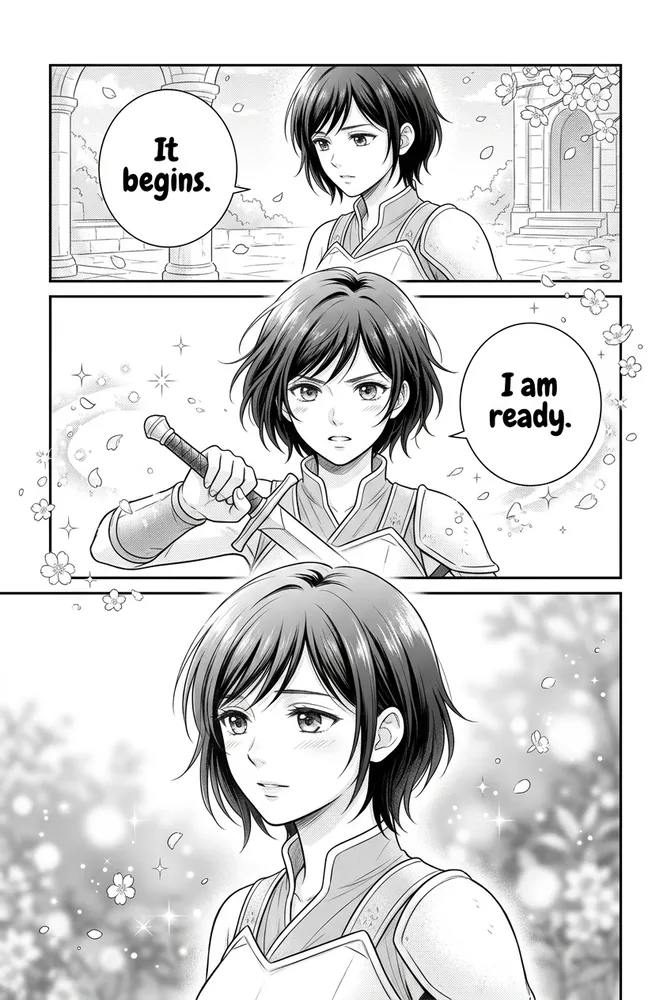
Prompting AI manga by genre means pairing the base manga rendering (screentone, ink, panel grid) with genre-specific descriptors — FX vocabulary, pacing, and mood cues unique to romance, isekai, slice-of-life, four-koma, sci-fi, or educational manga. Paste the matching recipe below into Comistitch Studio and the builder generates on-genre panels in under two minutes. Each genre section below also carries the same fictional cast into a second scene, so you can confirm the character stays consistent as the mood shifts.
In short: Each manga genre needs its own FX and pacing vocabulary layered on top of standard manga rendering — sparkle FX for romance, RPG status windows for isekai, four-beat structure for four-koma, diagram labels for educational. Six copy-paste recipes below, each shown on the same demo character so you can compare the genre shift directly.
Jump to a recipe:
- Romance manga
- Isekai manga
- Slice-of-life manga
- Four-koma manga
- Sci-fi manga
- Educational manga
- Genre comparison table
- FAQ
What Are Manga Genre Styles, and Why Does Prompting Differ by Genre?
Manga is a rendering tradition — B&W ink, screentone shading, panel grid conventions. Genre is a separate layer sitting on top of that rendering: the specific FX vocabulary, pacing rhythm, and emotional register that signal “this is a romance page” versus “this is an isekai page” versus “this is a gag strip.” Two panels can share identical screentone density and ink weight and still read as completely different genres, because genre lives in composition choices and FX, not linework alone.
This matters for prompting because a generic “manga style, action scene” prompt produces technically correct manga rendering that reads as genre-neutral — competent but flat. Naming the genre-specific markers explicitly (sparkle FX, RPG UI, four-beat punchline structure) is what makes AI output feel authentic to readers of that specific genre, not just “manga-adjacent.” The manga style cookbook covers the base manga/manhwa/webtoon rendering split in full; this guide assumes manga rendering and focuses entirely on the genre layer.
For the full 20-style comparison across the entire Comistitch catalog — manga, manhwa, painted, dark, and cute families included — see the AI comic art styles comparison.
How Do You Prompt Romance Manga Style with AI?
Romance manga — the shojo tradition — is built on delicate linework, soft screentone gradients, and decorative FX layered over emotionally charged close-ups. The genre marker is subtlety: a trembling hand, an averted glance, a half-finished sentence rendered with visual weight disproportionate to the “action” actually happening in the panel.
Best for: slow-burn love stories, school and workplace romance, confession scenes, emotionally driven single-panel moments.
Style: Japanese shojo romance manga, black and white with fine screentone
Linework: delicate, thin variable-weight ink (0.3–1pt), soft rather than bold
Shading: light screentone gradients (15–25% density), no heavy contrast
Decorative FX: flower petals, sparkle particles, soft radial light bursts around
emotional beats — density scaled to the emotional intensity of the moment
Framing: tender close-ups on eyes, hands, and the space between two characters;
avoid full-action composition
Emotional beat: [name it explicitly — e.g. "hesitant confession, averted eyes,
trembling hand near sleeve"]
Setting: school rooftop, rain-streaked window, or quiet café — soft-focus background
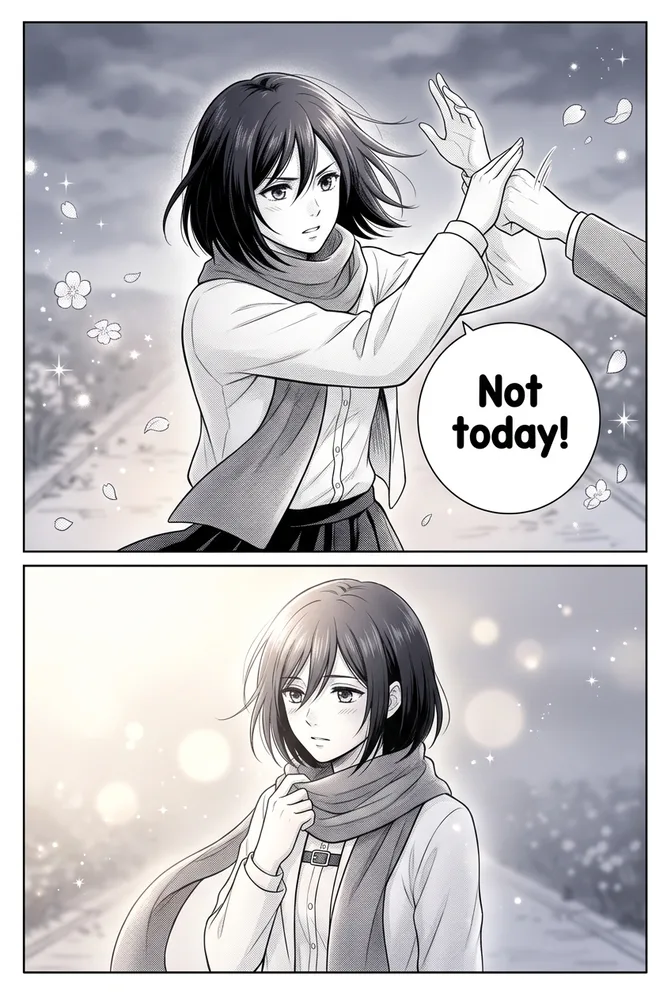
The AI Romance Manga style page documents the specific shojo screentone and sparkle-FX presets the builder exposes. For a deeper romance-specific storytelling guide with full episode pacing, the romance webtoon with AI walkthrough covers the vertical-scroll version of this genre — useful if you’re deciding between manga-page and webtoon-episode formats for the same story.
How Do You Prompt Isekai Manga Style with AI?
Isekai — portal fantasy and reincarnation manga — is defined by two visual signatures: RPG game-UI overlays (status windows, skill lists, level-up notifications) and a stark tonal contrast between the “ordinary world” and the “fantasy world” the protagonist is transported into. The genre marker is legibility of the UI element combined with escalating power-aura intensity.
Best for: portal fantasy, reincarnation arcs, protagonist power-ascension stories, dual-world narratives.
Style: isekai light-novel manga, black and white screentone base with
optional color accent on UI overlay elements
Genre FX: floating RPG status window — bordered box, clean sans-serif stat
rows, level indicator, skill list — positioned as a panel overlay, not
blended into the background art
World contrast: origin-world panels muted and desaturated, destination-world
panels vivid with jewel-tone accents (emerald, sapphire, gold)
Power cues: aura intensity, equipment detail, and combat stance scaled to
the protagonist's current power level — state the level explicitly in the prompt
Composition: wide establishing shot for world-arrival panels, dynamic
diagonal panel for power-reveal moments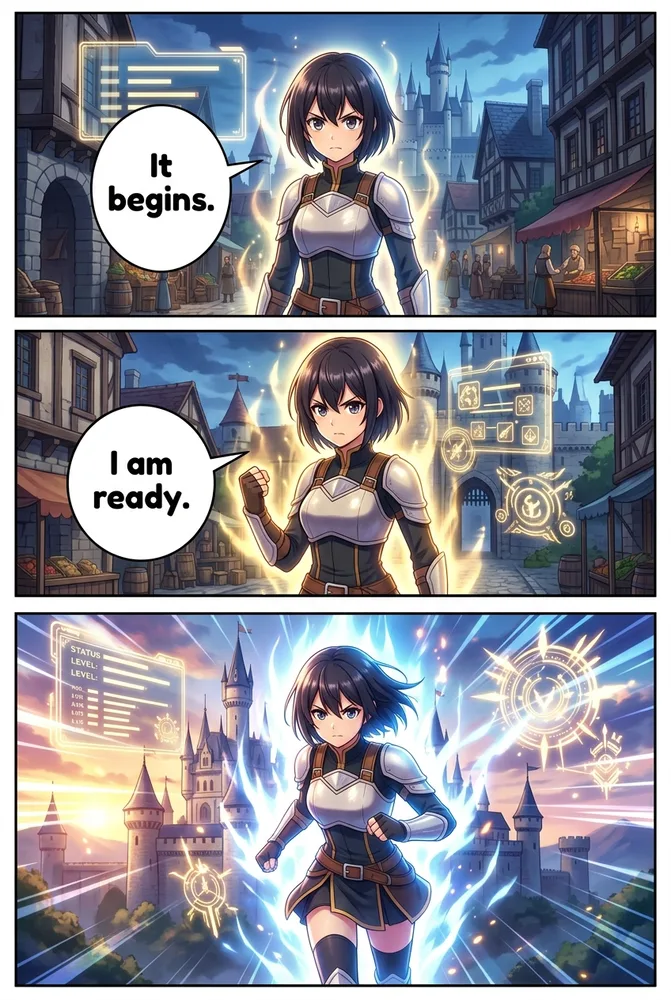
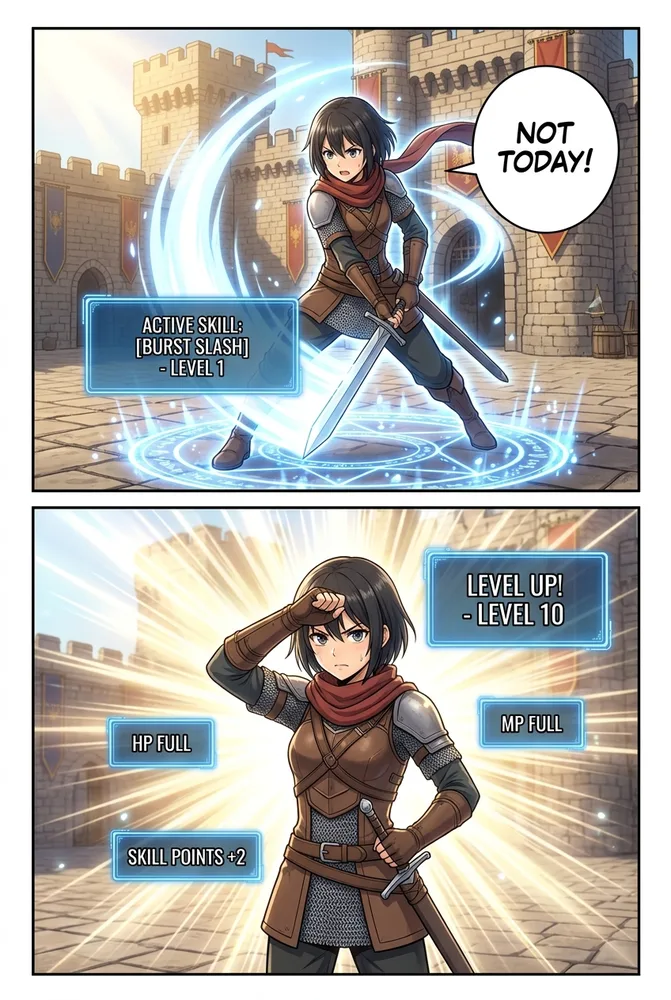
The AI Isekai Generator style page has the exact RPG-UI overlay controls and power-progression tracking the builder supports. If your story leans into full-arc world-building rather than a single-genre panel look, the isekai adventure comics with AI guide walks through building a multi-chapter isekai narrative — this recipe is the prompt layer, that guide is the story-structure layer.
How Do You Prompt Slice-of-Life Manga Style with AI?
Slice-of-life manga trades external conflict for atmospheric detail and quiet emotional texture — steam rising off a coffee cup, rain on a window, the specific angle of afternoon light through a curtain. The genre marker is restraint: gentle expressions, soft naturalistic lighting, and settings rendered with more care than the “plot” strictly requires.
Best for: daily-life vignettes, character studies, introspective single-panel moments, cozy or nostalgic tone pieces.
Style: slice-of-life manga, black and white with warm natural-light screentone
Linework: clean, unhurried, medium weight (0.8–1.5pt) — no dramatic contrast
Lighting: naturalistic ambient light — morning window light, golden-hour glow,
overcast softness — treated as a primary compositional element, not background
Atmospheric detail: steam, rain droplets, dust motes in light, falling leaves —
small environmental textures rendered with deliberate attention
Expression: soft, gentle — thoughtful gaze, comfortable silence, small smile;
avoid exaggerated or high-contrast emotional poses
Setting: kitchen, train platform, bookshop, park bench — ordinary spaces
rendered with warmth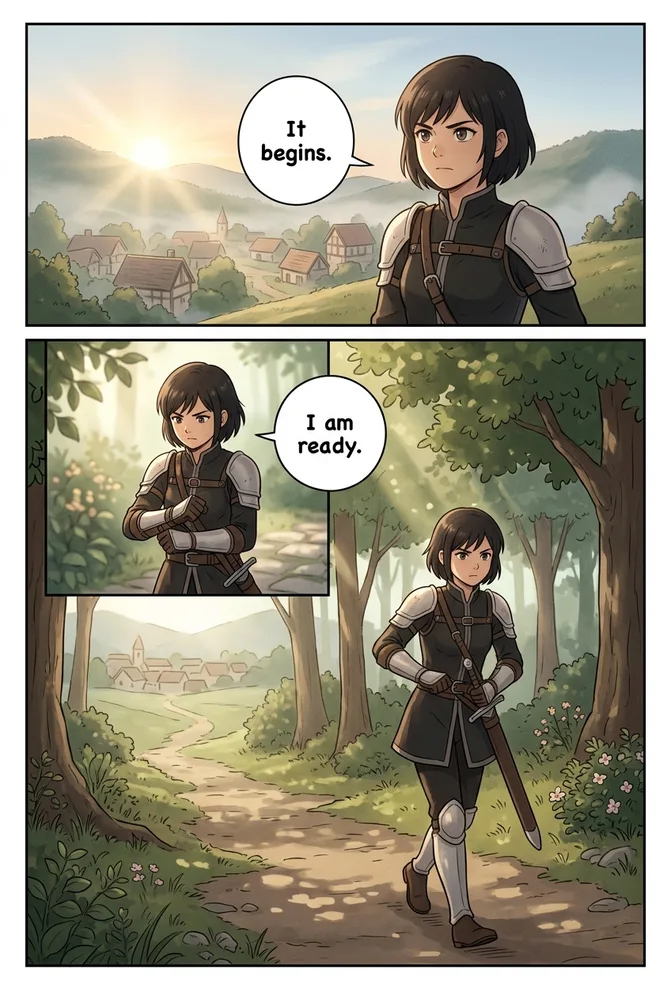
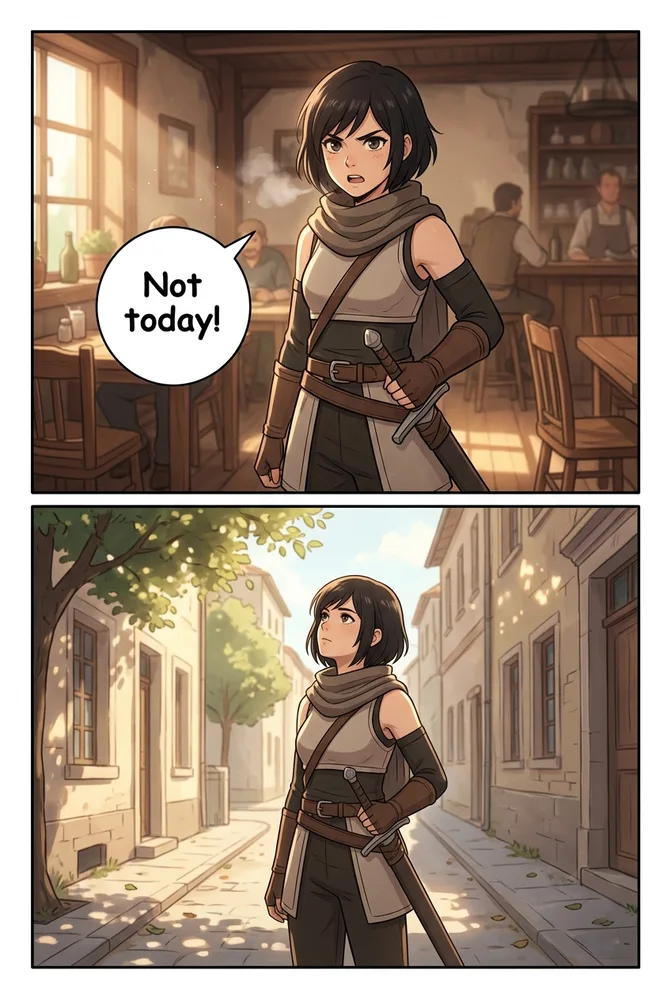
The AI Slice-of-Life Manga style page covers the atmospheric-detail and expression-rendering settings specifically. For a vertical-scroll take on the same genre, the slice-of-life webtoon with AI guide covers episode pacing for daily-life webtoon series.
How Do You Prompt Four-Koma Manga Style with AI?
Four-koma (yonkoma) is a structural genre before it’s a visual one: four stacked panels following the ki-shō-ten-ketsu beat pattern — setup, development, twist, punchline. The genre marker is comedic timing baked into panel composition, not linework style. Get the beat structure wrong and the joke doesn’t land, no matter how clean the art is.
Best for: gag comics, recurring-cast comedy strips, single-page social-media formats, Twitter/X or Instagram Stories comic content.
Style: 4-koma yonkoma manga, flat clean color or B&W screentone
Structure: exactly 4 stacked panels in a single vertical strip —
Panel 1 = setup (establish situation), Panel 2 = development (escalate),
Panel 3 = twist (subvert expectation), Panel 4 = punchline (visual payoff)
Timing cues: name the reaction beat in panel 3 explicitly — a widened-eye
reaction, a dramatic pause — since the twist panel is where comedic timing lives
Recurring cast: describe consistent character design cues so the same cast
reads instantly familiar across strips
Export intent: single vertical image, readable at social-feed thumbnail scale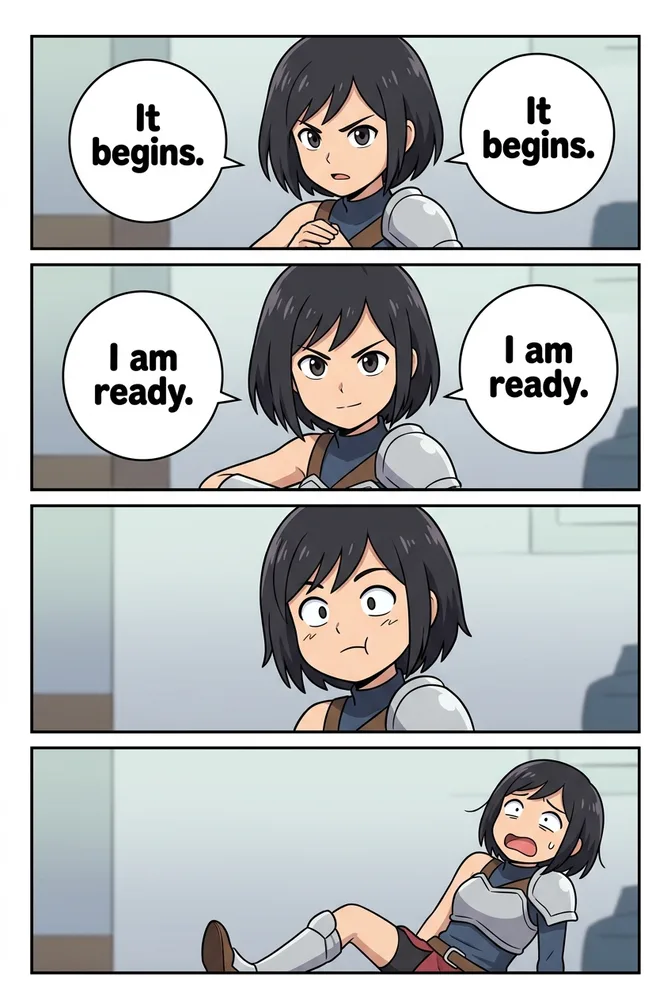
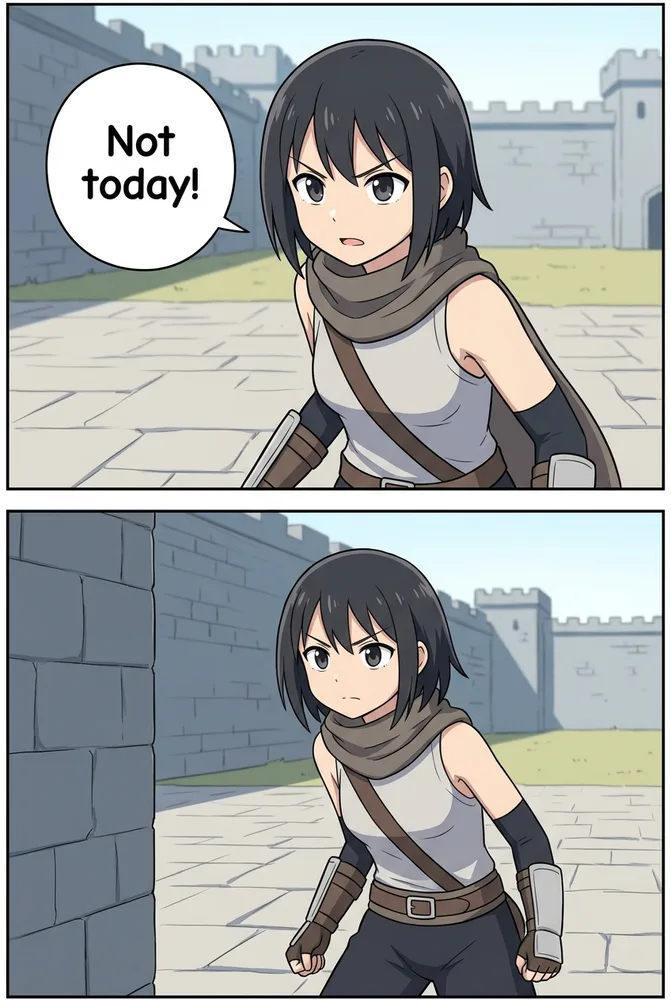
The AI 4-Koma Generator style page documents the built-in ki-shō-ten-ketsu template and recurring-cast consistency settings — from inside the builder, that pacing structure is enforced automatically once you select the 4-koma preset, so you can focus on writing the joke rather than laying out the beats.
How Do You Prompt Sci-Fi Manga Style with AI?
Sci-fi manga’s genre marker is environmental scale and tech-effect vocabulary: starship interiors, cyberpunk streets, and hard rim-lighting against neon or holographic light sources. Where romance manga renders restraint, sci-fi manga renders scale — the panel composition should make the reader feel the size of the setting.
Best for: space opera, cyberpunk, mecha and android narratives, dystopian world-building.
Style: sci-fi manga, high-contrast B&W screentone with optional neon
color accent on tech elements
Environment: starship corridor, orbital station window, or rain-slick
cyberpunk street with holographic signage — rendered at establishing-shot scale
Tech FX: laser fire, energy shield shimmer, holographic UI panels, nanite
particle swarms — treated as panel-overlay elements with hard rim light
Lighting: hard directional rim light from a single tech source (screen glow,
energy core, neon sign) against otherwise dark negative space
Mecha/cyborg detail: state mechanical component specifics explicitly —
chassis plating, joint articulation, visor glow — for consistency across panels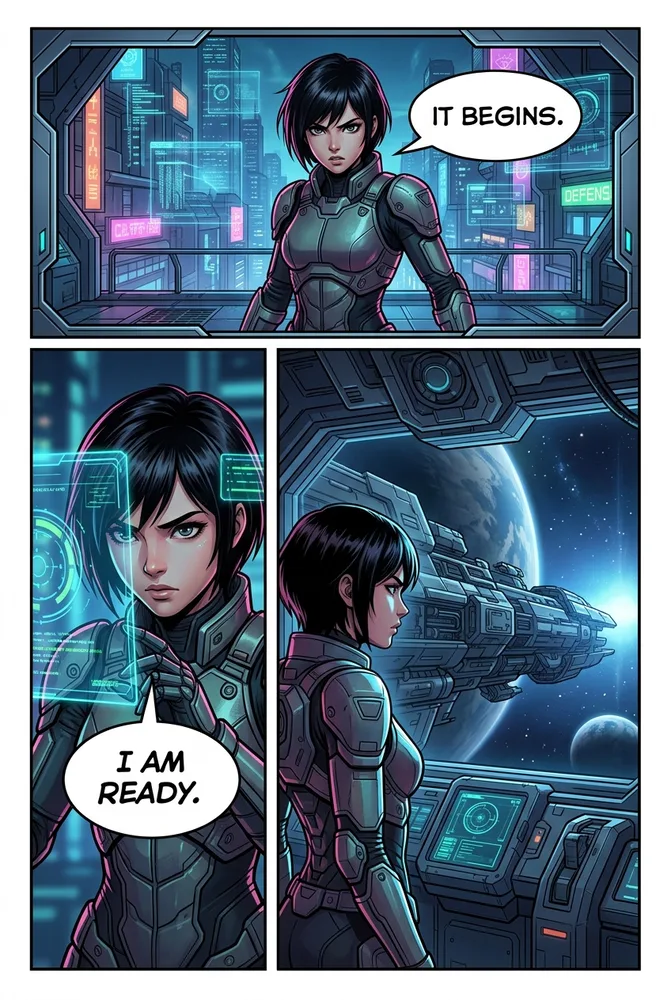
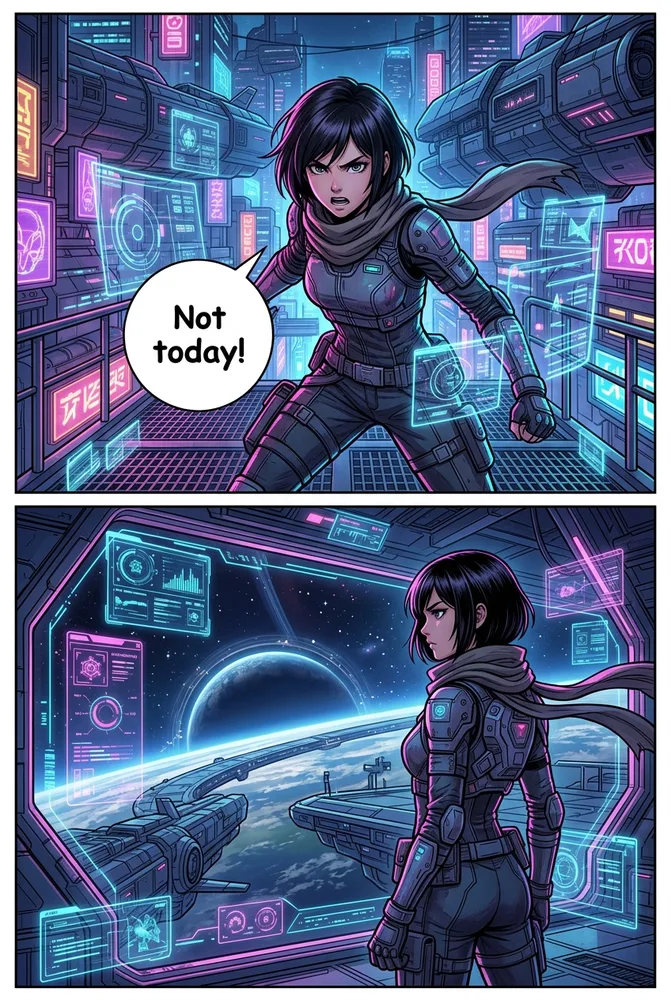
The AI Sci-Fi Comic style page has the full tech-effect library and cyberpunk environment presets. For a webtoon-format dystopian showcase built with these same environment principles, see the sci-fi dystopian webtoon AI showcase.
How Do You Prompt Educational Manga Style with AI?
Educational manga swaps narrative FX vocabulary for infographic vocabulary: clean flat color, labeled callout arrows, and diagram-friendly panel composition that stays legible at classroom-handout or slide-deck scale. The genre marker is clarity over mood — a busy screentone-heavy panel that reads great for horror manga actively hurts comprehension in an educational panel.
Best for: STEM concept explainers, historical timelines, classroom handouts, social-emotional learning content.
Style: educational manga, clean flat color, minimal screentone
Linework: consistent medium weight (1–1.5pt), no dramatic ink variation —
prioritize readability over expressive line
Diagram integration: labeled callout arrows, simple iconography, and
short caption text boxes layered into narrative panels where a concept
needs direct explanation
Character role: guide-character pose — pointing, explaining, reacting with
clear readable expression — rather than dynamic action pose
Color: flat, high-contrast-enough-to-photocopy palette; avoid heavy
gradient or airbrush shading that muddies print reproduction
Panel pacing: wide establishing panel → close-up on the concept detail →
labeled diagram panel → character reaction/summary panel
The AI Educational Comic style page covers the hybrid narrative-plus-diagram layout options and classroom-export presets in detail — useful if you’re building a full curriculum unit rather than a single explainer panel.
How Do the 6 Manga Genre Styles Compare at a Glance?
| Genre | Look | Prompt keyword focus | Best for | Comistitch advantage |
|---|---|---|---|---|
| Romance | Fine screentone, sparkle/flower FX, tender close-ups | Emotional beat, decorative FX density | Slow-burn love stories, confessions | Shojo FX preset scales with emotional intensity |
| Isekai | RPG status window, dual-world tonal contrast | UI overlay clarity, power-level cues | Portal fantasy, reincarnation arcs | Tracks power-progression visual cues automatically |
| Slice-of-life | Warm natural light, gentle expression, ambient texture | Atmospheric detail, restraint | Daily-life vignettes, character studies | Renders subtle expression more accurately than action-first models |
| Four-koma | 4-panel vertical strip, flat color | Beat structure (setup/twist/punchline) | Gag comics, recurring-cast strips | Built-in ki-shō-ten-ketsu pacing template |
| Sci-fi | Hard rim light, neon/holographic FX, environmental scale | Tech-effect vocabulary, lighting source | Space opera, cyberpunk, mecha | Full tech-effect overlay library |
| Educational | Flat clean color, labeled diagrams | Clarity, diagram integration | STEM/history classroom content | Hybrid narrative-plus-diagram layout support |
Use this table as a quick-reference during genre selection. For the wider style-family comparison — how these six manga genres sit alongside manhwa, painted, dark, and cute style families — the AI comic art styles comparison covers all 20 Comistitch styles side by side on the same demo character.
Can I Mix Two Manga Genres in the Same Comic?
Yes, and it’s a common creative choice — romance-in-space, isekai-comedy, or educational-slice-of-life hybrids are all viable when the blend is deliberate rather than accidental. The mechanism is additive: apply one genre recipe as your Global Style Description, then paste the second genre’s specific descriptors into individual panels where you want the blend to show.
A romance-in-sci-fi story, for example, might use the sci-fi recipe’s environmental and lighting descriptors as the base, then layer in the romance recipe’s “tender close-up” framing and sparkle FX specifically for the confession-scene panel. What doesn’t work well is blending conflicting pacing structures in the same panel — a four-koma punchline beat and a slice-of-life restraint beat fight each other, because one wants comedic timing and the other wants quiet atmosphere.
From inside the builder, apply a Global Style and override individual panels with a secondary genre’s descriptors for deliberate genre-blend scenes — the builder handles panel-level style layering automatically, so you’re not managing two separate render pipelines by hand.
How Do I Use These Genre Recipes in Comistitch Studio?
- Select Manga as your base style, then choose the closest genre preset in Style Settings — this loads the appropriate panel-grid default and tone baseline before any prompt is applied.
- Paste the genre recipe into the Global Style Description field to apply it across every panel in the project.
- Write panel-level beats in the Script Editor, naming the emotional or comedic beat explicitly rather than describing only the physical action.
- Generate and check the genre-specific tell — sparkle density for romance, UI legibility for isekai, punchline timing for four-koma — and re-generate individual panels as needed.
- Export or publish directly from the panel canvas to your Comistitch creator profile, with genre-appropriate formatting applied automatically.
This workflow is shared across all six genres — only the recipe content and the genre-specific fidelity check change. The manga style cookbook covers the underlying manga rendering settings (screentone, ink weight, panel grid) that every genre recipe here builds on top of.
Start generating genre manga free on Comistitch →
Related guides: AI Comic Art Styles Compared · AI Comic Style Cookbook · AI Romance Manga · AI Isekai Generator · AI Slice-of-Life Manga · AI 4-Koma Generator · AI Sci-Fi Comic · AI Educational Comic · Try the AI Comic Generator